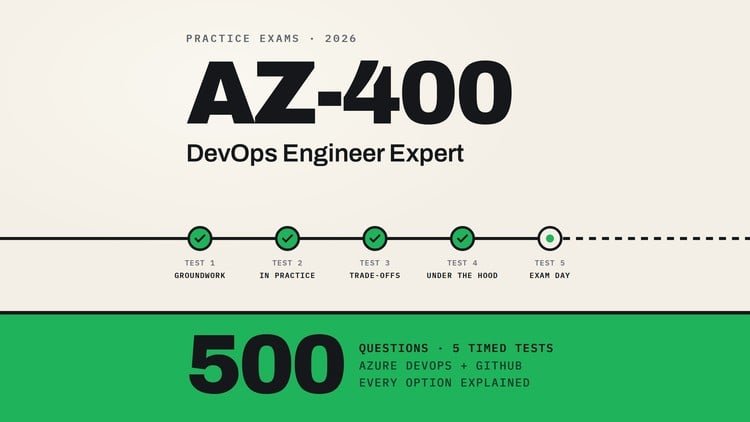
500 questions on pipelines, source control, security and monitoring with Azure DevOps and GitHub, explained per option
What You Will Learn:
- Test your readiness for AZ-400 across all five skill areas, weighted as in the July 27, 2026 study guide
- Tell apart Azure DevOps and GitHub features that are easy to confuse, from agents and runners to feeds and alerts
- Choose the right design when two answers look plausible and one requirement such as cost or security decides
- Learn from per-option feedback and an explanation with a Microsoft Learn or GitHub Docs link for every question
- Work through YAML, CLI and configuration details for pipelines, Bicep, deployment slots, OIDC and KQL
- Finish with a full-length simulation that shows whether you are ready to book the real exam
Overview: Why Practice Questions Are Your Secret Weapon for the AZ-400
If you have been in the cloud ecosystem for a while, you know that the AZ-400 Designing and Implementing Microsoft DevOps Solutions exam is a different beast entirely. It is not just about knowing which button to click in the portal; it is about architectural philosophy and the fine-grained nuances of industry-standard tools. I recently spent time digging through the ‘AZ-400 DevOps Engineer Expert: 500 Practice Questions’ set, and honestly, it is the kind of certification prep I wish I had when I first started moving away from legacy infrastructure into real-world projects involving complex CI/CD patterns.
What struck me most about this specific course isn’t just the volume of questions—500 is plenty—but the foresight in its design. It targets the July 27, 2026, study guide updates. In an industry where documentation becomes obsolete in six months, having a resource that looks ahead is invaluable for long-term career growth. The course avoids the “brain dump” trap and instead focuses on the “why.” It treats the exam like a high-stakes consulting gig where you have to choose between two plausible-looking designs based on a single constraint like cost-efficiency or zero-trust security. That’s the level of thinking required for job-ready skills in 2024 and beyond.
Prerequisites: What You Need Before Diving In
This is not a “beginner to advanced” walkthrough that will hold your hand through the basics of cloud computing. To get the most out of these practice questions, you should already have a solid foundation. Specifically, I recommend:
- A baseline understanding of either the AZ-104 (Administrator) or AZ-204 (Developer) curriculum. Microsoft requires one of these as a prerequisite for the expert badge for a reason.
- Familiarity with the Azure DevOps interface and basic GitHub repository management.
- Exposure to YAML pipelines; if you can’t tell a task from a job yet, go hit some hands-on labs first.
- A basic grasp of Infrastructure as Code (IaC) concepts, particularly how declarative syntax differs from imperative scripting.
Skills & Tools: The Full Stack DevOps Toolkit
The course does a fantastic job of forcing you to toggle your brain between Azure DevOps and GitHub. In the real world, we often use a hybrid of both, and the exam reflects that reality. You’ll find yourself working through:
- GitHub Actions vs. Azure Pipelines: Deep dives into runners, self-hosted agents, and environment secrets.
- Security & Compliance: Mastering OIDC (OpenID Connect) for secure service connections and implementing GitHub Advanced Security.
- Monitoring & Logging: Writing KQL (Kusto Query Language) for Log Analytics and setting up proactive alerts in Application Insights.
- Infrastructure as Code: Configuring Bicep modules and managing state in complex deployment slots.
- Package Management: Distinguishing between NuGet, npm, and Maven feeds within Azure Artifacts.
Career Benefits & Job Roles: Beyond the Badge
Passing the AZ-400 isn’t just about adding a digital badge to your LinkedIn profile. It’s about signaling to recruiters that you understand the SDLC (Software Development Life Cycle) at an enterprise scale. Completing these 500 questions prepares you for high-impact roles such as:
- Site Reliability Engineer (SRE): Using KQL and monitoring to ensure 99.9% uptime.
- Platform Engineer: Building internal developer platforms using standardized YAML templates and Bicep.
- DevSecOps Consultant: Implementing security scanning and automated compliance gates in the pipeline.
- Cloud Architect: Designing cost-effective, scalable release strategies for global applications.
Pros: Why This Course Stands Out
- The “De-Confuser” Logic: It provides a clear breakdown of features that are easily confused, like Azure DevOps Feeds vs. GitHub Packages or Self-hosted Agents vs. GitHub Runners. This is where most people lose points on the real exam.
- Per-Option Feedback: Every single answer choice is explained. If you pick ‘B’ but ‘A’ was correct, the course explains exactly why ‘B’ was a “distractor” and provides a direct Microsoft Learn or GitHub Docs link to verify.
- Tough Decision Scenarios: It mimics the real exam’s tendency to give you two “correct” technical answers and forces you to choose the one that aligns with a specific business requirement (like minimizing overhead or maximizing security).
- Full-Length Simulation: The final simulation is a brutal but necessary reality check. It gives you a clear “Go/No-Go” signal before you spend hundreds of dollars on the actual certification exam.
Cons: The Honest Truth
The only real downside is the steep learning curve for those who haven’t spent much time in the CLI or YAML files. The questions can feel incredibly pedantic about syntax and configuration details. While this reflects the actual AZ-400 difficulty, it can be discouraging for someone coming strictly from a management or “point-and-click” background without recent hands-on labs experience. It is a tool for expert-level validation, not a gentle introduction.