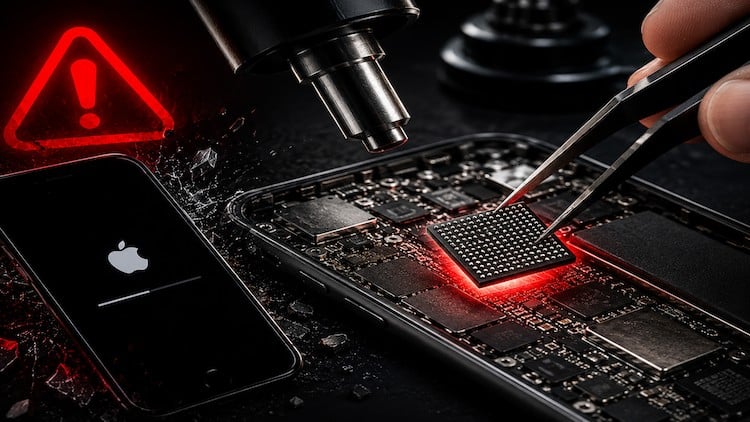
The mobile phone repair skill every shop turns away: swap the NAND, keep the IMEI, take iPhone storage 32GB to 256GB
What You Will Learn:
- Take a 32GB iPhone to 128GB or 256GB by swapping the NAND chip — without losing the IMEI or bricking the board.
- Read the original NAND and preserve SysCfg — the IMEI, Wi-Fi MAC, Bluetooth MAC and Touch ID — so the phone keeps its identity.
- Remove the NAND with a hot-air rework station without cooking the baseband, audio or Wi-Fi chips next to it.
- Reball the NAND with the right stencil and solder profile, then reflow it onto the iPhone logic board clean.
- Restore the iPhone through Finder, iTunes or 3uTools and run a 6-point validation check before it leaves your bench.
- Diagnose and fix the scary stuff — Apple logo loops, restore errors 9/4013/4014, missing IMEI, and wrong storage size.
- Show more
Overview: The “Forbidden” Repair That Separates Pros from Parts Swappers
Let’s be real for a second: Most repair shops are glorified screen and battery swappers. They see a 32GB iPhone with a “Storage Full” message or an Error 4013 loop and they immediately tell the customer to go buy a new device. Why? Because they’re terrified of the logic board. They’re scared of the “underfill” and the prospect of turning a working phone into a paperweight. This course, “iPhone Repair: Memory Upgrade 32GB to 256GB Without Bricking,” is the antidote to that fear.
Instead of repeating the basic “how-to” steps, what this course actually delivers is a masterclass in thermal management and data integrity. It isn’t just about making a number bigger in the “About” settings; it’s about the surgical precision required to lift a NAND chip sitting millimeters away from the CPU and Baseband without causing a catastrophic short. It’s about understanding the SysCfg—the digital soul of the iPhone—and how to move it to a new chip so the Touch ID and Wi-Fi actually work when you’re done. If you want to stop leaving money on the table and start offering high-margin, “impossible” services, this is where you gain that edge.
Prerequisites: Don’t Jump the Gun
This isn’t a “day one” course for someone who just bought their first screwdriver set. To get the most out of these hands-on labs, you should already be comfortable with basic micro-soldering. You don’t need to be a wizard, but if you can’t navigate a logic board under a microscope or if the idea of “wicking a pad” makes you nervous, you should practice your basics first.
You’ll need a solid grasp of how to use a multimeter and a basic understanding of the iPhone’s boot sequence. This course is designed as a beginner to advanced bridge, but it assumes you aren’t afraid of a hot-air rework station. It’s for the tech who is tired of the easy stuff and wants to dive into the deep end of real-world projects.
Skills & Tools: Mastering the Bench
The course does a fantastic job of walking you through the industry-standard tools required for the job. We aren’t talking about cheap hobbyist gear; you’ll learn why high-end programmers like the JC Pro1000S or V1S Pro are essential for reading the original NAND.
Key skills covered include:
- Micro-Surgical Cleaning: Removing the stubborn black underfill around the NAND without knocking off the tiny capacitors that line the perimeter.
- Precision Reballing: Using the correct solder profile and stencils to ensure the 200+ tiny solder balls on the bottom of that NAND are perfectly uniform.
- Software Literacy: Navigating 3uTools and iTunes/Finder for deep-level restores and interpreting those cryptic restore errors that usually signal a hardware failure.
- Data Preservation: Ensuring the IMEI and Bluetooth MAC addresses are correctly written to the new chip to avoid the “Unable to Activate” nightmare.
Career Benefits & Job Roles: From Tech to Specialist
Completing this training is a massive boost for your career growth. In an industry where everyone is competing on the price of a screen repair, being the only guy in town who can fix a NAND-related boot loop or perform a storage upgrade makes you an outlier.
These are job-ready skills that position you for roles like Lead Technician or Micro-Soldering Specialist. If you’re an entrepreneur, this is your path to offering a boutique service that commands $150-$250 per hour of bench time. It’s also excellent certification prep for those looking to validate their expertise in advanced mobile electronics.
Pros: Why This Course Hits the Mark
- Unlocks New Revenue: You stop turning away “dead” phones that actually just have corrupt or failed NAND chips.
- Deep Diagnostics: It teaches you to actually understand Error 9, 4013, and 4014 rather than just guessing what’s wrong.
- Identity Protection: The focus on preserving SysCfg is a lifesaver; it ensures the phone remains 100% functional, including True Tone and Touch ID.
Cons: The Honest Truth
- High Barrier to Entry: While the skills are incredible, the industry-standard tools (programmer, high-end microscope, and rework station) require a significant upfront investment that might be steep for a solo hobbyist.