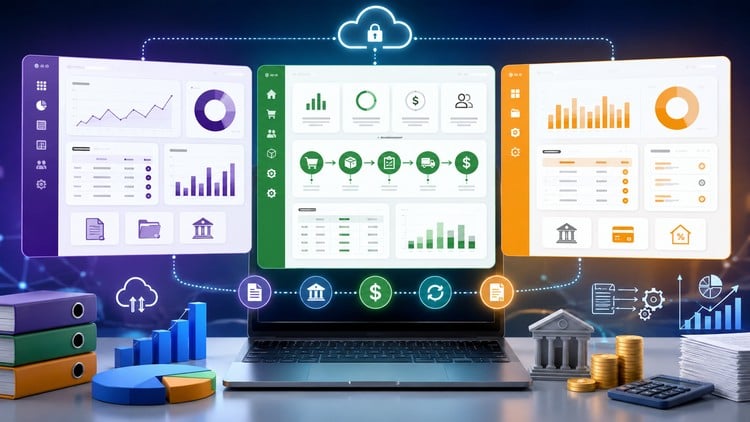
Master Odoo 19, QuickBooks, Zoho Books, FreshBooks & Wave Accounting with real-world workflows and automation
What You Will Learn:
- Configure and manage complete accounting systems in Odoo 19.
- Set up taxes, VAT, GST, and compliance workflows in accounting software.
- Create, manage, and automate customer invoices.
- Record and track customer payments accurately.
- Perform bank reconciliations and transaction matching.
- Manage accounts receivable and improve cash collection.
- Manage accounts payable and vendor payment workflows.
- Configure and optimize chart of accounts structures.
- Show more
Overview: More Than Just a Ledger Walkthrough
I’ve been in the tech-finance space long enough to see “accounting courses” that are basically just glorified industry-standard tools tutorials where you click a few buttons and hope for the best. “Accounting Software Mastery: Odoo, QuickBooks & Zoho ERP Pro” is a different beast entirely. It doesn’t just show you where the “save” button is; it actually dives into the architectural logic of how modern ERPs (Enterprise Resource Planning) function. Most courses stick to one ecosystem, but this one acknowledges the reality of the 2024 job market: you need to be a polyglot.
What struck me most about this curriculum was the heavy focus on Odoo 19. While QuickBooks is the old reliable, Odoo is where the industry is heading for companies that need custom workflows. The course transitions from beginner to advanced concepts without hand-holding you to death. It bridges the gap between “I know how to record a bill” and “I can configure a multi-currency tax compliance engine.” It’s designed for those who want to understand the why behind the automation, rather than just memorizing a sequence of clicks. If you’re tired of surface-level overviews, this is where you’ll find the actual meat on the bones.
Prerequisites
To really get the most out of these hands-on labs, you don’t need to be a Chartered Accountant, but you shouldn’t be a total stranger to a balance sheet either. Here is what I’d recommend having in your toolkit before hitting play:
- Basic Accounting Literacy: You should know the difference between a debit and a credit, even if you’re a bit rusty.
- Tech Savviness: Comfort with cloud-based interfaces and basic browser-based troubleshooting.
- A Trial Account Mindset: You’ll need to set up several free trials/sandboxes (QuickBooks, Zoho, Odoo) to follow along with the real-world projects.
- Patience for Detail: ERP configuration is about precision; a single wrong tax setting can throw off an entire ledger.
Skills & Tools You’ll Master
This course is essentially a roadmap for becoming an implementation specialist. You aren’t just learning to use software; you’re learning to deploy it. Here are the core tools and skills covered:
- Software Suite: Full mastery of Odoo 19, QuickBooks Online, Zoho Books, FreshBooks, and Wave Accounting.
- Workflow Automation: Setting up automated triggers for customer invoicing and recurring vendor payments.
- Global Compliance: Configuring VAT, GST, and local sales tax structures within the software to ensure audit-ready records.
- Banking Integration: Advanced bank reconciliation techniques, including transaction matching and handling bank feed exceptions.
- Data Architecture: Designing a Chart of Accounts that scales with a business rather than cluttering it.
Career Benefits & Job Roles
Let’s talk money and career growth. In today’s market, “Accountant” is a tech role. Companies are desperate for people who can migrate their messy spreadsheets into a streamlined Zoho ERP Pro or Odoo environment. By completing this, you aren’t just an “admin”; you’re a solutions architect.
The job-ready skills gained here translate directly into roles like ERP Consultant, Financial Controller, Accounting Manager, or Cloud Accounting Specialist. If you’re a freelancer, being able to offer “Full-stack Accounting Setup” for SMEs is a high-ticket service. This course also serves as excellent certification prep for those looking to get officially badged in Odoo or QuickBooks, which can significantly bump your hourly rate or base salary.
The Pros
- The Versatility: Most courses force you into one camp (e.g., just QuickBooks). This course teaches you to compare and contrast, helping you advise clients on which tool actually fits their specific business model.
- Odoo 19 Deep-Dive: Odoo is notoriously complex. Seeing a clean, logical breakdown of the version 19 workflows is worth the price of admission alone. It’s the “pro” side of the course that most competitors ignore.
- Hands-on Labs: You aren’t just watching videos. The emphasis on real-world projects means you’re actually building out accounts receivable and payable workflows that you’ll encounter in a real office.
- Automation Focus: It spends a lot of time on how to make the software do the work for you, which is the ultimate goal of any modern finance pro.
The Cons
- Information Overload: Because it covers five different platforms, the pace can feel a bit frantic. If you are a complete novice to the cloud, you might find yourself hitting the “rewind” button frequently when moving between Odoo’s modular structure and Wave’s simplicity. It’s a lot to digest in one go.