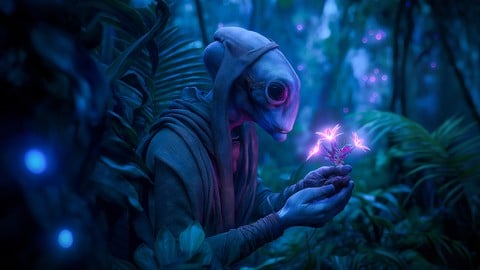
Create professional AI art using Midjourney. Learn prompt engineering, advanced parameters, composition, & monetization
What You Will Learn:
- Understand the fundamentals of Generative AI and how Midjourney creates AI art from prompts.
- Learn how Midjourney works behind the scenes, including models, diffusion concepts, and AI image generation workflows.
- Set up your Midjourney account and subscription to start creating professional AI art.
- Navigate the Midjourney Web App interface to generate and manage AI images efficiently.
- Use Midjourney on Discord to generate AI art using powerful slash commands.
- Create your first AI-generated artwork in Midjourney using structured prompts.
- Show more
Learning Tracks: English
Note➛ Make sure your 𝐔𝐝𝐞𝐦𝐲 cart has only this course you're going to enroll it now, Remove all other courses from the 𝐔𝐝𝐞𝐦𝐲 cart before Enrolling!
Add-On Information:
- Course Overview
- Delve into the revolutionary landscape of Artificial Intelligence and its transformative impact on the global creative industry, moving beyond simple image generation to professional-grade digital production.
- Explore the evolution of the Midjourney Model Architecture, understanding how each version iteration has refined the relationship between linguistic input and visual fidelity.
- Investigate the concept of Iterative Design, learning how to refine a single concept through multiple generations to achieve a pixel-perfect final result that meets commercial standards.
- Analyze the intersection of Traditional Art Theory and modern machine learning, applying classical concepts of lighting, texture, and perspective to the digital canvas.
- Understand the Ethical and Legal Landscape of AI-generated content, including copyright nuances and the responsible use of artist-inspired style modifiers in a professional environment.
- Transition from a casual user to an AI Art Director, gaining the ability to lead visual projects from initial brainstorming to final high-resolution asset delivery.
- Master the Linguistic Nuances of prompt engineering, discovering how specific adjectives, technical jargon, and structural syntax dramatically alter the machine’s interpretation.
- Requirements / Prerequisites
- A stable, High-Speed Internet Connection capable of handling real-time cloud-based rendering and the downloading of large, high-resolution image files.
- An active Discord Account and a basic familiarity with its server-based communication structure, as it serves as the primary gateway for command execution.
- Access to a Web Browser (Chrome, Safari, or Firefox) to utilize the latest standalone web interfaces and gallery management features offered by the platform.
- A foundational interest in Visual Communication, although no prior experience in drawing, painting, or graphic design software is strictly necessary.
- A proactive Creative Mindset and the patience to experiment with trial-and-error workflows, which are essential for mastering the unpredictable nature of generative outputs.
- A Financial Commitment to a Midjourney subscription plan, as the course covers features and modes (like Stealth Mode) only available on specific paid tiers.
- Skills Covered / Tools Used
- Mastery of Advanced Parameters such as –no for negative prompting to exclude unwanted elements and –chaos to control the level of abstraction and variety.
- Strategic implementation of Aspect Ratio Management using –ar to tailor images for specific platforms, ranging from social media stories to cinematic widescreen displays.
- Utilization of Style References (–sref) and Character References (–cref) to maintain visual continuity across a series of images, essential for storytelling and branding.
- Advanced Image-to-Image workflows, learning how to use existing photographs as structural or stylistic templates for new AI-generated transformations.
- Expert use of Vary Region (In-painting) to modify specific sections of an image without altering the entire composition, allowing for surgical precision in edits.
- Exploring Zoom Out and Pan (Out-painting) functions to extend the boundaries of a canvas, creating expansive landscapes or adding environmental context to portraits.
- Harnessing Permutation Prompting to execute dozens of variations simultaneously, significantly optimizing the time spent on exploratory creative phases.
- Instruction on Upscaling Technologies, comparing Midjourney’s internal upscalers with external AI tools to achieve print-ready 4K and 8K resolutions.
- Benefits / Outcomes
- Develop a Commercial-Grade Portfolio featuring diverse styles ranging from hyper-realistic photography and 3D renders to charcoal sketches and architectural visualizations.
- Achieve Rapid Prototyping Capabilities, reducing the time required for mood boarding and concept art from several days to a few minutes.
- Unlock Monetization Strategies by learning how to package AI art for stock photography platforms, book cover designs, and personalized marketing materials.
- Gain Industry-Specific Workflows that can be integrated into existing pipelines for interior design, fashion, gaming, and film pre-visualization.
- Eliminate Creative Block by using the AI as a collaborative partner that can suggest unexpected color palettes, compositions, and thematic combinations.
- Obtain a Future-Proof Skillset that positions you at the forefront of the labor market as companies increasingly seek experts in generative media integration.
- PROS
- Provides a Comprehensive Roadmap from total beginner to advanced power user, ensuring no technical gaps are left in your understanding of the tool.
- Focuses on Practical, Real-World Applications rather than just theoretical concepts, enabling immediate productivity in a professional setting.
- Includes Current Version Updates, ensuring that learners are using the most modern features like the V6.1 engine and the latest web-based creation tools.
- Encourages a Cost-Effective Approach to high-end design, teaching users how to maximize their subscription hours and minimize wasted GPU time.
- CONS
- The Rapid Pace of AI Updates means users must remain committed to continuous self-learning even after the course ends, as the software interface and algorithms evolve frequently.