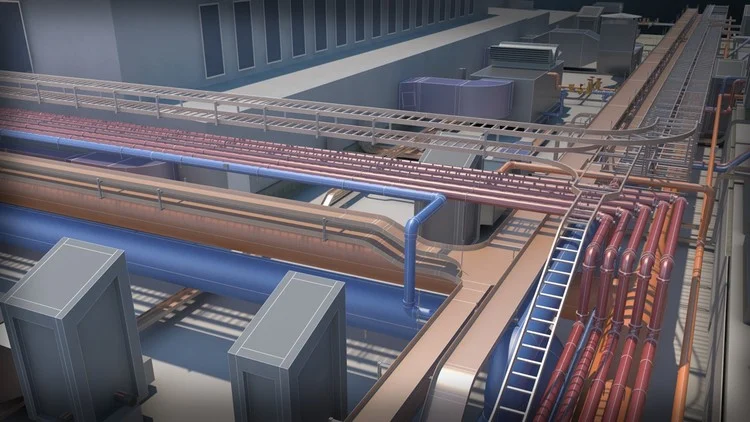
You’ll learn step-by-step through a practical project how to create models, coordinate with other disciplines, and SD
⏱️ Length: 8.7 total hours
⭐ 4.86/5 rating
👥 73 students
🔄 December 2025 update
Add-On Information:
Note➛ Make sure your 𝐔𝐝𝐞𝐦𝐲 cart has only this course you're going to enroll it now, Remove all other courses from the 𝐔𝐝𝐞𝐦𝐲 cart before Enrolling!
- Course Overview
- Comprehensive deep dive into the Full Mechanical BIM Lifecycle, moving from the conceptual design stage to the final construction documentation phase within the Revit 2023 environment.
- Analysis of Industry-Standard Workflows that bridge the gap between architectural intent and mechanical engineering execution, ensuring model accuracy and data integrity.
- Step-by-step guidance on transforming 2D schematic layouts into Fully Coordinated 3D Models that are ready for fabrication and onsite installation.
- Exploration of the Mechanical Revit Ecosystem, focusing on how the software manages airflows, fluid dynamics, and spatial constraints within a digital twin.
- Focus on Multidisciplinary Collaboration, teaching students how to effectively link architectural and structural files to ensure a clash-free mechanical design.
- Instruction on Standard Operating Procedures for project initialization, including the proper use of mechanical templates and project browser organization.
- Detailed walkthrough of Phasing and Design Options, allowing designers to manage complex renovation projects or multiple design iterations in a single file.
- Requirements / Prerequisites
- A functional installation of Autodesk Revit 2023 or a more recent version to follow along with the specific interface updates and toolsets.
- Fundamental understanding of Mechanical Engineering Principles, specifically regarding HVAC systems, ductwork, and hydronic piping layouts.
- Basic computer literacy and a hardware setup that meets the System Requirements for Revit to handle medium-to-large linked architectural models.
- Familiarity with Technical Drawing Concepts, such as plan views, sections, and isometric projections used in engineering documentation.
- Previous exposure to BIM Methodologies is helpful but not mandatory, as the course covers the workflow from a foundational level.
- A proactive mindset for Problem-Solving, as the course involves identifying and resolving complex spatial conflicts within a building model.
- Skills Covered / Tools Used
- HVAC Ductwork Modeling: Mastering the placement of supply, return, and exhaust systems while managing complex transitions and fittings.
- Hydronic Piping Systems: Designing chilled water and heating pipe networks with Precise Routing Preferences and slope management.
- Mechanical Equipment Placement: Integrating air handling units, pumps, and chillers into the model while ensuring proper clearance and service zones.
- Link and Coordinate Tools: Utilizing Shared Coordinates and the Copy/Monitor function to align mechanical systems with architectural grids and levels.
- Parametric Family Adjustment: Editing and fine-tuning Mechanical Families to reflect specific manufacturer data and performance characteristics.
- Visibility Graphics Overrides: Crafting custom view templates to control the visual representation of mechanical systems for different types of documentation.
- Collision Detection: Using Internal Interference Checks to identify and fix overlaps between ducts, pipes, and structural components.
- Analytical System Browser: Leveraging the System Browser to verify that all mechanical components are logically connected and calculated correctly.
- Tagging and Annotation: Implementing Smart Annotations that automatically extract size, flow, and system information from the 3D components.
- Schedules and Quantities: Generating automated Bill of Materials (BOM) and equipment schedules to streamline the procurement and estimation processes.
- Worksharing and Central Files: Understanding the protocol for Collaborative Modeling where multiple engineers work on the same central model.
- Benefits / Outcomes
- Development of a Professional BIM Portfolio, demonstrating the ability to handle a complex mechanical project from start to finish.
- Attainment of BIM Level 2 Proficiency, enabling the user to work on government and large-scale commercial contracts that require Revit MEP expertise.
- Significant reduction in Design Errors by learning to identify spatial conflicts virtually before they reach the construction site.
- Enhanced Operational Efficiency through the use of automated Revit tools that replace manual drafting and calculation tasks.
- Deep understanding of the MEP Project Pipeline, providing the confidence to lead mechanical design teams in a BIM-centric office environment.
- Ability to produce High-Quality Construction Documents that are dynamic, meaning any change in the model is instantly reflected in all views.
- Improved Career Opportunities in the AEC (Architecture, Engineering, and Construction) industry by mastering the most in-demand BIM software.
- PROS
- The project-based approach ensures that Theoretical Knowledge is immediately applied to a realistic building scenario.
- The 2023 Update Focus ensures users are familiar with the latest mechanical modeling features and performance optimizations.
- High Instructor Rating and student feedback suggest a clear, easy-to-follow teaching style that prioritizes practical skills over fluff.
- The course covers the Whole Workflow, meaning there are no gaps in knowledge between starting a file and printing the final sheets.
- Concentrated 8.7-Hour Duration provides a deep dive without being overly bloated, making it ideal for busy working professionals.
- CONS
- The Strict Mechanical Focus might be too specialized for users who are seeking a broad overview of electrical or plumbing systems.
Learning Tracks: English,Design,Design Tools
Found It Free? Share It Fast!