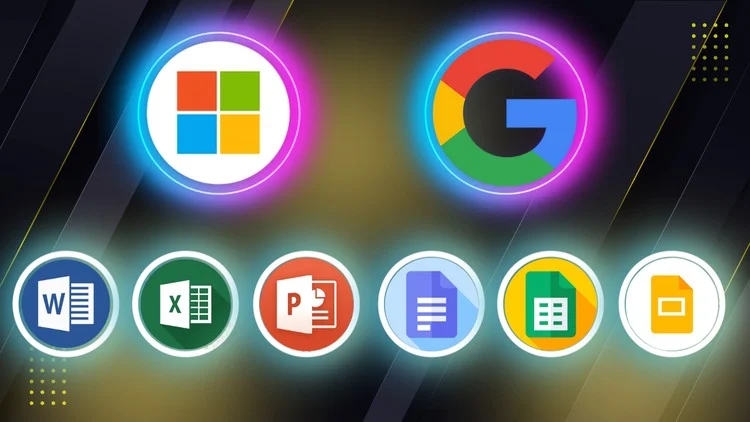
Microsoft Word Excel PowerPoint and Google Docs Sheets Slides Ideal for Beginners Professionals Students Job Seekers
⏱️ Length: 7.8 total hours
⭐ 4.33/5 rating
👥 8,871 students
🔄 September 2025 update
Add-On Information:
Note➛ Make sure your 𝐔𝐝𝐞𝐦𝐲 cart has only this course you're going to enroll it now, Remove all other courses from the 𝐔𝐝𝐞𝐦𝐲 cart before Enrolling!
Course Overview
- This comprehensive ‘Microsoft Office and Google Workspace Masterclass’ is meticulously designed to equip learners with essential digital proficiency across two of the most dominant productivity suites in today’s professional landscape. Recognizing the diverse needs of modern workplaces and personal endeavors, this course offers a dual-platform approach, ensuring you gain mastery in both Microsoft Office (Word, Excel, PowerPoint) and Google Workspace (Docs, Sheets, Slides). With content updated as of September 2025, it promises relevance and up-to-date techniques.
- Spanning 7.8 total hours of focused learning, this masterclass caters to a broad audience, including beginners seeking foundational knowledge, professionals aiming to streamline workflows, students preparing for academic success, and job seekers enhancing their employability. It’s engineered to transform users into confident and efficient practitioners, capable of tackling a wide array of document creation, data analysis, and presentation tasks with ease and expertise. The high student rating of 4.33/5 from 8,871 students underscores its effectiveness and value.
- The core objective of this masterclass is to foster an understanding of the interoperability and unique strengths of both software ecosystems, enabling you to choose the right tool for any task and collaborate seamlessly in any environment. You will explore practical, real-world applications, moving beyond theoretical knowledge to hands-on skill development that is immediately applicable in professional and personal contexts, boosting overall digital literacy and productivity.
Requirements / Prerequisites
- A fundamental understanding of basic computer operation and navigation is beneficial. This includes familiarity with operating a mouse, keyboard, and managing files and folders within a graphical user interface.
- Reliable internet access is required to engage with the online course material, access cloud-based Google Workspace applications, and potentially download updates for Microsoft Office desktop applications.
- Access to Microsoft Office suite (either desktop installed versions or web-based Office 365) and a Google account (for Google Workspace applications) is essential for hands-on practice throughout the course. Free versions or trials may be sufficient for initial learning.
- No prior experience or advanced knowledge of Microsoft Office or Google Workspace applications is necessary. The course is structured to guide learners from foundational concepts to more advanced techniques, making it ideal for absolute beginners.
- A genuine eagerness to learn, experiment with new software features, and enhance personal and professional productivity through digital tools will greatly contribute to your success in this masterclass.
Skills Covered / Tools Used
- Microsoft Word: Master document creation, advanced text formatting, styling (using themes and styles), effective use of tables and images, collaborative editing features (track changes, comments), mail merge for personalized communications, and professional document finalization including table of contents and indexing.
- Microsoft Excel: Develop robust spreadsheet skills covering data entry and manipulation, understanding and applying a wide range of formulas (e.g., SUM, AVERAGE, COUNT, IF, VLOOKUP, HLOOKUP), creating dynamic charts and graphs for data visualization, basic data analysis techniques, filtering and sorting data, and an introduction to PivotTables for summarizing complex datasets.
- Microsoft PowerPoint: Learn to design impactful presentations from scratch, utilize slide masters for consistent branding, incorporate multimedia elements (audio, video, images), apply animations and transitions effectively, and deliver engaging presentations with presenter view and effective storytelling techniques.
- Google Docs: Gain proficiency in cloud-based document creation and real-time collaboration. This includes effective sharing permissions, understanding version history, utilizing commenting features for feedback, integrating images and tables, and leveraging Google’s AI-powered writing assistance tools.
- Google Sheets: Explore online spreadsheet management, data organization, applying fundamental to intermediate formulas, creating interactive charts, using conditional formatting, collaborating on datasets in real-time, and integrating with Google Forms for data collection and analysis.
- Google Slides: Construct compelling cloud-based presentations with ease. Skills include selecting appropriate templates, working collaboratively on slides, embedding various media types, applying transitions and animations, and presenting directly from the web or sharing for asynchronous viewing.
- Cross-Platform Proficiency: Develop the ability to seamlessly transition between Microsoft Office and Google Workspace applications, understanding their respective file formats, conversion processes, and identifying the strengths of each platform for different scenarios.
- Productivity & Workflow Optimization: Acquire strategies for efficient file management, leveraging cloud storage solutions (OneDrive, Google Drive), understanding collaborative workflows, and implementing best practices for digital documentation, data analysis, and presentation design to maximize personal and team productivity.
Benefits / Outcomes
- Enhanced Employability: Significantly boost your resume and marketability by demonstrating mastery in the most sought-after productivity tools, making you a more valuable asset in virtually any professional role.
- Increased Productivity & Efficiency: Learn to navigate, create, and manage digital content more quickly and effectively, saving valuable time and reducing effort in daily tasks across both personal and professional domains.
- Professional Document & Data Management: Gain the skills to produce high-quality, professional-grade documents, meticulously organized spreadsheets, and insightful data analyses that stand out.
- Impactful Presentations: Develop the confidence and expertise to design and deliver compelling presentations that captivate audiences and effectively convey your message.
- Seamless Collaboration: Master the art of real-time collaboration using cloud-based tools, enabling efficient teamwork regardless of geographical location, streamlining project execution and feedback loops.
- Digital Fluency: Become truly digitally literate, understanding the nuances of different office suites and how to leverage their unique features to solve specific problems and achieve desired outcomes.
- Career Advancement: Equip yourself with a foundational skill set that supports growth into more demanding roles requiring strong administrative, analytical, or presentation capabilities.
- Adaptability: Cultivate the ability to quickly adapt to new software environments and updates, ensuring your skills remain relevant in a rapidly evolving technological landscape.
PROS
- Dual-Platform Mastery: Comprehensive coverage of both Microsoft Office and Google Workspace, preparing learners for any professional environment.
- Wide Audience Appeal: Designed for beginners, professionals, students, and job seekers, ensuring broad applicability and accessibility.
- High Student Satisfaction: A strong 4.33/5 rating from over 8,871 students indicates proven effectiveness and positive learning experiences.
- Current & Relevant Content: Updated in September 2025, guaranteeing instruction on the latest features and best practices.
- Practical Skill Development: Focuses on hands-on application and real-world scenarios, ensuring immediate utility of learned skills.
- Enhanced Employability: Directly addresses a critical skill gap, making graduates more competitive in the job market.
- Flexible Learning: The 7.8-hour length allows for self-paced learning, fitting into diverse schedules.
CONS
- While comprehensive, the “Masterclass” title for a 7.8-hour course might set expectations for extremely deep dives into advanced functionalities that may only be briefly covered given the broad scope.
Learning Tracks: English,Office Productivity,Microsoft
Found It Free? Share It Fast!