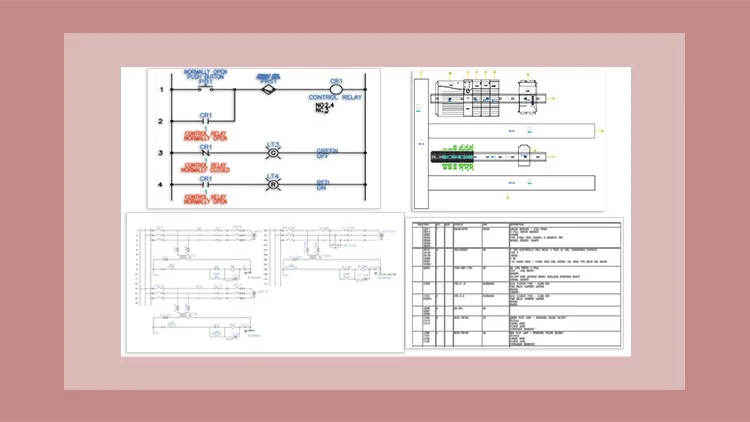
For Electrical Control Designers
⏱️ Length: 5.3 total hours
⭐ 4.60/5 rating
👥 17,648 students
🔄 May 2025 update
Add-On Information:
Note➛ Make sure your 𝐔𝐝𝐞𝐦𝐲 cart has only this course you're going to enroll it now, Remove all other courses from the 𝐔𝐝𝐞𝐦𝐲 cart before Enrolling!
- Course Title: AutoCAD Electrical 2024: A Tutorial Series
- Course Caption: For Electrical Control Designers | Length: 5.3 total hours | 4.60/5 rating | 17,648 students | May 2025 update
-
Course Overview
- This tutorial series introduces AutoCAD Electrical 2024, the industry-standard software for electrical control system design.
- Provides a practical, step-by-step walkthrough of core software functionalities for enhanced productivity.
- Learn to streamline the entire design process, from schematic creation to final documentation with AutoCAD Electrical 2024.
- Focuses on real-world applications for electrical control designers, ensuring confident software navigation.
- Gain insights into best practices for project setup, drawing organization, and meeting industry standards.
- Covers essential knowledge updated to reflect the latest 2024 version features and workflows.
- Transform your electrical design approach by creating precise, intelligent, and efficient control system drawings.
-
Requirements / Prerequisites
- Foundational understanding of basic electrical engineering principles, components, and circuit diagrams.
- Access to AutoCAD Electrical 2024 software (licensed or trial) is essential for hands-on practice.
- A working computer (Windows OS recommended) capable of running the software, plus a stable internet connection.
- No prior AutoCAD Electrical experience is necessary; ideal for newcomers.
- Basic computer literacy, including file management, is expected.
- A willingness to actively engage with practical exercises and apply learned concepts.
-
Skills Covered / Tools Used
- Project Management: Set up, organize, and manage complex electrical projects within AutoCAD Electrical.
- Schematic Design: Create intelligent electrical schematics, including wires, components, and cross-referencing.
- Symbol Libraries: Utilize, modify, and create custom symbols for diverse project needs.
- Automated Wire Numbering: Implement intelligent wire numbering schemes for consistency.
- Component Tagging: Tag components, add descriptions, and use annotation tools efficiently.
- Panel Layout Design: Design precise panel layouts using schematic components and smart placement.
- Terminal Strip Management: Generate, edit, and assign intelligent numbers to terminal strips.
- PLC I/O Drawings: Create professional PLC I/O drawings, importing data and managing addresses.
- Report Generation: Automatically generate Bills of Material (BOM), wire lists, and other critical reports.
- Circuit Reuse: Save and reuse frequently used circuits as templates to accelerate design.
- Cross-Referencing: Understand automatic cross-referencing between components and drawings.
- Electrical Standards: Apply industry electrical standards (e.g., JIC, IEC) for compliance.
- Drawing Auditing: Utilize internal tools to check for design errors and inconsistencies.
- Customization: Personalize software settings, configurations, and project properties.
- Catalog Browser: Efficiently use the Catalog Browser for part selection and information.
-
Benefits / Outcomes
- Enhanced Efficiency: Accelerate electrical design through AutoCAD Electrical’s automation.
- Improved Accuracy: Minimize errors via intelligent linking, cross-referencing, and error checking.
- Professional Documentation: Produce high-quality, industry-standard electrical documentation.
- Increased Employability: Gain a sought-after skill in electrical engineering and control design.
- Streamlined Project Management: Effectively manage complex electrical projects end-to-end.
- Reduced Rework: Decrease costly rework by catching errors early in design.
- Standardized Practices: Implement consistent design practices using recognized conventions.
- Time Savings: Realize substantial time savings from automated numbering and report generation.
- Better Collaboration: Facilitate improved teamwork with clear, intelligent, shareable design files.
- Software Confidence: Achieve strong confidence in using AutoCAD Electrical 2024 for design tasks.
- Foundation for Growth: Build a solid base for exploring advanced software functionalities.
- Career Advancement: Equip yourself for roles requiring modern electrical CAD software proficiency.
-
PROS
- High Student Satisfaction: A 4.60/5 rating from 17,648 students indicates widespread course effectiveness.
- Concise & Focused: 5.3 hours makes it ideal for quickly acquiring essential skills.
- Up-to-Date Content: “May 2025 update” ensures relevant training covering latest 2024 version features.
- Targeted Audience: Designed “For Electrical Control Designers,” ensuring highly relevant content.
- Practical Format: “Tutorial Series” implies a hands-on, step-by-step approach for effective learning.
- Trusted Standing: Large student enrollment signifies popularity and trusted community standing.
-
CONS
- The relatively short duration, while efficient, may require additional practice or advanced courses to master every nuanced or highly specialized feature for expert-level proficiency.
Learning Tracks: English,IT & Software,Other IT & Software
Found It Free? Share It Fast!