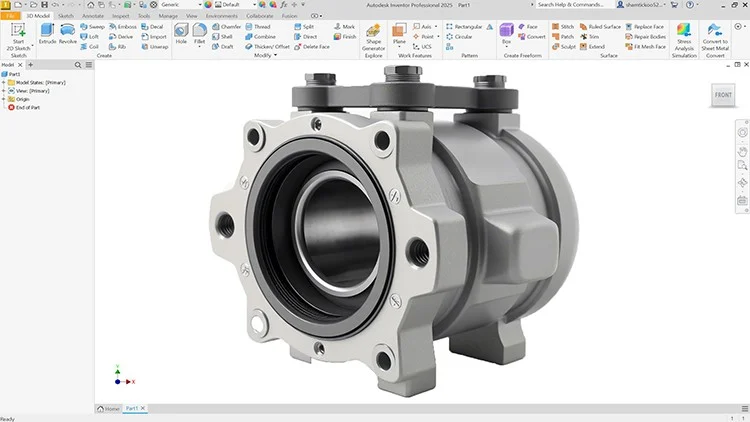
Master Autodesk Inventor 2025: From Sketching to Simulation
⏱️ Length: 9.2 total hours
⭐ 4.48/5 rating
👥 6,240 students
🔄 June 2025 update
Add-On Information:
Note➛ Make sure your 𝐔𝐝𝐞𝐦𝐲 cart has only this course you're going to enroll it now, Remove all other courses from the 𝐔𝐝𝐞𝐦𝐲 cart before Enrolling!
-
Course Overview
- This comprehensive tutorial guide, “Autodesk Inventor: A Complete Step-by-Step Tutorial Guide,” offers an immersive learning experience designed to transform novices into proficient users of Autodesk Inventor 2025. It meticulously covers the entire product design lifecycle, guiding you from initial concept sketching through to advanced simulation, ensuring a holistic understanding of the software’s capabilities.
- Embark on a practical, project-oriented journey over 9.2 total hours of high-quality instruction. The course is structured to provide a clear, linear progression, allowing you to build foundational skills and gradually tackle more complex design challenges with confidence and ease.
- Rated 4.48 out of 5 by over 6,240 students, this course is highly regarded for its clarity, effectiveness, and up-to-date content, having been recently updated in June 2025 to reflect the latest features and best practices of Inventor 2025. This ensures you are learning the most current and relevant techniques used in the industry today.
- Designed for aspiring mechanical engineers, product designers, industrial designers, and hobbyists alike, this course is your gateway to mastering 3D CAD modeling. It empowers you to translate complex ideas into tangible digital prototypes, making it an invaluable asset for anyone looking to enter or advance in the fields of engineering and manufacturing.
- The “complete step-by-step tutorial” methodology guarantees that every feature and function is explained thoroughly, often with practical examples, reinforcing your learning and enabling you to apply new skills immediately. You will not only learn what to do but also understand the ‘why’ behind each design choice.
-
Requirements / Prerequisites
- No Prior CAD Experience: This course is specifically designed to accommodate absolute beginners, assuming no prior exposure to Autodesk Inventor or any other CAD software. All fundamental concepts are introduced from scratch.
- Autodesk Inventor 2025 Software: Access to a licensed or trial version of Autodesk Inventor 2025 is essential for following along with the tutorials and completing the practical exercises. The course is tailored to this specific version.
- Capable Computer System: A computer with sufficient processing power, RAM, and graphics capability to smoothly run Autodesk Inventor 2025 without significant performance issues is recommended.
- Basic Computer Literacy: Familiarity with basic computer operations, such as navigating file systems, installing software, and using standard applications, is expected to optimize your learning experience.
- Enthusiasm for 3D Design: A strong desire to learn, experiment, and engage with the principles of three-dimensional design and mechanical engineering will significantly enhance your progress and enjoyment.
-
Skills Covered / Tools Used
- Parametric 2D Sketching: Master the creation of intelligent and robust 2D sketches using various drawing tools, applying geometric constraints, and defining precise dimensions for fully parametric and adaptable designs.
- Fundamental Part Modeling: Learn to generate complex 3D solid models from 2D sketches using core features like extrude, revolve, sweep, and loft. Explore advanced modification tools such as fillets, chamfers, shells, and patterns.
- Advanced Assembly Design: Develop proficiency in assembling multiple parts into functional mechanisms, utilizing various constraint types (mate, flush, angle) to define relationships and motion within sub-assemblies and final products.
- Professional Drawing Creation: Acquire the skills to generate industry-standard 2D engineering drawings from your 3D models, including creating orthographic, isometric, and section views, applying annotations, and generating Bills of Materials (BOMs).
- Introduction to Surface Modeling: Get acquainted with techniques for creating more organic or complex non-prismatic shapes using surfacing tools, which are crucial for industrial design and aesthetic product development.
- Sheet Metal Design & Fabrication: Explore specialized tools for designing sheet metal parts, including flanges, hems, punches, and cuts, with the ability to generate flat patterns for manufacturing and fabrication processes.
- Visualization & Animation: Learn to create engaging exploded views for assembly instructions, generate basic motion studies to simulate product functionality, and produce high-quality rendered images for presentation purposes.
- Basic Stress Analysis (FEA): Gain an introductory understanding of Autodesk Inventor’s built-in simulation tools to perform static stress analysis, identify critical areas, and optimize part designs for strength and durability.
- Design Reuse & Standardization: Understand how to leverage content libraries, iParts, and iAssemblies to create reusable components, standardize designs, and accelerate your overall design workflow efficiency.
- File Management & Project Workflow: Learn best practices for organizing Inventor project files, managing external references, and navigating the interface efficiently to maintain structured and collaborative design environments.
-
Benefits / Outcomes
- Proficiency in Inventor 2025: You will achieve a strong working knowledge of Autodesk Inventor 2025, enabling you to confidently navigate its interface and utilize its extensive toolset for various design tasks.
- Translate Ideas into 3D: Gain the ability to transform conceptual sketches and design ideas into fully detailed, functional 3D digital prototypes, ready for manufacturing or further analysis.
- Enhanced Problem-Solving: Develop improved spatial reasoning and problem-solving skills, crucial for tackling complex engineering and design challenges in a practical, hands-on manner.
- Portfolio-Ready Projects: Build a robust portfolio of your own completed 3D models and assemblies throughout the course, which can be showcased to potential employers or clients.
- Career Advancement: Position yourself for new opportunities or career growth in fields requiring advanced CAD skills, such as mechanical design, product development, and manufacturing engineering.
- Understand Product Lifecycle: Gain insights into the full product development lifecycle, from initial design and modeling to assembly, technical documentation, and basic performance validation.
- Industry-Relevant Skills: Acquire practical, immediately applicable skills that are highly sought after in modern engineering and design industries, enhancing your professional value.
- Foundation for Certification: Establish a solid foundation for pursuing professional Autodesk Inventor user or associate certification, validating your expertise to industry standards.
-
PROS
- Comprehensive Coverage: The course effectively covers the entire spectrum of Autodesk Inventor, from foundational sketching to advanced simulation, providing a holistic learning path.
- Up-to-Date Content: Being updated in June 2025 ensures that you are learning the latest features and workflows within Inventor 2025, keeping your skills current and relevant.
- High Student Satisfaction: A 4.48/5 rating from over 6,240 students indicates a high level of quality, clear instruction, and effectiveness, building confidence in the course’s value.
- Step-by-Step Methodology: The “complete step-by-step tutorial guide” approach makes complex topics digestible and ensures learners can follow along regardless of prior experience.
- Efficient Learning Curve: At 9.2 hours, the course is thoughtfully condensed to deliver core competencies and essential skills efficiently without unnecessary padding, respecting your time.
- Practical & Project-Based: Emphasis on hands-on projects and practical application ensures that you not only understand concepts but can also apply them to real-world design scenarios.
- Valuable for Career: The skills taught are directly applicable to numerous industries, significantly boosting employability and professional development in engineering and design fields.
-
CONS
- While comprehensive for its length, the 9.2 total hours might require learners to seek additional advanced resources or practice beyond the course material for truly deep mastery of highly specialized topics like advanced surfacing, complex FEA scenarios, or specific industry design standards.
Learning Tracks: English,Design,Design Tools
Found It Free? Share It Fast!