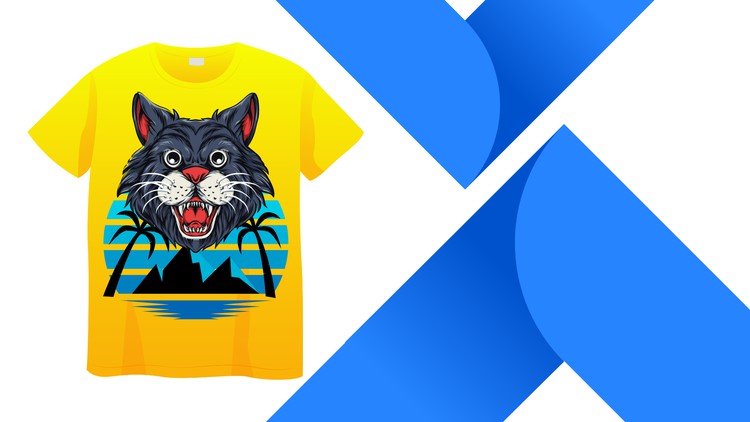
T-Shirt Design with Mockup from Beginning to Advacned
⏱️ Length: 4.9 total hours
⭐ 4.12/5 rating
👥 33,307 students
🔄 June 2023 update
Add-On Information:
Note➛ Make sure your 𝐔𝐝𝐞𝐦𝐲 cart has only this course you're going to enroll it now, Remove all other courses from the 𝐔𝐝𝐞𝐦𝐲 cart before Enrolling!
- Course Overview
- This comprehensive instructional program is meticulously designed to transform aspiring artists and graphic enthusiasts into professional-grade apparel designers by leveraging the robust capabilities of Adobe Illustrator, the industry-standard vector software.
- Students will embark on a structured journey that begins with the foundational principles of vector art, explaining why this format is non-negotiable for high-quality garment production and scalable branding.
- The course curriculum bridges the gap between creative imagination and technical execution, providing a step-by-step roadmap for conceptualizing, drawing, and refining t-shirt graphics that resonate with modern consumer trends.
- Learners will explore the specific constraints and opportunities inherent in apparel design, such as print areas, fabric types, and how different ink processes affect the digital design phase.
- By moving beyond simple tutorials, this course focuses on a workflow-oriented approach, teaching students how to organize their workspace for maximum efficiency and how to manage complex layers for multi-color print jobs.
- The program culminates in the mastery of professional presentation, ensuring that every design is showcased in a realistic environment that appeals to potential clients, stakeholders, or online marketplace customers.
- Requirements / Prerequisites
- Participants should have access to a functional version of Adobe Illustrator, preferably the Creative Cloud version, to ensure compatibility with the latest tools and features discussed throughout the lessons.
- A basic level of computer literacy is required, including the ability to manage files, navigate software interfaces, and understand standard keyboard shortcuts which are vital for a fluid design process.
- No prior experience in graphic design or apparel illustration is necessary, as the course is structured to accommodate absolute beginners while providing enough depth for intermediate users to sharpen their skills.
- A stable internet connection is essential for streaming the high-definition video modules and downloading the various project files and resources provided by the instructor.
- A creative mindset and a passion for fashion or streetwear are highly encouraged, as the course relies heavily on applying technical skills to unique, original creative concepts.
- Skills Covered / Tools Used
- The Pen Tool and Curvature Tool: Mastering the art of creating clean, precise vector paths and custom shapes that form the skeleton of any high-end t-shirt graphic.
- The Pathfinder Panel: Learning the intricacies of merging, subtracting, and dividing shapes to create complex silhouettes and intricate negative space designs.
- Advanced Typography Techniques: Exploring font selection, kerning, tracking, and the “Create Outlines” function to manipulate text as a visual element rather than just a written message.
- Color Theory and Global Swatches: Understanding how to select limited color palettes that remain vibrant on fabric while keeping production costs low for screen printing.
- The Appearance Panel and Effects: Applying non-destructive edits, such as roughening edges for a vintage look or adding strokes and shadows that remain editable throughout the process.
- Clipping Masks and Transparency: Utilizing advanced masking techniques to insert textures, patterns, or gradients into specific areas of the design without damaging the underlying vector art.
- Image Trace for Sketch Conversion: Learning how to take hand-drawn sketches or high-resolution photos and convert them into clean, editable vector paths ready for the printing press.
- Artboard Management and Exporting: Setting up correct document dimensions, color modes (CMYK vs. RGB), and exporting files in formats like AI, EPS, and PNG to satisfy professional printers.
- Mockup Creation: Utilizing the 3D features or smart objects to place finished designs onto realistic t-shirt templates, providing a physical context for the digital artwork.
- Benefits / Outcomes
- Graduates of this course will possess a professional-grade portfolio of t-shirt designs that can be used to attract freelance clients or secure a position within a creative agency or fashion brand.
- Students will gain the technical confidence to launch their own Print-on-Demand (POD) business on platforms like Merch by Amazon, Redbubble, or Teespring with designs that stand out from the competition.
- The course provides a deep understanding of the “Print Ready” standard, saving designers significant time and money by avoiding common technical errors that lead to rejected files at the print shop.
- Learners will develop a signature design style by experimenting with the various aesthetic techniques covered, from minimalist modern logos to complex, detailed illustrative graphics.
- Beyond just t-shirts, the skills acquired in Adobe Illustrator are highly transferable to other areas of graphic design, including logo creation, icon design, and digital marketing materials.
- Participants will learn the psychology of t-shirt design, understanding what makes a shirt “wearable” and how to balance artistic expression with commercial viability in the fashion market.
- PROS
- High Versatility: The techniques taught are applicable to various apparel items beyond shirts, including hoodies, hats, and tote bags.
- Efficiency-Focused: The instructor emphasizes keyboard shortcuts and workflow optimizations that significantly reduce the time spent on a single design.
- Practical Resources: Includes downloadable templates and exercise files that allow for immediate hands-on practice alongside the video content.
- Market Relevance: The course content is updated to reflect current design trends and modern printing technology requirements.
- CONS
- Software Dependency: The course is strictly centered around Adobe Illustrator, which requires a paid subscription, making it less accessible for users who prefer free or open-source vector software.
Learning Tracks: English,Design,Graphic Design & Illustration
Found It Free? Share It Fast!