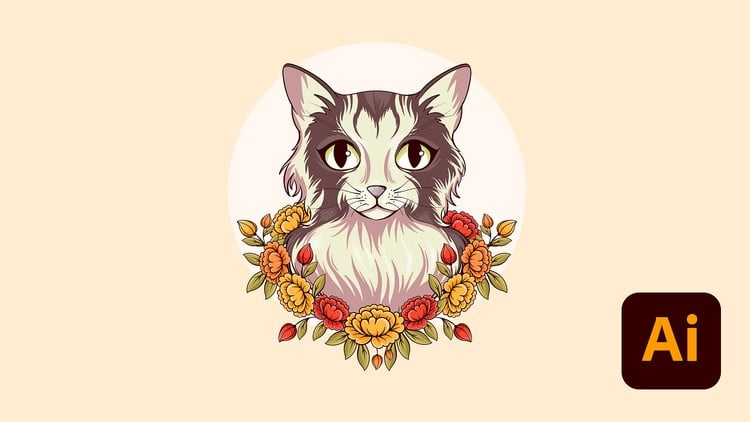
Create. Design. Conquer. Level Up your Adobe Illustrator Skill and Build a Portfolio That Stands Out!
⏱️ Length: 20.9 total hours
⭐ 4.91/5 rating
👥 5,906 students
🔄 April 2025 update
Add-On Information:
Note➛ Make sure your 𝐔𝐝𝐞𝐦𝐲 cart has only this course you're going to enroll it now, Remove all other courses from the 𝐔𝐝𝐞𝐦𝐲 cart before Enrolling!
- Course Overview
- Embark on a transformative journey to master Adobe Illustrator, a leading vector graphics software, and unlock your creative potential.
- This comprehensive program is meticulously designed to guide you from foundational understanding to advanced application, empowering you to craft sophisticated digital artwork.
- The curriculum is structured to foster a deep appreciation for design principles and their practical implementation within the Illustrator environment.
- You will engage with a wealth of hands-on exercises and real-world projects that mirror professional workflows.
- The emphasis is on developing a unique artistic voice and the technical proficiency to translate your imaginative concepts into tangible, visually stunning pieces.
- By the end of this course, you will possess the confidence and skills to create professional-grade designs that capture attention and effectively communicate your message.
- The program is consistently updated to reflect the latest features and best practices within Adobe Illustrator, ensuring your learning remains current and relevant.
- Join a vibrant community of learners and instructors dedicated to pushing the boundaries of digital design and creative expression.
- Requirements / Prerequisites
- A stable internet connection is essential for accessing course materials and engaging with online resources.
- Access to a computer or laptop capable of running Adobe Illustrator.
- A working installation of Adobe Illustrator (version details may vary, but recent versions are recommended).
- A genuine willingness to learn, experiment, and dedicate time to practice and skill development.
- Basic computer literacy, including the ability to navigate file systems and install software.
- An open mind and a creative spirit are highly encouraged, as the course fosters innovation and personal artistic exploration.
- Skills Covered / Tools Used
- Vector Graphics Fundamentals: Mastering the core principles of vector-based illustration, understanding paths, anchors, and shapes.
- Adobe Illustrator Interface Navigation: Becoming proficient with the various panels, tools, and workspace layouts within Illustrator.
- Pen Tool Mastery: Developing precise control over curves and straight lines to create complex vector shapes with accuracy.
- Shape Building Techniques: Utilizing tools like the Shape Builder, Pathfinder, and compound paths to construct intricate designs from basic elements.
- Color Theory and Application: Exploring color palettes, gradients, and swatches to create visually harmonious and impactful designs.
- Typography Design: Understanding font selection, character and paragraph formatting, and creative text manipulation for compelling visual messaging.
- Layer Management: Efficiently organizing and manipulating design elements using layers for better control and workflow.
- Illustration and Iconography: Learning to design custom icons, logos, and illustrations from concept to polished vector art.
- Pattern Design: Creating seamless and repeatable patterns for various applications, from textiles to digital backgrounds.
- Advanced Effects and Filters: Applying sophisticated effects and filters to enhance and stylify your artwork.
- Exporting for Different Platforms: Understanding how to prepare and export your creations in various file formats suitable for web, print, and other media.
- Workflow Optimization: Developing efficient techniques and shortcuts to speed up your design process.
- Portfolio Development Strategies: Guidance on selecting, refining, and presenting your best work to showcase your skills.
- Benefits / Outcomes
- Become a Confident Illustrator User: Gain the proficiency to tackle any design challenge with ease and creative flair.
- Develop a Professional Portfolio: Build a curated collection of high-quality work that effectively demonstrates your acquired skills to potential clients or employers.
- Enhance Your Creative Problem-Solving Abilities: Learn to approach design challenges with innovative solutions and a strong understanding of visual communication.
- Unlock New Career Opportunities: Open doors to roles in graphic design, illustration, web design, branding, marketing, and more.
- Elevate Your Personal Projects: Bring your own creative visions to life with professional-grade graphic design capabilities.
- Stand Out in a Competitive Market: Differentiate yourself with unique designs and a polished skill set that commands attention.
- Master the Art of Visual Storytelling: Learn to convey messages and emotions effectively through compelling visual compositions.
- Gain an Edge in the Digital Art Landscape: Become a proficient creator in the rapidly evolving world of digital design.
- PROS
- Extensive Skill Development: Covers a broad spectrum of Illustrator functionalities, from basic to advanced.
- Portfolio-Centric Approach: Directly addresses the need for a strong body of work.
- High Student Satisfaction: 4.91/5 rating indicates excellent teaching quality and content.
- Significant Learning Hours: 20.9 total hours provide ample time for in-depth learning and practice.
- Regular Updates: April 2025 update ensures content remains current with software advancements.
- Large Student Base: 5,906 students suggest a popular and well-regarded course.
- CONS
- Lack of Specific Project Examples: Without “What You Will Learn” explicitly stated, the exact nature of projects and their complexity might be a surprise.
Learning Tracks: English,Design,Graphic Design & Illustration
Found It Free? Share It Fast!