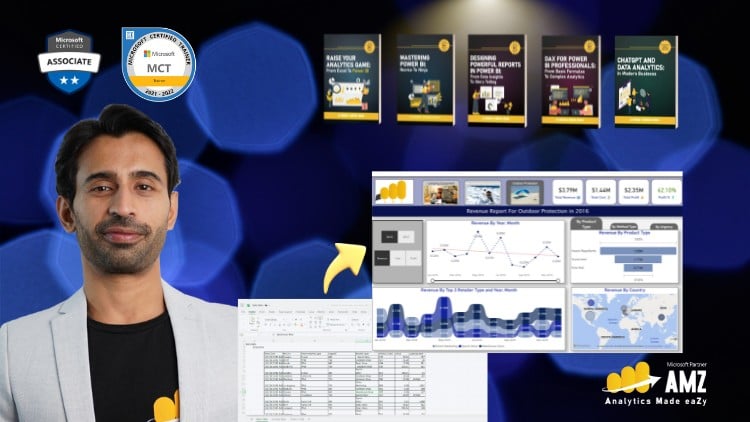
Mastering Data Analysis and Dynamic Visualizations with Microsoft Power BI – Recorded Live with Executives in Training.
⏱️ Length: 4.5 total hours
⭐ 4.58/5 rating
👥 34,808 students
🔄 November 2025 update
Add-On Information:
Note➛ Make sure your 𝐔𝐝𝐞𝐦𝐲 cart has only this course you're going to enroll it now, Remove all other courses from the 𝐔𝐝𝐞𝐦𝐲 cart before Enrolling!
- Course Overview
- Direct Executive Context: Experience a unique learning environment as this course was recorded live alongside high-level executives, providing insight into the specific data questions and business pressures that leaders face daily.
- Bridge the Spreadsheet Gap: This curriculum is specifically engineered for those who have reached the functional limits of Microsoft Excel and need a more robust, scalable solution for enterprise-level data processing.
- Modern Intelligence Framework: Move beyond the era of static reporting by adopting a modern business intelligence mindset that prioritizes real-time data flow and interactive stakeholder engagement.
- High-Efficiency Learning Path: With a total runtime of 4.5 hours, the course eliminates unnecessary fluff, focusing strictly on the high-impact activities that generate immediate results for business users.
- November 2025 Currentness: Stay ahead of the curve with content updated to reflect the latest Power BI interface changes and feature releases as of late 2025, ensuring your skills remain relevant in the current market.
- Immersive Analytical Journey: Transition from a passive learner to an active analyst by following a structured path that mirrors the lifecycle of a professional data project from initial connection to final delivery.
- Requirements / Prerequisites
- Foundational Data Literacy: Students should possess a baseline understanding of tabular data structures, such as knowing how rows and columns interact within a standard spreadsheet environment.
- Microsoft Excel Familiarity: While not mandatory, a working knowledge of Excel functions like VLOOKUP or Pivot Tables will significantly accelerate your ability to grasp Power BI’s more complex logic.
- Windows Environment Access: To follow along with the technical demonstrations, learners will need access to a PC running Windows, as the Power BI Desktop application is not currently available for macOS.
- Installation Permissions: Ensure you have the administrative rights to install the Power BI Desktop application on your machine to participate in the various hands-on labs and building sessions.
- Analytical Curiosity: A desire to dig deeper into “why” certain business trends occur is essential for getting the most out of the data storytelling components of this training.
- Standard Internet Connectivity: A stable connection is required to access the cloud-based Power BI Service and to download the provided practice datasets and resource files.
- Skills Covered / Tools Used
- Power Query (M Language) Fundamentals: Master the art of the “Extract, Transform, Load” (ETL) process to clean messy data and prepare it for analysis without altering the original source files.
- The Power BI Desktop Interface: Navigate the “Three Views”—Report, Data, and Model—to understand how different components of a project interact to form a cohesive narrative.
- Introduction to DAX (Data Analysis Expressions): Learn the syntax of Power BI’s calculation language to create custom columns and measures that go far beyond standard arithmetic.
- Canvas Design and UI/UX: Apply principles of user interface and user experience design to your dashboards, ensuring that your visuals are not only accurate but also intuitive for non-technical users.
- Data Sourcing and Connectors: Explore the various ways to pull information from disparate locations, including CSV files, Excel workbooks, and web-based data repositories.
- Conditional Formatting and Interactivity: Implement advanced visual features such as drill-throughs, tooltips, and slicers to allow your audience to filter data according to their specific needs.
- The Power BI Service Ecosystem: Understand the distinction between the local development environment and the cloud-based sharing environment used for organizational collaboration.
- Benefits / Outcomes
- Elevate Professional Standing: By mastering a specialized tool like Power BI, you position yourself as a data-driven leader rather than just a data processor, significantly increasing your career marketability.
- Automate Manual Reporting: Eliminate the tedious hours spent every month manually updating Excel reports by building automated refresh systems that update your visuals with a single click.
- Empower Self-Service Analytics: Provide your team with dashboards that allow them to find their own answers, reducing the number of ad-hoc data requests that clutter your daily schedule.
- Enhanced Decision Speed: Equip your organization with the ability to spot trends and anomalies as they happen, leading to faster response times in competitive market conditions.
- Standardized Data Versioning: Reduce the risk of “multiple versions of the truth” by creating a single, centralized data model that everyone in your department can rely on for consistency.
- Scalable Skill Development: The essentials learned here serve as the perfect springboard into more complex fields such as data engineering, advanced data science, or professional business consultancy.
- Cross-Platform Accessibility: Gain the ability to deploy your reports to mobile devices, allowing stakeholders to access critical business metrics while on the move or in the field.
- PROS
- Proven Social Proof: Join a massive community of over 34,000 students who have validated the course quality through a stellar 4.58/5 rating, ensuring a high-quality educational experience.
- Executive-Level Insights: The “live with executives” recording style captures real-world questions that aren’t typically found in standard, scripted software tutorials.
- Concise and Potent: The 4.5-hour duration is the “sweet spot” for busy professionals who need to learn the tool over a weekend or during a few lunch breaks.
- Fresh Content Guarantee: The November 2025 update ensures you aren’t learning on an outdated version of the software, which is a common issue in the fast-moving tech education space.
- CONS
- Introductory Scope: This course focuses on establishing a rock-solid foundation for beginners and Excel users; therefore, it may not cover niche, hyper-advanced DAX patterns or complex API-based custom integrations.
Learning Tracks: English,IT & Software,Other IT & Software
Found It Free? Share It Fast!