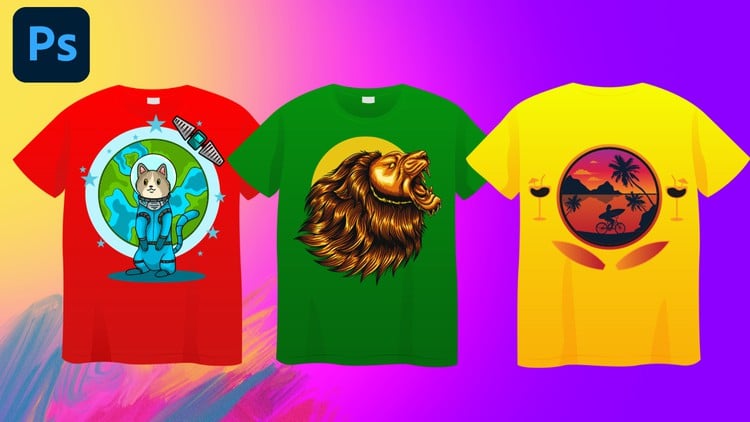
Create Eye-Catching T-Shirt Designs with Photoshop: From Beginner to Pro
⏱️ Length: 4.6 total hours
⭐ 4.34/5 rating
👥 24,187 students
🔄 June 2024 update
Add-On Information:
Note➛ Make sure your 𝐔𝐝𝐞𝐦𝐲 cart has only this course you're going to enroll it now, Remove all other courses from the 𝐔𝐝𝐞𝐦𝐲 cart before Enrolling!
- Course Overview
- Embark on a comprehensive journey to master the art and science of t-shirt design, leveraging the powerful capabilities of Adobe Photoshop. This course is meticulously crafted to guide aspiring designers from foundational concepts to advanced professional techniques, ensuring a thorough understanding of the entire design lifecycle.
- Unlock your creative potential and transform blank canvases into wearable art that resonates with audiences. You’ll learn to conceptualize, design, and prepare professional-grade t-shirt graphics suitable for personal projects, freelance work, or even launching your own apparel brand.
- The curriculum is structured to build confidence and skill incrementally, starting with an intuitive introduction to the t-shirt design landscape and progressing through sophisticated design strategies. Expect hands-on exercises and practical applications that solidify learning.
- Dive deep into the visual language of design, understanding how to evoke emotion and convey messages effectively through imagery, color, and composition. This course emphasizes not just aesthetic appeal but also marketability and impact.
- Explore the nuances of creating unique and memorable graphics that stand out in a crowded marketplace. From intricate illustrations to minimalist designs, you’ll acquire the tools to express a wide range of creative visions.
- Master the strategic use of typography to enhance your designs, making them not only visually appealing but also legible and impactful. Learn how to choose fonts, manipulate text, and integrate it seamlessly with graphic elements.
- Gain exposure to cutting-edge design methodologies and workflows that streamline your creative process and elevate the quality of your output. This section is designed to push your boundaries and introduce innovative approaches.
- Understand the critical link between design and the final product. Learn how to prepare your artwork for the printing process, ensuring accurate color reproduction and optimal results on fabric.
- Develop a strong understanding of how to present your work professionally, creating compelling mockups that showcase your designs in realistic contexts, thereby impressing clients and boosting sales potential.
- Conclude your learning by understanding the foundational elements of building a robust design portfolio that effectively highlights your skills and attracts opportunities in the competitive field of t-shirt design.
- Requirements / Prerequisites
- Access to a computer capable of running Adobe Photoshop. While specific hardware configurations are not strictly defined, smooth operation of the software is recommended.
- A licensed or trial version of Adobe Photoshop installed and ready for use. The course content is tailored to leverage the full suite of Photoshop’s features.
- A foundational understanding of how to navigate and operate a computer system. No prior graphic design experience is necessary.
- A keen interest in visual arts, fashion, and creative expression. Enthusiasm is a key driver for learning and excelling in this field.
- An open mind and a willingness to experiment with new tools and techniques. The design process often involves iteration and exploration.
- Skills Covered / Tools Used
- Adobe Photoshop Proficiency: Develop mastery over essential Photoshop tools, layers, masks, adjustment layers, and various editing techniques crucial for graphic design.
- Visual Composition and Layout: Learn to arrange design elements harmoniously, create visual hierarchy, and achieve balanced and impactful compositions.
- Color Theory and Application: Understand the psychological impact of colors, explore palettes, and learn to apply color effectively to evoke specific moods and messages.
- Vector vs. Raster Concepts: Grasp the fundamental differences between vector and raster graphics and when to utilize each for optimal t-shirt design results.
- Image Manipulation and Retouching: Acquire skills in refining photographs, removing backgrounds, and integrating imagery seamlessly into t-shirt designs.
- Custom Shape and Brush Creation: Learn to generate unique graphic elements from scratch, expanding your design vocabulary beyond pre-existing assets.
- Text Effects and Styles: Explore advanced methods for applying text treatments, warps, and filters to create dynamic and attention-grabbing typography.
- Layer Styles and Blending Modes: Master the application of sophisticated layer effects and blending modes to add depth, texture, and professional polish to your designs.
- File Preparation for Print: Understand crucial settings like resolution, color modes (CMYK/RGB), and file formats essential for preparing designs for commercial printing.
- Design Software Navigation: Become comfortable with the user interface and workflow of Adobe Photoshop, enabling efficient and intuitive design creation.
- Benefits / Outcomes
- Launch a Creative Career: Acquire the foundational and advanced skills necessary to pursue freelance t-shirt design work or secure employment in the graphic design industry.
- Develop a Professional Portfolio: Create a curated collection of high-quality t-shirt designs that effectively showcase your talent and attract potential clients or employers.
- Monetize Your Designs: Gain the knowledge to create sellable t-shirt graphics for print-on-demand platforms, independent retail, or custom client projects.
- Enhance Existing Design Skills: Whether you’re a seasoned designer or a hobbyist, this course offers new perspectives and techniques to elevate your current design capabilities.
- Understand Design for Apparel: Develop a specialized understanding of the unique considerations and challenges involved in designing for fabric and garment printing.
- Boost Personal Projects: Bring your personal creative visions to life by designing unique apparel for yourself, friends, or special events.
- Gain Confidence in Photoshop: Move beyond basic photo editing and become a confident user of Photoshop for complex graphic design tasks.
- Develop Problem-Solving Skills: Learn to approach design challenges creatively and find effective visual solutions.
- Stay Current with Design Trends: While focusing on fundamentals, the course implicitly encourages awareness of contemporary design aesthetics relevant to t-shirt culture.
- Improve Visual Communication: Enhance your ability to communicate ideas and emotions visually, a skill transferable to many creative disciplines.
- PROS
- Comprehensive Skill Development: Covers a broad spectrum of t-shirt design elements, ensuring learners are well-rounded.
- Expert-Led Instruction: Likely benefits from experienced instructors who can share practical insights.
- Photoshop-Centric Approach: Focuses on a widely used industry-standard software.
- Practical Application: Emphasis on real-world design scenarios and mockups.
- CONS
- Software Dependency: Requires users to have access to and be willing to learn Adobe Photoshop, which can be a barrier for some.
Learning Tracks: English,Design,Graphic Design & Illustration
Found It Free? Share It Fast!