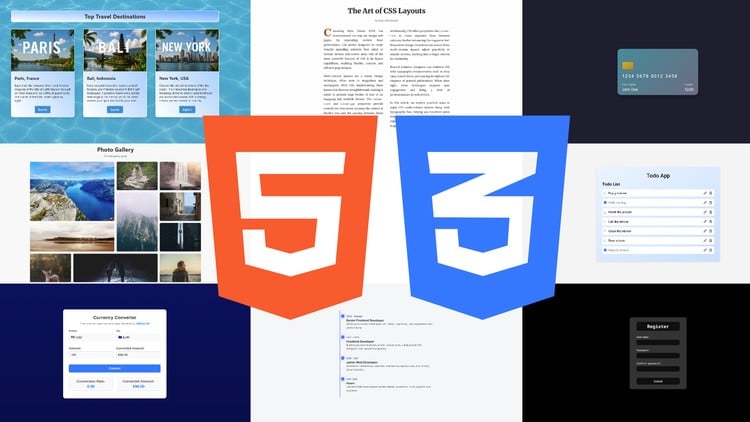
Master HTML & CSS with 20+ Real Web Projects
⏱️ Length: 5.6 total hours
⭐ 4.37/5 rating
👥 8,659 students
🔄 September 2025 update
Add-On Information:
Note➛ Make sure your 𝐔𝐝𝐞𝐦𝐲 cart has only this course you're going to enroll it now, Remove all other courses from the 𝐔𝐝𝐞𝐦𝐲 cart before Enrolling!
- Course Overview
- This “Web Project Workshop” offers an unparalleled hands-on learning experience, specifically crafted to solidify your HTML and CSS expertise through practical application. By meticulously building over 20 distinct, real-world websites, you won’t merely learn syntax; you’ll develop the critical problem-solving skills and intuitive understanding essential for effective front-end web development. The immersive, project-based approach ensures you gain immediate, tangible experience in transforming diverse design concepts into fully functional, visually appealing web pages.
- Updated comprehensively for September 2025, the course content reflects the very latest industry standards and best practices in HTML5 and CSS3. This guarantees that the skills you acquire are current, highly relevant, and directly applicable in today’s dynamic web development landscape. It’s an ideal pathway for complete beginners seeking a robust foundation, as well as for existing learners aiming to significantly expand their practical portfolio and master responsive, modern web design through dedicated hands-on creation.
- Requirements / Prerequisites
- No prior coding experience in HTML or CSS is strictly required to begin this workshop. The course is thoughtfully structured to guide absolute beginners from foundational concepts to advanced application, making it accessible to anyone with a keen interest in web development. A basic understanding of computer operation and an eagerness to learn are the most crucial prerequisites for success.
- You will need access to a personal computer (running Windows, macOS, or Linux) equipped with a reliable internet connection. A modern web browser (such as Chrome, Firefox, or Edge) is essential for testing your projects and utilizing its built-in developer tools. A free code editor like Visual Studio Code is highly recommended for its powerful features, robust extensions, and ease of use in managing web projects.
- Skills Covered / Tools Used
- Skills Covered:
- Mastering Semantic HTML Structuring: Learn to build well-organized, meaningful web content using the most appropriate HTML5 elements for improved accessibility, search engine optimization (SEO), and maintainability. Understand the proper usage of elements like `
`, ` - Advanced CSS Styling & Property Application: Dive deep into sophisticated CSS properties for typography, colors, backgrounds, borders, shadows, and gradients. Move beyond basic styling to create intricate visual designs and achieve precise control over every aspect of your web pages’ aesthetics.
- Implementing Comprehensive Responsive Design: Acquire the expertise to build fluid and adaptable designs that render perfectly across all device sizes, from smartphones to large desktop monitors. This includes in-depth application of media queries, flexible layout units (rem, em, vw, vh), and mobile-first development strategies for universal user experience.
- Efficient CSS Management with Custom Properties (Variables): Gain proficiency in defining and utilizing CSS custom properties to create highly scalable, maintainable, and easily modifiable stylesheets. This skill significantly streamlines your design process, allowing for quick global theme changes and consistent branding across large projects.
- Creating Engaging UI Elements & CSS Transitions: Bring your user interfaces to life by applying subtle yet impactful CSS transitions and basic animations. Learn to craft visually appealing components that provide smooth visual feedback and dynamic interactions, enhancing the overall user experience without JavaScript.
- Integrating Web Fonts, Icon Libraries, and Modern Assets: Enhance the aesthetic appeal and functionality of your projects by incorporating custom web fonts from services like Google Fonts and utilizing scalable vector icons from libraries such as Font Awesome. Understand best practices for efficient asset loading and visual consistency.
- Debugging & Optimization with Browser Developer Tools: Become adept at using powerful browser developer tools to inspect HTML structure, debug CSS issues in real-time, modify styles on the fly, and analyze website performance. This invaluable skill accelerates your development workflow and problem-solving capabilities.
- Mastering Semantic HTML Structuring: Learn to build well-organized, meaningful web content using the most appropriate HTML5 elements for improved accessibility, search engine optimization (SEO), and maintainability. Understand the proper usage of elements like `
- Tools Used:
- Visual Studio Code: The primary code editor, chosen for its extensive features, extensions, and excellent support for efficient HTML and CSS development.
- Modern Web Browsers: Essential for cross-browser testing, live previews of your work, and leveraging their powerful built-in developer tools (e.g., Google Chrome, Mozilla Firefox, Microsoft Edge).
- Online Documentation & Resources: Platforms like MDN Web Docs and other reputable sources for comprehensive reference, deeper understanding, and staying updated with web standards.
- Skills Covered:
- Benefits / Outcomes
- Cultivate a Powerful, Diverse Web Portfolio: Graduate with an extensive collection of over 20 distinct, fully completed web projects, ranging from simple landing pages to multi-component sites. This tangible portfolio serves as compelling evidence of your practical HTML and CSS skills, significantly boosting your marketability to potential employers or clients.
- Develop Real-World Front-End Proficiency: Acquire tangible, immediately applicable skills directly relevant to entry-level web development, web design, or freelance roles. You’ll learn to translate creative visions and client requirements into functional, responsive, and visually appealing web experiences from concept to deployment.
- Build Confidence in Independent Web Creation: Through repeated hands-on application and systematic problem-solving across various projects, you’ll gain the self-assurance to initiate and successfully complete your own web designs independently. This workshop fosters an intuitive understanding of web design principles and development workflows.
- Establish a Robust Foundation for Advanced Learning: The comprehensive HTML and CSS mastery gained will serve as an indispensable prerequisite for venturing into more complex front-end technologies, such as JavaScript frameworks (React, Vue, Angular), back-end development, or specialized UI/UX design disciplines.
- Cultivate a Developer’s Problem-Solving Mindset: You’ll learn to approach web challenges with a systematic, analytical mindset, becoming proficient in debugging effectively, organizing code efficiently, and continually seeking best practices for performance, maintainability, and accessibility in your projects.
- PROS
- Highly Practical & Project-Driven: The emphasis on building over 20 complete websites ensures deep, hands-on learning and immediate application of concepts, fostering practical competence over purely theoretical instruction.
- Robust Portfolio Builder: Provides a diverse and substantial collection of finished work, invaluable for demonstrating skills to employers, clients, or for showcasing personal projects.
- Current & Relevant Content: The September 2025 update guarantees you’re learning the latest HTML5 and CSS3 standards and best practices, keeping your skills aligned with industry demands.
- Proven Quality & Popularity: A high rating of 4.37/5 from over 8,600 students reflects widespread satisfaction and course effectiveness, validating its instructional quality.
- Accessibility for Beginners: Structured thoughtfully to welcome learners with absolutely no prior coding experience, providing a clear and supportive pathway into the world of web development.
- CONS
- Limited Scope for Advanced Topics: While comprehensive for HTML and CSS, the course focuses purely on these foundational front-end technologies and does not delve into JavaScript frameworks, back-end development, or server-side concepts, which would require further specialized learning.
Learning Tracks: English,Development,Web Development
Found It Free? Share It Fast!