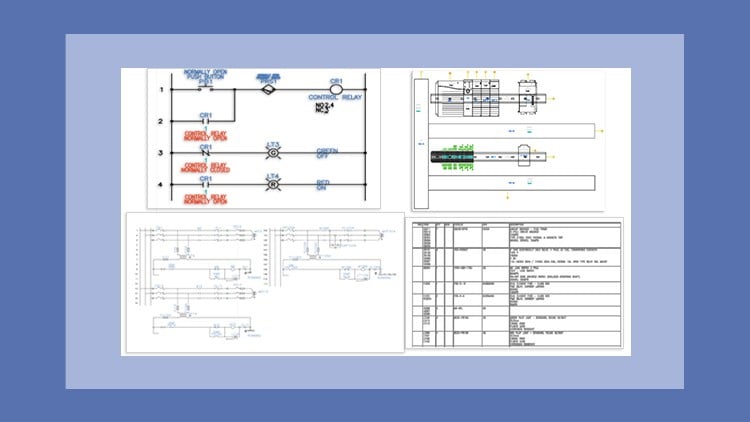
A Masterclass – Step-by-Step Learning Made Easy
⏱️ Length: 6.6 total hours
⭐ 4.88/5 rating
👥 1,035 students
🔄 October 2025 update
Add-On Information:
Note➛ Make sure your 𝐔𝐝𝐞𝐦𝐲 cart has only this course you're going to enroll it now, Remove all other courses from the 𝐔𝐝𝐞𝐦𝐲 cart before Enrolling!
-
Course Overview
- Dive into the cutting-edge capabilities of AutoCAD Electrical 2026, the premier software for electrical controls design. This masterclass is meticulously designed to equip aspiring and seasoned professionals alike with the expertise needed to navigate the intricate world of electrical drafting and documentation. Focusing on a step-by-step learning methodology, the course transforms complex concepts into digestible tutorials, reinforced by practical exercises and culminating in comprehensive projects. It’s more than just learning software; it’s about adopting industry best practices and optimizing your design workflow. With its October 2025 update, you’re guaranteed to learn the most current features and functionalities, ensuring your skills are immediately applicable in today’s fast-evolving industrial landscape. This course aims to elevate your proficiency from basic understanding to a level where you can confidently undertake sophisticated electrical design tasks, adhering to global standards and significantly enhancing project efficiency.
- This curriculum, honed over a masterclass format, distills essential knowledge into 6.6 total hours of focused instruction, making expert-level learning accessible and time-efficient. With an outstanding 4.88/5 rating from over 1,035 students, it stands as a testament to its effectiveness and the quality of instruction.
-
Requirements / Prerequisites
- Basic Computer Literacy: A fundamental understanding of operating a computer and navigating software interfaces is essential.
- Conceptual Electrical Knowledge: Familiarity with basic electrical engineering principles, such as circuits, components (e.g., relays, contactors, motors), and schematic symbols, will significantly enhance your learning experience. No advanced degree is required, but a foundational grasp is beneficial.
- Access to AutoCAD Electrical 2026: Students will need to have a licensed copy or access to a trial version of AutoCAD Electrical 2026 installed on their system to follow along with the tutorials and complete exercises.
- Commitment to Practice: The course emphasizes hands-on learning; therefore, a willingness to actively engage with exercises and projects is crucial for skill development.
- No Prior AutoCAD Electrical Experience Required: While prior experience with any CAD software can be advantageous, this course is structured to guide learners from foundational operations, making it suitable even for those new to the platform.
-
Skills Covered / Tools Used
- Mastering Project-Based Workflow: Learn to establish, organize, and manage complex electrical projects efficiently from inception to completion, ensuring data consistency and streamlined collaboration.
- Advanced Component Management: Gain proficiency in inserting, editing, and managing electrical components, including intelligent tagging, annotation, and automatic cross-referencing for seamless design integration.
- Custom Symbol Creation and Libraries: Develop the ability to create, modify, and manage custom symbols, building personalized symbol libraries to match specific industry standards or proprietary company requirements.
- Automated Wire Numbering and Cross-Referencing: Implement sophisticated automatic wire numbering schemes and manage intelligent cross-references between parent and child components, ensuring clarity and accuracy in complex designs.
- Generating Comprehensive Reports: Utilize AutoCAD Electrical’s powerful reporting tools to automatically generate detailed Bill of Materials (BOMs), wire lists, terminal lists, From/To lists, and other critical project documentation, drastically reducing manual data entry and potential errors.
- Terminal Strip Layout and Management: Efficiently design and manage terminal strips, including automatic terminal numbering, jumper assignments, and the creation of detailed terminal plans for manufacturing and installation.
- Panel Layout Integration: Learn to leverage the intelligent link between schematic and panel layouts, automatically generating panel components and managing physical spacing and wire routing in a 2D environment.
- PLC I/O Addressing and Configuration: Master the insertion and configuration of parametric and nonparametric PLC modules, setting up I/O addresses, descriptions, and generating accurate PLC I/O drawings.
- Revision Management and Data Exchange: Understand how to manage drawing revisions effectively and facilitate data exchange with other design and manufacturing tools, promoting a cohesive project environment.
- Adherence to Industry Standards: Apply knowledge of various electrical industry standards (e.g., IEC, JIC, NFPA) in your designs, ensuring compliance and professional quality.
-
Benefits / Outcomes
- Accelerated Career Growth: Position yourself as a highly competent electrical design professional, opening doors to advanced roles in engineering, drafting, and project management.
- Enhanced Design Efficiency: Significantly reduce design time and minimize costly errors through the automation of routine tasks, intelligent component management, and real-time error checking.
- Producing Industry-Compliant Documentation: Consistently generate accurate, professional, and standardized electrical schematics, panel layouts, and reports that meet international industry specifications.
- Mastering Complex Electrical Systems: Develop a robust problem-solving mindset for designing, modifying, and troubleshooting intricate electrical control systems with confidence.
- Building a Professional Portfolio: The hands-on projects allow you to create a tangible portfolio demonstrating your expertise, making you a more attractive candidate for employers.
- Staying Ahead with Latest Technology: Gain proficiency in the very latest 2026 version of AutoCAD Electrical, ensuring your skills remain cutting-edge and relevant in the job market.
- Increased Productivity: Learn techniques to streamline your workflow, enabling you to take on more projects and deliver higher quality results in less time.
- Foundation for Advanced Specialization: This course provides a solid foundation for further specialization in areas like industrial automation, control panel design, or building electrical systems.
-
PROS
- Up-to-Date Content: Focuses on AutoCAD Electrical 2026 with an October 2025 update, ensuring learners are trained on the absolute latest software version and features.
- High Student Satisfaction: Boasts an impressive 4.88/5 rating from 1,035 students, indicating strong course quality and effective instruction.
- Practical, Project-Based Learning: The inclusion of tutorials, exercises, and projects ensures a hands-on approach, fostering deep understanding and practical application of skills.
- Concise Learning Path: At just 6.6 total hours, it offers a focused and efficient way to gain expert-level skills without a prolonged time commitment.
- Comprehensive Coverage: Delves into a wide array of advanced features beyond basic drafting, preparing students for real-world design challenges.
- Accessibility: The “Step-by-Step Learning Made Easy” approach makes the course suitable for a range of learners, from those with basic electrical knowledge to experienced drafters looking to upgrade their skills.
- Masterclass Quality: Positioned as a “Masterclass,” suggesting expert-level instruction and meticulously crafted content designed for mastery.
- Career Enhancement: Directly contributes to professional development, making learners more competitive and capable in the electrical design industry.
-
CONS
- Software Requirement: Learners must secure access to AutoCAD Electrical 2026, which may involve additional cost for a license or reliance on a trial version.
Learning Tracks: English,IT & Software,Other IT & Software
Found It Free? Share It Fast!