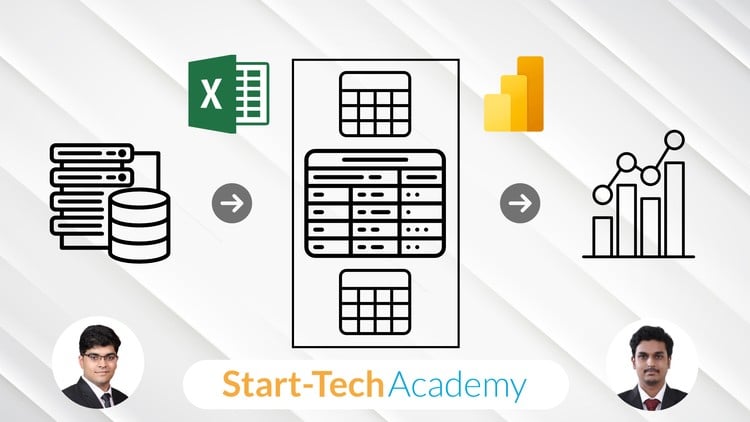
Master Data Import, Cleaning, Modeling, and Analysis Using Power Query, Power Pivot, and DAX in Excel
⏱️ Length: 4.3 total hours
⭐ 4.57/5 rating
👥 8,047 students
🔄 October 2025 update
Add-On Information:
Note➛ Make sure your 𝐔𝐝𝐞𝐦𝐲 cart has only this course you're going to enroll it now, Remove all other courses from the 𝐔𝐝𝐞𝐦𝐲 cart before Enrolling!
- Course Overview
- This comprehensive course is your gateway to transforming Excel from a static spreadsheet tool into a dynamic, robust business intelligence platform, moving beyond basic functions to handle complex data challenges.
- Designed for professionals seeking to elevate their data manipulation, cleaning, modeling, and reporting skills using Power Query, Power Pivot, and DAX.
- Learn to automate data workflows, ensure accuracy, and generate scalable, flexible solutions for faster, more informed, and data-driven decision-making.
- Master the integrated power of Power Query for advanced data transformation, Power Pivot for robust data modeling, and DAX for sophisticated analytical calculations.
- Requirements / Prerequisites
- Foundational Excel Proficiency: A basic understanding of Excel’s formulas, cell references, and worksheet navigation is essential.
- Conceptual Data Understanding: Familiarity with basic data concepts such as rows, columns, and tables will provide a solid footing.
- Access to Excel with Power Tools: Participants must have Excel 2013 or newer for Windows (fully integrated in Excel 2016 and Microsoft 365); Mac compatibility for these features is limited.
- An Analytical Mindset: A genuine eagerness to solve data puzzles and learn powerful advanced analytical techniques is key.
- Skills Covered / Tools Used
- Advanced Data Acquisition & Transformation: Master Power Query’s intuitive interface and its M language underpinnings to connect to diverse sources, perform complex data sculpting, type conversions, and merge/append queries.
- Robust Data Modeling Techniques: Design efficient and scalable data models within Power Pivot, understanding concepts like fact and dimension tables, establishing relationships, and optimizing for analytical flexibility.
- Dynamic Analytical Expression Language (DAX): Dive deep into DAX, comprehending its unique context evaluation to craft custom measures, calculated columns, time intelligence, ranking, and complex aggregations for dynamic, context-aware insights.
- Interactive Dashboard & Report Development: Leverage your meticulously built data model to create highly interactive and insightful PivotTables and PivotCharts, incorporating slicers, timelines, and drill-down capabilities for dynamic data exploration.
- Data Governance & Quality Assurance: Implement best practices for maintaining data integrity and consistency throughout the ETL process, utilizing Power Query for ongoing data validation and error handling.
- BI Automation & Efficiency: Transition from repetitive manual updates to fully automated reporting solutions where a single click refreshes your data, significantly reducing generation time and enabling focus on analysis.
- Benefits / Outcomes
- Elevated Data Dexterity: Gain mastery over modern data manipulation and analysis tools within Excel, significantly enhancing your capability to handle large, complex datasets with speed and accuracy.
- Strategic Insight Generation: Equip yourself to extract deeper, more actionable insights from your business data, answering complex questions and driving informed, impactful strategic decisions.
- Career Advancement & Marketability: Distinguish yourself as a highly skilled professional proficient in industry-leading data analysis techniques, boosting your career trajectory in various sectors.
- Unleashed Productivity & Automation: Eliminate the burden of manual data preparation and report generation by building automated, robust systems that refresh instantly.
- Enhanced Reporting & Visualization: Create compelling, interactive dashboards and reports that clearly communicate complex data stories, enabling stakeholders to grasp key trends and make confident decisions.
- Become a Data Problem Solver: Develop a systematic approach to identifying, understanding, and solving real-world data challenges with resilient, scalable solutions.
- PROS
- Practical & Hands-On Learning: The course emphasizes practical application through real-world examples, ensuring immediately transferable skills.
- Concise and Efficient: At 4.3 hours, it’s an ideal length for busy professionals seeking to acquire powerful skills without a massive time commitment.
- High Student Satisfaction: A stellar 4.57/5 rating from over 8,000 students attests to the course’s quality and effectiveness.
- Future-Proof Skills: The tools and concepts taught (Power Query, Power Pivot, DAX) are foundational for modern business intelligence and data analysis, ensuring enduring relevance.
- Cost-Effective BI Solution: Leverages tools already available in Excel, transforming it into a powerful BI platform without requiring expensive, specialized software investments.
- Gateway to Advanced Analytics: Provides a solid understanding of data modeling and analytical logic that serves as an excellent stepping stone for further exploration into Power BI or data science.
- CONS
- Focused Depth: While comprehensive for its duration, the course’s relatively short length means it concentrates on core capabilities and might not delve into every single advanced nuance or edge case extensively.
Learning Tracks: English,Office Productivity,Microsoft
Found It Free? Share It Fast!