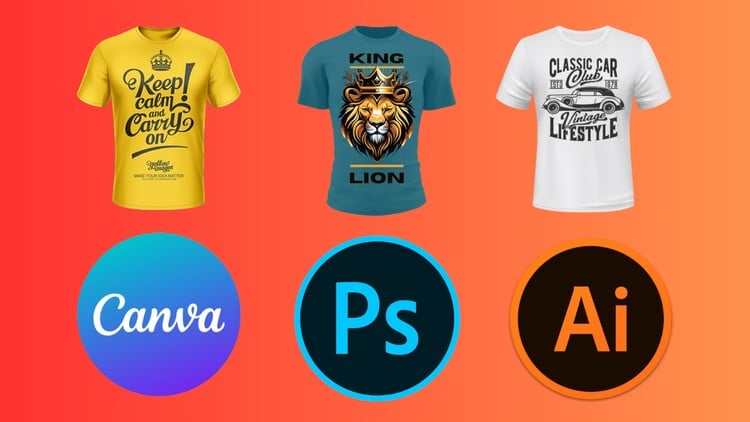
Design Unique and Eye-Catching T-Shirts using Illustrator, Photoshop and Canva
⏱️ Length: 5.6 total hours
⭐ 3.26/5 rating
👥 6,988 students
🔄 February 2025 update
Add-On Information:
Note➛ Make sure your 𝐔𝐝𝐞𝐦𝐲 cart has only this course you're going to enroll it now, Remove all other courses from the 𝐔𝐝𝐞𝐦𝐲 cart before Enrolling!
- Course Overview
- Embark on a comprehensive journey to transform your creative visions into tangible, marketable t-shirt designs. This course is meticulously crafted for aspiring designers, entrepreneurs, and hobbyists eager to establish a distinct presence in the vibrant apparel market.
- Discover the synergistic power of industry-standard software – Adobe Illustrator and Adobe Photoshop – alongside the user-friendly platform of Canva, to unlock a diverse range of design possibilities.
- Move beyond basic t-shirt graphics and delve into advanced design techniques, learning to conceptualize, execute, and refine artwork that resonates with target audiences.
- Gain practical, hands-on experience through a series of structured modules, building a robust portfolio of professional-quality t-shirt designs suitable for online marketplaces, print-on-demand services, or personal brands.
- Understand the fundamentals of design principles specifically tailored for apparel, including color theory, composition, and scalability for different garment types.
- Learn to interpret design briefs and translate client needs or personal concepts into visually compelling t-shirt artwork.
- Explore the nuances of creating designs that not only look good but also print effectively, ensuring your creations translate seamlessly from screen to fabric.
- This course is designed for rapid skill acquisition, offering 5.6 hours of concentrated learning, updated in February 2025 to reflect current design trends and software features.
- Benefit from a curriculum that has been validated by a community of over 6,988 students, evidenced by its solid 3.26/5 rating.
- Requirements / Prerequisites
- A personal computer or laptop capable of running Adobe Illustrator and Photoshop (system requirements can be found on the Adobe website).
- A stable internet connection to access course materials and any linked online resources.
- Access to Adobe Illustrator, Adobe Photoshop, and a free or premium Canva account. Trial versions are acceptable for learning purposes.
- A willingness to experiment and a creative mindset. No prior professional design experience is mandatory.
- Basic computer literacy, including file management and software installation.
- An open mind to explore different design aesthetics and adapt to various software workflows.
- Skills Covered / Tools Used
- Proficient Navigation and Application of Design Software: Master the core functionalities and unique strengths of Adobe Illustrator for vector-based artwork and scalable designs, Adobe Photoshop for raster image manipulation and texture application, and Canva for quick, template-driven designs and social media integration.
- Advanced Text Styling and Effects: Learn to create visually striking typography by employing techniques like gradient masking, applying dynamic effects, and achieving a polished, professional look for all text elements within your designs.
- Thematic Design Development: Cultivate the ability to conceptualize and execute designs tailored to specific themes and aesthetics, ranging from contemporary streetwear and retro revivals to niche interests like hunting, fishing, and gaming.
- Illustration and Graphic Element Creation: Develop skills in creating custom vector graphics, icons, and illustrations from scratch within Illustrator, and manipulating photographic elements or textures within Photoshop to enhance your designs.
- Color Palette Selection and Application: Understand how to choose and effectively use color palettes that evoke specific moods and appeal to target demographics, with a focus on how colors translate to print.
- Composition and Layout Techniques: Master the art of arranging design elements for maximum impact on a t-shirt, considering factors like placement, balance, and visual hierarchy.
- Design Adaptation and File Preparation: Learn to optimize your designs for t-shirt printing, understanding file formats, resolution requirements, and color modes essential for professional production.
- Utilizing Pre-built Assets and Elements: Discover how to effectively integrate and modify existing graphic elements, brushes, and templates within each software to accelerate your design process and expand your creative options.
- Understanding Design Trends: Gain insights into current and emerging t-shirt design trends, enabling you to create designs that are both timeless and relevant.
- Benefits / Outcomes
- Launch Your T-Shirt Business: Acquire the practical skills needed to start and scale your own t-shirt design business, whether for e-commerce platforms, print-on-demand services, or local markets.
- Expand Your Freelance Portfolio: Build a diverse and impressive portfolio showcasing your versatility across different design styles, making you a competitive candidate for freelance design opportunities.
- Enhance Existing Creative Skills: Elevate your current design capabilities by integrating powerful new tools and techniques, leading to more sophisticated and professional outputs.
- Develop a Unique Brand Identity: Learn to translate your personal style or a client’s brand vision into cohesive and memorable t-shirt designs that capture attention.
- Boost Your Earning Potential: Equip yourself with in-demand skills that can directly translate into income generation through t-shirt sales or freelance design work.
- Gain Confidence in Design Execution: Move from idea generation to confident, polished design execution across multiple software platforms.
- Create Designs for Niche Markets: Specialize in designing for specific communities or interest groups, tapping into lucrative niche markets.
- Become a Versatile Designer: Develop a well-rounded skillset applicable to various design projects beyond just t-shirts.
- Understand the Practicalities of Apparel Design: Go beyond aesthetics to understand the technical considerations that ensure your designs are print-ready and visually impactful on fabric.
- PROS
- Comprehensive Software Coverage: Integrates three popular and powerful design tools, offering a broad spectrum of creative capabilities.
- Diverse Design Styles Explored: Covers a wide range of themes, from trendy streetwear to specific niche markets.
- Practical Application Focus: Emphasizes creating designs ready for real-world application in the apparel industry.
- Accessible Learning Curve: Balances powerful software with user-friendly platforms like Canva.
- Updated Content: February 2025 update suggests current relevance and trend awareness.
- CONS
- Software Licensing Costs: Requires investment in Adobe Illustrator and Photoshop subscriptions, which can be a significant barrier for some learners.
Learning Tracks: English,Design,Graphic Design & Illustration
Found It Free? Share It Fast!