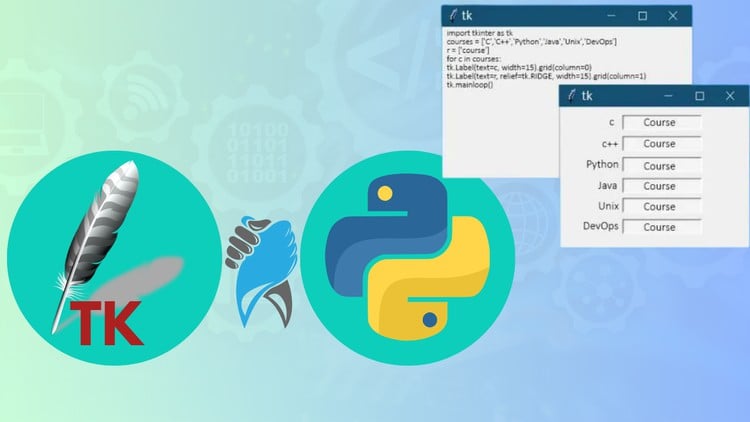
Mastering Python GUI Development with Tkinter: Build Professional Desktop Applications with Confidence and Ease
⏱️ Length: 2.6 total hours
⭐ 4.44/5 rating
👥 50,205 students
🔄 January 2024 update
Add-On Information:
Note➛ Make sure your 𝐔𝐝𝐞𝐦𝐲 cart has only this course you're going to enroll it now, Remove all other courses from the 𝐔𝐝𝐞𝐦𝐲 cart before Enrolling!
-
Course Overview
- This course serves as your direct gateway to transforming basic Python scripts into interactive and visually appealing desktop applications. It demystifies the process of creating graphical user interfaces, empowering you to move beyond command-line interactions and present your Python logic in an accessible, user-friendly format. You’ll discover how Tkinter, Python’s standard GUI library, integrates seamlessly to bring your programming ideas to life on the desktop.
- Embark on a practical journey where theory meets immediate application. The curriculum is meticulously designed to foster a hands-on learning experience, ensuring you’re not just understanding concepts but actively building functional software. This foundational training equips you with the confidence to tackle a wide array of desktop application development challenges, starting with simple utilities and progressing towards more complex interactive systems.
- Explore the fundamental paradigms of event-driven programming, which are central to GUI development. You will learn how user actions, such as clicks or key presses, trigger specific responses in your application, forming the core of interactive software. This understanding is crucial for designing robust and predictable user experiences in any graphical environment.
-
Requirements / Prerequisites
- A foundational understanding of Python programming is essential. This includes familiarity with core concepts such as variables, data types, conditional statements (if/else), loops (for/while), and functions. While this course focuses on GUI development, a solid grasp of Python’s syntax and basic logic will ensure you can effectively implement the backend functionality of your applications.
- While not strictly mandatory, a basic exposure to object-oriented programming (OOP) principles in Python, such as classes and objects, will significantly enhance your understanding and ability to structure larger Tkinter applications. Many Tkinter widgets and application designs benefit from an OOP approach, promoting cleaner, more modular code.
- You will need a computer with an active internet connection to download necessary resources and access the course material. Any modern operating system (Windows, macOS, or Linux) is suitable for development, as Tkinter is cross-platform compatible. Basic computer literacy, including file management and program installation, is assumed.
- An integrated development environment (IDE) like VS Code, PyCharm, or even a simple text editor with Python installed, will be your primary tool. While the course doesn’t dictate a specific IDE, having a comfortable coding environment is crucial for writing, testing, and debugging your Python GUI applications efficiently.
-
Skills Covered / Tools Used
- Master the intricate art of event handling and callback functions, the heartbeat of any interactive application. You will learn how to detect user interactions, such as button clicks, keyboard inputs, or mouse movements, and program your application to respond intelligently and dynamically to these events. This skill is critical for creating responsive and engaging user experiences.
- Develop a systematic approach to application architecture for GUIs, moving beyond simple scripts to build structured, maintainable, and scalable desktop programs. This includes understanding how to separate concerns, manage application state, and integrate different UI components cohesively for better organization and future expandability.
- Gain proficiency in implementing robust data input, validation, and display mechanisms within your graphical interfaces. Learn how to collect user data safely, perform necessary checks to ensure data integrity, and present information clearly and intuitively, enhancing both usability and reliability of your applications.
- Learn techniques for creating custom component layouts that extend beyond standard grid or pack managers. This includes strategies for dynamically adjusting widget sizes and positions based on user actions or window resizing, offering greater flexibility and a more polished look for your applications.
- Explore the integration of visual elements and media into your applications. Discover how to incorporate images, icons, and even simple animations to enrich the user interface, making your applications more aesthetically pleasing and intuitive to navigate. This adds a layer of professionalism and visual appeal to your desktop tools.
- Acquire practical experience in debugging GUI-specific issues, which often differ from command-line debugging. You’ll learn strategies for identifying and resolving common problems unique to graphical interfaces, such as layout glitches, unresponsive elements, or unexpected event behaviors, ensuring your applications run smoothly.
- Utilize Python as the foundational programming language for all backend logic and computational tasks, leveraging its vast ecosystem. Tkinter serves as the primary GUI library for constructing the visual elements, while your chosen Integrated Development Environment (IDE) will be the central workbench for coding and project management.
-
Benefits / Outcomes
- You will gain the remarkable ability to rapidly prototype GUI ideas, transforming abstract concepts into tangible, interactive demonstrations with surprising speed. This empowers you to quickly test usability, gather feedback, and iterate on designs without significant time investment, accelerating your development cycle.
- Significantly expand your Python skillset beyond traditional command-line interfaces, unlocking a new dimension of application development. This course prepares you to create standalone desktop tools that offer rich, intuitive user experiences, making your Python projects accessible and engaging for a broader audience.
- Develop a strong foundation that serves as a launchpad for exploring other sophisticated GUI frameworks like PyQt, Kivy, or WxPython. The core principles of GUI design and event-driven programming learned here are highly transferable, making it easier to transition to and master more advanced toolkits in the future.
- Enhance your professional portfolio with tangible desktop applications, showcasing your practical skills in GUI development. This hands-on experience demonstrates your capability to build robust, user-facing software, making you a more versatile and attractive candidate in the job market.
- Achieve the confidence to automate personal or work-related tasks by developing custom, graphical desktop applications. From simple data entry tools to more complex system monitoring utilities, you’ll be equipped to craft solutions that streamline workflows and improve efficiency in your daily operations.
-
PROS
- Accessibility: Tkinter is Python’s standard, built-in GUI library, meaning it requires no additional installation beyond Python itself. This makes it incredibly easy and quick for beginners to get started with desktop application development without setup hurdles.
- Rapid Prototyping: Its straightforward API and intuitive design facilitate the quick development and iteration of GUI concepts. This allows developers to rapidly test ideas, visualize layouts, and gather feedback efficiently, accelerating the design phase.
- Cross-Platform Compatibility: Applications built with Tkinter are inherently cross-platform, running seamlessly across Windows, macOS, and Linux environments. This broad compatibility eliminates the need for platform-specific code adjustments, saving development time and effort.
- Beginner-Friendly Learning Curve: Tkinter’s simplicity and clear documentation make it an excellent entry point for new GUI developers. It introduces fundamental concepts of event-driven programming and widget management in an approachable manner, building a strong base.
- Foundation for Advanced GUIs: Learning Tkinter provides a solid understanding of core GUI programming principles that are highly transferable. This foundational knowledge makes it significantly easier to transition to and master more complex or feature-rich frameworks like PyQt, PySide, or Kivy later on.
-
CONS
- Modern Aesthetic Challenges: While highly functional, Tkinter’s default widgets can sometimes appear dated compared to contemporary UI/UX design trends. Achieving a truly modern, sleek aesthetic often requires significant custom styling or reliance on external themed Tkinter variations, which might not be covered in a basic course.
Learning Tracks: English,Development,Web Development
Found It Free? Share It Fast!