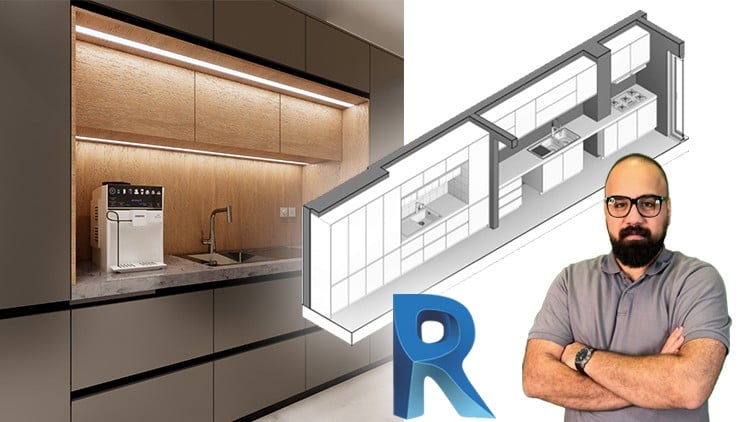
Master BIM Object and BIM Nested Families form Fundamentals to Advanced Techniques + Exercise files & Quizzes
⏱️ Length: 8.1 total hours
⭐ 4.84/5 rating
👥 6,286 students
🔄 September 2025 update
Add-On Information:
Note➛ Make sure your 𝐔𝐝𝐞𝐦𝐲 cart has only this course you're going to enroll it now, Remove all other courses from the 𝐔𝐝𝐞𝐦𝐲 cart before Enrolling!
-
Course Overview
- Master Parametric Kitchen Cabinet Design: Transform from a novice to a proficient designer of intelligent, customizable kitchen cabinet families within Revit, starting from foundational concepts and progressing to advanced techniques.
- Unlock Dynamic BIM Object Creation: Discover the profound power of parametric design, revolutionizing your architectural and interior design workflow with highly flexible, precision-engineered BIM components that adapt instantly to diverse project requirements.
- Comprehensive Family Lifecycle: Navigate the entire process of Revit family creation, from initial conceptualization of design intent to implementing precise dimensional constraints, material assignments, and robust nested family strategies for professional-grade components.
- Build a Strategic Design Asset Library: Acquire the expertise to develop and curate a versatile, reusable collection of custom kitchen cabinets and related components, streamlining project delivery, ensuring consistent design quality, and significantly reducing future design development time.
- Enhance Visual Presentation: Seamlessly integrate your meticulously crafted custom families with advanced rendering workflows using Enscape, enabling you to produce compelling, photorealistic visualizations for impactful client presentations and design proposals.
-
Requirements / Prerequisites
- Zero Revit Family Experience: This course assumes no previous knowledge of Revit family creation or custom BIM object development, guiding you comprehensively from fundamental concepts.
- Basic Revit Interface Skills: A general understanding of navigating Revit’s user interface, opening projects, and identifying basic elements will aid your learning, but deep expertise isn’t required.
- Autodesk Revit Software (2020+ Recommended): An installed and functional version of Autodesk Revit is essential for hands-on practice with the Family Editor and applying the course’s exercise files.
- Enscape Plugin (Trial or Full License Recommended): Access to the Enscape real-time rendering plugin will allow full exploration of visualization capabilities and creation of realistic visual outputs of your designs.
- Dedication to Practice: Active engagement with provided exercise files, experimentation with parameters, and independent application of techniques is crucial for skill mastery and long-term retention.
-
Skills Covered / Tools Used
- Revit Family Editor Mastery: Command the intricate environment of the Revit Family Editor, utilizing its full suite of specialized tools for precise geometric definition and intelligent parametric control.
- Parametric Formula Crafting: Skillfully develop and apply complex formulas and conditional logic to drive dynamic family behavior, enabling intelligent component resizing and feature adjustments.
- Shared Parameter Integration: Learn to create and deploy shared parameters for consistent data management and seamless information exchange across projects and design teams.
- Nested Family Construction: Architect robust, multi-component families through advanced nesting techniques, enhancing design flexibility and optimizing project performance.
- Material & Information Enlistment: Precisely assign materials, finishes, and crucial identity data to families, enriching your BIM models with real-world specifications.
- Visibility & Catalog Control: Implement dynamic visibility settings and generate type catalogs for efficient management of numerous family variations within projects.
- Performance-Driven Family Design: Adopt best practices for creating optimized families that deliver high detail without sacrificing Revit project performance or stability.
- Enscape Real-Time Visualization: Leverage Enscape for instantaneous, photorealistic rendering, transforming your technical Revit models into captivating visual presentations.
-
Benefits / Outcomes
- Elevated Design Efficacy: Significantly reduce design time and minimize errors by utilizing intelligent, adaptable kitchen cabinet families that respond dynamically to project changes.
- Enhanced Employability: Gain a highly specialized and in-demand skill set in parametric BIM object creation, making you a more valuable professional in architecture, interior design, and manufacturing sectors.
- Streamlined Project Workflows: Implement best practices for family creation that optimize project performance, facilitate faster revisions, and improve overall team collaboration on complex designs.
- Superior Client Visualization: Present your kitchen designs with unparalleled clarity, realism, and customizability, significantly boosting client satisfaction and project approval rates.
- Reusable Digital Assets: Develop a powerful, versatile library of custom kitchen components, establishing a scalable and efficient foundation for all your future design endeavors.
- Adherence to BIM Standards: Acquire practical experience in creating families that comply with industry BIM standards, ensuring data integrity, interoperability, and project consistency.
- Unleashed Creative Freedom: Design unique and custom kitchen layouts with advanced customization capabilities, overcoming limitations imposed by generic, static components.
-
PROS
- Practical, In-Demand Skills: Acquire highly valuable BIM object creation expertise directly applicable to real-world architectural and interior design projects, boosting career prospects.
- Beginner-Friendly Approach: Offers a clear, structured, and step-by-step learning path from fundamental concepts to advanced techniques, making complex topics accessible for all skill levels.
- Hands-On Learning: Reinforces understanding and ensures deep knowledge retention through practical exercise files, quizzes, and opportunities for direct application of learned principles.
- Proven Quality Instruction: Backed by an excellent student rating (4.84/5) and high enrollment (6,286 students), indicating effective teaching methods and valuable content delivery.
- Develop Reusable Design Library: Empowers learners to build a personal, intelligent component library, significantly accelerating future project work and maintaining design consistency.
-
CONS
- Software Access & Cost: Requires access to Revit software and potentially the Enscape plugin, which may involve additional expenditure beyond the course fee.
Learning Tracks: English,Design,Interior Design
Found It Free? Share It Fast!