Unleash Your Creative Potential: Master the Art of Photo Editing
⏱️ Length: 2.0 total hours
⭐ 4.49/5 rating
👥 44,648 students
🔄 September 2023 update
Add-On Information:
Note➛ Make sure your 𝐔𝐝𝐞𝐦𝐲 cart has only this course you're going to enroll it now, Remove all other courses from the 𝐔𝐝𝐞𝐦𝐲 cart before Enrolling!
- Course Overview
- Comprehensive Skill Foundation: Embark on a transformative journey from beginner to confident photo editor, mastering essential techniques for impactful visual results.
- Unleash Artistic Vision: Learn to transform ordinary images into captivating visual stories that reflect your unique creative perspective and personal style.
- Efficient Workflow Strategies: Discover methods for optimizing image processing, enabling you to save time without sacrificing quality or artistic intent.
- Versatile Software Proficiency: Gain adaptability and competence across leading desktop and mobile editing platforms, empowering you regardless of the tool.
- Embrace AI Innovation: Integrate cutting-edge artificial intelligence for streamlined tasks, enhanced creativity, and expanded possibilities in image manipulation.
- Cultivate a Critical Eye: Develop the ability to intelligently analyze photographs, identify areas for improvement, and envision their polished final form before editing commences.
- Beyond Basic Adjustments: Move past generic enhancements to achieve professional-grade results that truly elevate your photography to an art form.
- Requirements / Prerequisites
- No Prior Experience Required: This course is meticulously designed for absolute beginners, assuming no previous knowledge of photo editing software or techniques.
- Computer Access: A desktop or laptop computer capable of running modern photo editing applications is essential for engaging with practical exercises.
- Software Access (Recommended): While concepts are taught generically, having access to trial versions or subscriptions for Adobe Lightroom, Photoshop, or Luminar Neo is highly beneficial for hands-on practice.
- Personal Photo Library: A collection of your own digital images (from any camera or phone) is recommended for applying learned techniques and tracking skill development.
- Basic Computer Literacy: Familiarity with navigating operating systems, managing files, and fundamental internet usage is expected.
- Eagerness to Learn: A genuine interest in improving your photographic output and exploring creative expression through digital editing.
- Internet Connection: A reliable internet connection is necessary for streaming course content, downloading software, and accessing updates.
- Skills Covered / Tools Used
- Foundational Image Corrections: Master non-destructive adjustments for exposure, contrast, white balance, and tone to establish a perfect visual base for any photograph.
- Advanced Color & Mood Manipulation: Learn precise techniques for color grading, correcting casts, and crafting specific atmospheric effects to convey emotion.
- Compositional Refinement: Expertly utilize cropping, straightening, and perspective correction tools to enhance visual balance and strengthen overall image impact.
- Detail & Clarity Enhancement: Acquire methods for selective sharpening, effective noise reduction, and accentuating textural details for pristine image quality.
- Portrait & Landscape Optimization: Discover specific editing strategies tailored to bring out the best in human subjects and enhance the grandeur of scenic views.
- Creative Stylization: Explore the application of artistic filters, custom presets, and localized adjustments to develop and infuse a unique personal aesthetic into your work.
- Efficient Batch Processing: Implement strategies for streamlining workflows, creating custom presets, and organizing large photo libraries to significantly reduce editing time.
- Adobe Software Mastery: Gain comprehensive proficiency in Adobe Lightroom for powerful cataloging and global edits, alongside foundational Adobe Photoshop skills for precise selections and layer work.
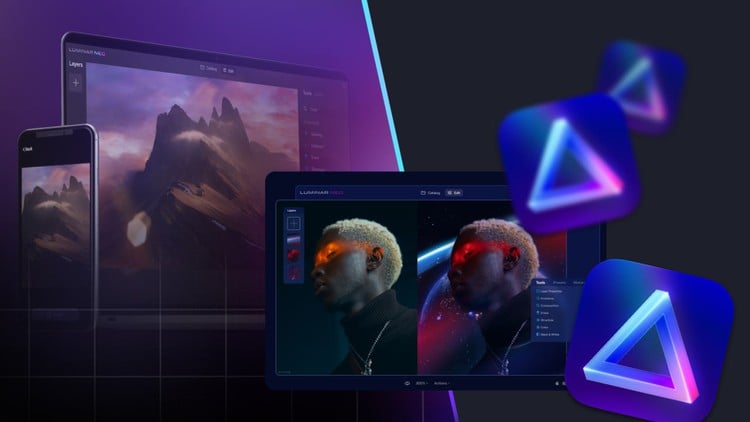
- Luminar Neo Innovations: Harness the cutting-edge, AI-powered features of Luminar Neo for rapid, intelligent enhancements like automatic sky replacement, relighting, and portrait improvements.
- Mobile Editing Expertise: Effectively utilize and understand the unique strengths and limitations of top smartphone applications such as Picsart and Snapseed for high-quality, on-the-go edits.
- AI-Driven Workflow Integration: Leverage artificial intelligence for automated tasks including content-aware fills, intelligent object removal, and other time-saving smart editing solutions.
- Optimized Export & Sharing: Learn best practices for preparing and exporting images in various formats and resolutions, ensuring optimal quality for web, social media, or print.
- Benefits / Outcomes
- Unwavering Artistic Confidence: You will gain the self-assurance to tackle any photo and transform it into a visually compelling piece that aligns perfectly with your creative vision.
- Professional-Grade Results: Consistently produce high-quality, polished images suitable for personal portfolios, impressive social media presence, or even potential client work.
- Significantly Faster Editing: Implement highly efficient workflows, smart techniques, and AI integration to drastically reduce the time spent on image processing.
- Enhanced Visual Storytelling: Your ability to convey emotions, narratives, and messages through your powerfully edited images will be profoundly elevated.
- Versatile Software Competence: Become proficient across multiple industry-standard and innovative editing platforms, making you adaptable to various creative needs.
- Potential Monetization Avenues: Understand how superior image quality can significantly boost your business’s branding, attract new clients, and potentially open new income opportunities.
- Creative Problem-Solving: Develop the analytical skills to diagnose and effectively rectify common photographic issues, turning challenging shots into impressive masterpieces.
- Distinct Personal Style: Cultivate and apply your unique aesthetic, ensuring your edited photos are instantly recognizable and truly yours.
- Future-Ready Skills: Acquire essential knowledge in AI editing, positioning you ahead in the rapidly evolving landscape of digital image manipulation.
- PROS
- Solid Beginner Foundation: Offers a comprehensive and accessible entry point for absolute newcomers to the world of photo editing.
- Multi-Software Proficiency: Develops versatile skills across various popular desktop and mobile platforms, including leading industry tools.
- Actionable & Practical Content: Emphasizes hands-on techniques and real-world applications that can be immediately implemented into your projects.
- Integrates Modern AI Tools: Prepares students for the future of digital imaging with cutting-edge artificial intelligence applications.
- Balanced Curriculum: Skillfully addresses both technical corrections and creative enhancements, fostering holistic skill development.
- Empowers Creative Expression: Builds confidence to achieve desired visual outcomes and express a unique artistic vision effectively.
- CONS
- Software Investment Required: Full utilization of the course material and practical application often necessitates subscriptions or purchases for various photo editing software programs.
Learning Tracks: English,Photography & Video,Photography Tools
Found It Free? Share It Fast!