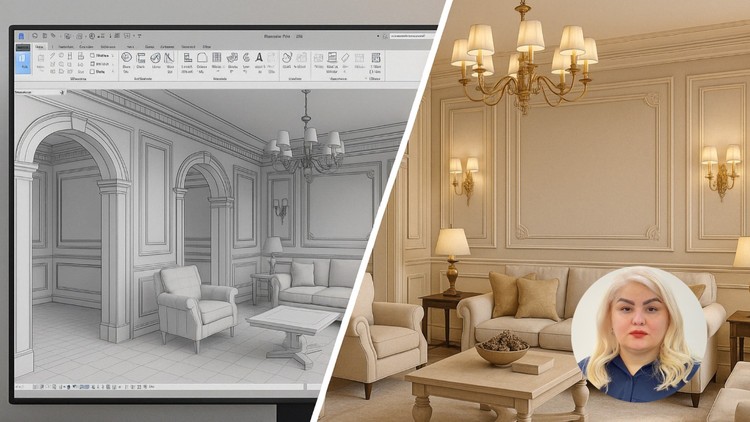
step-by-step 3D Modeling + Enscape Realistic Rendering + Material + Lighting + Furniture- Architects and BIM Designers
What you will learn
Professional Interior 3D Modeling in Revit
Decorative walls, Arches, Columns, and Interior Ornamentation
Ceilings, Decorative Elements, and Classic Details
Advanced Materials for Realistic Visual Effects
Precise Lighting Setup and Execution for Interior Spaces
Furniture Arrangement and Decorative Element Placement for Enhanced Aesthetics
Using Revit’s Rendering Tools to Generate High-Quality Images
Optimization Techniques to Reduce File Size and Improve Performance
As an experienced tech professional who’s navigated the labyrinth of architectural visualization and BIM for years, I’ve seen my share of courses promising “mastery.” Most fall short. However, the ‘Revit 2025 for Interior Design Mastery + Advanced Rendering’ course is a genuine standout, particularly for those serious about carving out a niche in high-fidelity interior visualization. This isn’t just another Revit tutorial; it’s a meticulously crafted journey that transforms raw modeling skills into a sophisticated ability to create compelling, photorealistic interior spaces. If you’re tired of flat, uninspired renders and want to leverage Revit 2025 and Enscape to their fullest potential, pay attention.
What truly sets this course apart is its holistic approach. It moves beyond the rudimentary modeling exercises found in many entry-level programs, diving deep into the nuances of creating environments that breathe. We’re talking about the kind of meticulous detail that client-facing presentations demand—the interplay of light, the texture of a fabric, the subtle sheen of a polished surface. The course expertly bridges the gap between functional BIM modeling and artistic rendering, a critical skillset for anyone aiming for career growth in modern design firms or as a freelance visualizer. It positions Revit not just as a documentation tool, but as a powerful engine for design exploration and breathtaking visualization, enhanced significantly by the real-time capabilities of Enscape.
Prerequisites
While the course ambitiously targets “mastery” and claims to go from beginner to advanced, I’d suggest coming in with at least a foundational understanding of design principles and basic computer navigation. You don’t need to be a Revit guru, but familiarity with any 3D modeling environment or CAD software will definitely smooth your initial learning curve. The “step-by-step” approach is thorough, but the sheer volume of detailed information, especially concerning advanced materials and lighting, will be less daunting if you’re not simultaneously learning how to use a mouse. Essentially, bring your dedication and an eagerness to learn; the course will provide the rest.
Skills & Tools
This course meticulously builds a comprehensive toolkit designed to produce job-ready skills. You’ll become intimately familiar with:
- Professional Interior 3D Modeling in Revit: Beyond basic walls, you’ll master decorative elements like arches, columns, and intricate interior ornamentation, giving your designs a unique character.
- Advanced Materials for Realistic Visual Effects: This is where the magic happens. Learn to create and apply materials that genuinely mimic real-world textures and finishes, essential for photorealism.
- Precise Lighting Setup and Execution: Understanding how light interacts with surfaces is crucial. The course demystifies everything from natural daylighting to complex artificial light fixtures, teaching you to sculpt atmosphere.
- Furniture Arrangement and Decorative Element Placement: It’s not just about what you model, but how you compose it. Learn aesthetic principles for creating compelling interior scenes.
- Enscape Realistic Rendering: This course leverages Enscape as a core industry-standard tool for real-time visualization, significantly accelerating your workflow and render quality.
- Optimization Techniques: Crucially, you’ll learn to manage large Revit files, reducing size and improving performance without sacrificing detail – a truly practical skill for real-world projects.
Career Benefits & Job Roles
The skills imparted here are highly valuable in today’s AEC industry. Mastering Revit 2025 for interior design and advanced rendering with Enscape directly translates to enhanced career growth opportunities. You’ll be equipped to excel in roles such as:
- Interior Designer: Elevate your design presentations with stunning visualizations.
- BIM Modeler / Specialist: Add high-level aesthetic visualization to your BIM capabilities.
- Architectural Visualizer: Specializing in interiors, creating compelling marketing materials.
- Freelance 3D Artist: Offer high-quality rendering services to design firms.
- Junior Architect: Differentiate yourself by bringing immediate visualization expertise to the table.
The course focuses heavily on practical application, meaning you’ll build a portfolio of high-quality renders throughout your learning, which is invaluable for showcasing your expertise. While not explicitly framed as certification prep for Autodesk exams, the deep dive into Revit’s features certainly aligns with the knowledge required for such accreditations.
Pros
- Comprehensive and Up-to-Date: Covers modeling and rendering extensively using the latest Revit 2025, ensuring relevant skills for current industry demands.
- Focus on Realistic Aesthetics: Unlike many courses that skim over detailing, this one dives into decorative walls, ceilings, ornamentation, and classic details, crucial for truly high-end interiors.
- Powerful Enscape Integration: The dedicated focus on Enscape for realistic rendering is a huge advantage, as it’s a rapidly adopted industry-standard tool for real-time visualization and quick iterations.
- Practical, Hands-on Labs: The emphasis on “step-by-step” modeling and rendering means you’re constantly applying what you learn, building muscle memory for real-world projects.
Cons
- Significant Time Commitment Required: While comprehensive, true mastery, as the title suggests, isn’t simply gained by watching videos. This course demands consistent practice and dedication beyond the structured lessons. To genuinely internalize the advanced material and lighting concepts, you’ll need to allocate substantial personal time for experimentation and applying the techniques to your own designs. It’s an investment in time and effort, not a quick fix.