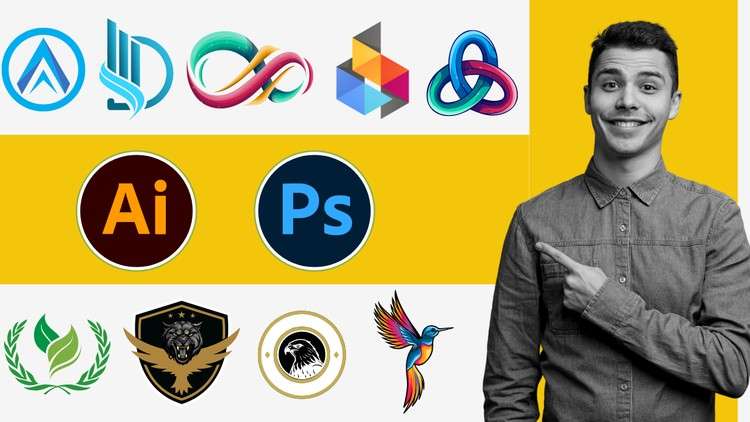
Learn Logo Design Techniques: A Comprehensive Guide with Photoshop and Illustrator
What you will learn
Understand the principles of effective logo design
Learn about different logo types
Explore the Photoshop and Illustrator interface and workspace
Learn image manipulation techniques for logo design
Learn to create complex shapes and illustrations for logos
Create stunning visual effects and treatments for logos
Develop advanced techniques for logo refinement and finishing
Why take this course?
Are you passionate about design but unsure how to create professional, impactful logos? This comprehensive course is your ultimate guide to mastering logo design from scratch using industry-standard software, Photoshop and Illustrator.
Whether you’re a complete beginner or looking to refine your skills, this course will equip you with the knowledge and expertise to create stunning logos that leave a lasting impression.
What you’ll learn:
- Logo Design Fundamentals: Understand the principles of effective logo design, including color theory, typography, and composition.
- Photoshop Mastery: Learn essential Photoshop tools and techniques for creating and manipulating images for logo design.
- Illustrator Expertise: Discover how to create vector-based logos that scale perfectly for any size.
- Branding and Identity: Develop a strong brand identity through logo design and visual storytelling.
- Client Communication and Project Management: Learn how to effectively communicate with clients and manage logo design projects from start to finish.
- Portfolio Building: Create a professional logo design portfolio to showcase your skills and attract clients.
By the end of this course, you’ll be confident in your ability to create professional-quality logos for a wide range of clients. You’ll have a solid foundation in logo design principles, expert-level skills in Photoshop and Illustrator, and a portfolio ready to launch your design career.
Enroll now and start your journey to becoming a logo design master!
Master Logo Design with Photoshop Illustrator Zero to Pro – A Review
Alright folks, let’s talk logos. If you’re looking to level up your design game, or maybe even pivot into the incredibly lucrative world of brand identity, then the “Master Logo Design with Photoshop Illustrator Zero to Pro” course is likely on your radar. I’ve spent some time with it, and as someone who’s been in the trenches with these industry-standard tools for years, I’ve got some thoughts. This isn’t your typical fluffy review; I’m going to give you the straight dope, seasoned with a healthy dose of real-world experience.
Overview: Beyond the Basics
What struck me immediately about this course is its ambition. It doesn’t just skim the surface. They aim to take you from absolute zero to feeling genuinely competent in crafting logos. The emphasis here is on building a solid foundation, understanding *why* certain designs work, and then arming you with the practical chops to execute them flawlessly in both Photoshop and Illustrator. They do a commendable job of breaking down the seemingly daunting task of logo creation into digestible modules. It’s not just about clicking buttons; it’s about understanding the *principles* that make a logo memorable and effective. I appreciated the focus on not just aesthetic appeal, but also on the strategic thinking that goes into designing for a brand. This isn’t just about pretty pictures; it’s about business.
Prerequisites
Honestly, the “zero” in the title is pretty accurate. If you’ve never opened Photoshop or Illustrator, you’re good to go. However, a basic understanding of computer operations and a willingness to learn are key. No prior design experience is strictly required, but if you have even a passing familiarity with design concepts, you’ll probably absorb the material faster. Think of it as a clean slate, ready to be filled with some serious design knowledge.
Skills & Tools
This course is a deep dive into the core functionalities of Adobe Photoshop and Adobe Illustrator, specifically tailored for logo design. You’ll get hands-on experience with:
- Vector-based illustration techniques in Illustrator for scalable logos.
- Raster image manipulation and effects in Photoshop for adding polish and depth.
- Understanding typography and its crucial role in branding.
- Creating custom icons and symbols from scratch.
- Applying color theory and developing effective color palettes.
- Developing strategic approaches to logo refinement and finalization.
- Real-world projects that simulate client briefs, which is a huge plus for building a portfolio.
The course does a solid job of integrating these two powerful, albeit different, applications. Learning to leverage both is crucial for modern logo design, and they certainly achieve that.
Career Benefits & Job Roles
For anyone looking for career growth in the creative industry, this course is a solid stepping stone. The skills you’ll acquire are directly applicable to roles like:
- Junior Graphic Designer
- Brand Identity Designer
- Freelance Logo Designer
- Visual Designer
- Web Designer (logo design is a fundamental skill)
It’s also excellent certification prep for foundational design skills if you’re aiming for broader design credentials. The focus on practical application means you’ll be building job-ready skills that employers are actively seeking.
Pros
- Comprehensive Curriculum: It genuinely covers the spectrum from foundational principles to advanced techniques, ensuring you’re not just learning tools but understanding the ‘why’ behind design decisions.
- Dual Software Mastery: The integration of both Photoshop and Illustrator is a significant advantage. Many courses focus on one; mastering both is a distinct competitive edge in the job market.
- Practical, Project-Based Learning: The emphasis on real-world projects is paramount. This isn’t theoretical fluff; you’ll be building a portfolio of actual work that you can showcase to potential clients or employers.
- Clear and Engaging Instruction: The instructors manage to keep things moving without feeling rushed, and the explanations are generally easy to follow, even for complex topics.
Cons
- Pacing Can Be Intense: While comprehensive, the sheer volume of information and techniques covered can feel a bit overwhelming at times, especially for absolute beginners who might need more time to digest each concept. You’ll definitely need to dedicate focused time to absorb it all and practice consistently.
Overall, “Master Logo Design with Photoshop Illustrator Zero to Pro” is a robust offering. If you’re serious about diving into logo design and want to emerge with tangible skills and a portfolio to back them up, this course is a worthwhile investment. It’s a practical, no-nonsense approach that respects your time and your ambition.