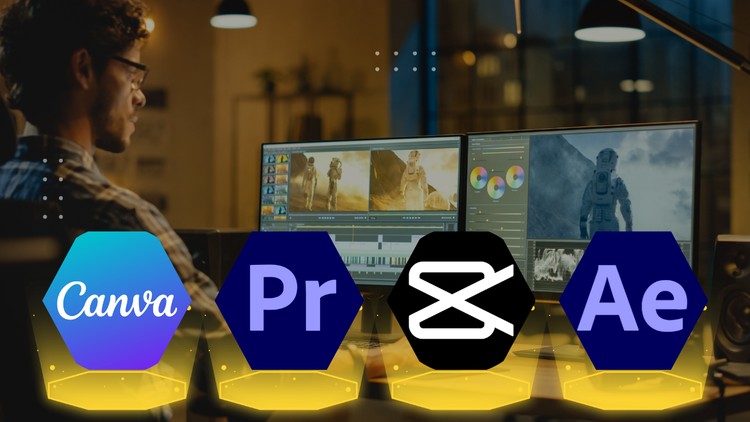
Social Media Video Edit With Adobe Premiere Pro, After Effect, Canva, Capcut
What you will learn
Import, edit, and organize your video clips with confidence.
Apply stunning visual effects, transitions, and motion graphics.
Incorporate captivating text, animations, and lower thirds.
Add high-quality sound effects and royalty-free music.
Export your videos in various formats for different platforms.
Why take this course?
Dominate Social Media: Video Editing Masterclass with Premiere Pro, After Effects, Canva & CapCut
Stop Scrolling, Start Creating!
This action-packed course equips you to become a social media video editing pro. We’ll explore a powerhouse combo: industry-standard Adobe Premiere Pro and After Effects for advanced editing and motion graphics, alongside the user-friendly Canva and mobile app CapCut for quick edits and on-the-go creation.
No Experience Needed!
Whether you’re a complete beginner or have some editing experience, this course is designed for you. We’ll break down each platform step-by-step, so you’ll be editing like a pro in no time.
Here’s What You’ll Master:
- Adobe Premiere Pro: Conquer the fundamentals of video editing, from cutting clips and adding transitions to color correction and audio mixing.
- After Effects Essentials: Breathe life into your videos with captivating motion graphics, text animations, and special effects.
- Canva for Visuals: Design stunning social media graphics, intros, and outros with ease using Canva’s intuitive interface.
- CapCut on the Go: Learn to edit captivating videos for Instagram Reels, TikTok, and other platforms directly from your mobile device.
Go Beyond the Basics:
This course doesn’t just teach you the tools; it teaches you how to use them effectively. You’ll learn:
- Social Media Storytelling: Craft engaging narratives that grab attention and keep viewers hooked.
- Platform Optimization: Tailor your video content for specific social media platforms to maximize reach and engagement.
- Trending Video Styles: Learn the latest editing techniques and effects used by top creators to make your videos stand out.
Project-Based Learning:
Sharpen your skills with real-world projects like creating a social media ad, a product explainer video, and a stunning Instagram Reel.
By the end of this course, you’ll be able to:
- Edit professional-quality social media videos from start to finish.
- Add captivating motion graphics and special effects using After Effects.
- Design stunning visuals for your videos with Canva.
- Create engaging content on-the-go with CapCut.
- Stand out on social media with unique and effective video content.
This course is perfect for:
- Anyone who wants to create captivating videos for social media
Enroll today and become a social media video editing master!
Alright folks, let’s talk about mastering the visual narrative on today’s digital highways. I recently dove headfirst into ‘The Complete Social Media Video Editing Masterclass’, and as someone who’s spent more than a decade wrestling with timelines and rendering behemoths, I’ve got some thoughts. This course promises the full spectrum, from wrangling clips to polishing them for the unforgiving gaze of the social media feed, all while juggling some of the biggest names in the editing game: Adobe Premiere Pro, After Effects, Canva, and CapCut. So, does it deliver on that ambitious scope? Let’s break it down.
Overview
What struck me immediately about this masterclass is its unapologetic ambition. It doesn’t just dip its toes into social media video editing; it dives into the deep end. The overarching narrative is about equipping you with a comprehensive toolkit to create professional-grade social content. It’s not just about learning software; it’s about understanding the *why* behind social video trends and how to leverage specific editing techniques to capture attention and drive engagement. You’re not just following tutorials; you’re being guided through the thought process of a seasoned editor tasked with a high-stakes campaign, from initial concept to final export for a dizzying array of platforms. It’s a pragmatic approach that bridges the gap between technical proficiency and strategic content creation.
Prerequisites
Honestly, this is where the course shines for a broad audience. The stated prerequisites are minimal, leaning towards a basic comfort level with computers and a willingness to learn. However, for maximum benefit, I’d recommend a baseline understanding of digital file management. If you’re comfortable saving files and navigating folders, you’re probably good to go. For those looking to leverage the more advanced aspects, particularly in After Effects, a prior introduction to motion graphics concepts would be beneficial, though not strictly required. The course is designed to take you from absolute beginner to a point where you can tackle complex projects, but prior exposure will certainly accelerate your learning curve.
Skills & Tools
This masterclass is a veritable smorgasbord of essential editing skills and industry-standard tools. You’ll get hands-on with:
- Adobe Premiere Pro: The workhorse for most professional video editing, covering everything from basic cuts to intricate sequences.
- Adobe After Effects: Your gateway to dynamic motion graphics, visual effects, and truly eye-catching animations.
- Canva: Bridging the gap with its user-friendly interface for quick graphics, animations, and even some video elements.
- CapCut: Essential for mobile-first editing and quick, snappy edits that are native to platforms like TikTok and Instagram Reels.
Beyond the software, you’ll acquire skills in storytelling, pacing, sound design, and mastering export settings for optimal platform performance – a crucial, often overlooked aspect. This isn’t just about pressing buttons; it’s about developing a holistic editing workflow.
Career Benefits & Job Roles
This is where the rubber meets the road. The skills you’ll gain are directly translatable to numerous job-ready skills. Think Social Media Manager with a video focus, Content Creator, Junior Video Editor, Digital Marketing Specialist, or even Freelance Video Editor. The emphasis on industry-standard tools like Premiere Pro and After Effects makes this course highly relevant for anyone eyeing career growth in the digital space. It’s not just about hobbyist learning; it’s about building a portfolio that screams competence. While it doesn’t explicitly offer certification prep, the depth of content certainly positions you well for roles requiring these proficiencies, and the real-world projects included will be invaluable for building a portfolio.
Pros
- Breadth of Software Coverage: The inclusion of Premiere Pro, After Effects, Canva, and CapCut is a significant advantage. It provides a well-rounded perspective on social video creation, catering to different needs and skill levels within the workflow.
- Practical, Project-Based Learning: The course is structured around practical application. You’re not just watching; you’re doing. This hands-on approach is crucial for developing muscle memory and problem-solving skills.
- Focus on Social Media Nuances: It goes beyond generic editing and specifically addresses the unique demands and trends of social media platforms, from aspect ratios to engagement-driving techniques.
- Clear Progression from Beginner to Advanced: The course effectively scaffolds learning, starting with foundational concepts and gradually building towards more complex techniques, making it accessible for newcomers while still offering depth for those with some prior experience.
Cons
If I had to pinpoint one area for improvement, it would be the depth of After Effects instruction. While it’s included and covered adequately for basic motion graphics, those aspiring to become true motion graphics artists might find this section to be more of an introduction than a deep dive. For advanced animation and complex VFX work within After Effects, supplementary learning would likely be necessary. However, for the stated goal of social media video editing, it strikes a reasonable balance.