Master HTML & CSS with 20+ Real Web Projects
⏱️ Length: 5.6 total hours
⭐ 4.34/5 rating
👥 7,693 students
🔄 September 2025 update
Add-On Information:
Note➛ Make sure your 𝐔𝐝𝐞𝐦𝐲 cart has only this course you're going to enroll it now, Remove all other courses from the 𝐔𝐝𝐞𝐦𝐲 cart before Enrolling!
-
Course Overview
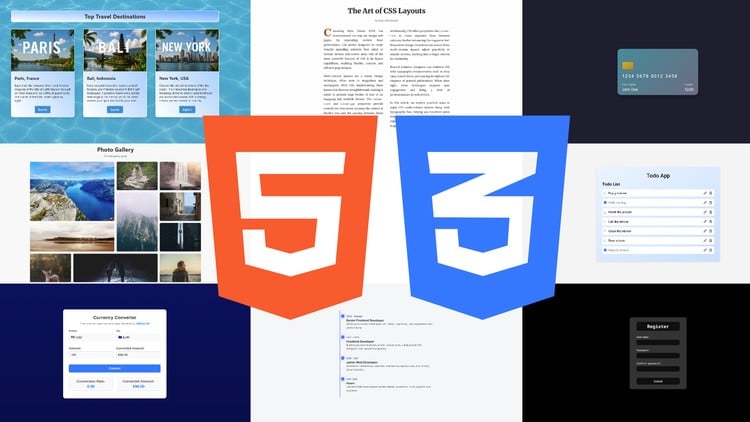
- This intensive ‘Web Project Workshop’ offers an unparalleled project-based immersion into front-end development, focusing on building over 20 distinct, practical HTML and CSS websites.
- Spanning a highly efficient 5.6 total hours, the course emphasizes active creation, transforming abstract concepts into tangible web elements through constant hands-on application.
- The curriculum is a dynamic blend of contemporary web design practices, ensuring the skills you acquire are relevant and in-demand for modern web development.
- You will be guided step-by-step through the creation of each project, developing an intuitive grasp of how HTML structures content and how CSS brings it to life.
- With an excellent 4.34/5 rating from nearly 8,000 students and a September 2025 update, this course provides proven and current learning for aspiring web creators.
- This workshop is ideal for learners who thrive by doing, providing rapid skill acquisition and the ability to immediately see your code in action as fully functional web pages.
-
Requirements / Prerequisites
- No prior coding experience is necessary: This workshop is structured for absolute beginners with zero background in HTML, CSS, or any programming language.
- Basic computer literacy: You should be comfortable navigating your operating system, managing files, and using standard web browsers.
- A stable internet connection: Required for accessing course materials, viewing demonstrations, and downloading necessary resources.
- A modern web browser: Such as Google Chrome, Mozilla Firefox, or Microsoft Edge, for testing and viewing your created web projects.
- A text editor: Free options like VS Code, Sublime Text, or Atom are implicitly supported; no specialized or paid software purchases are required.
- A desire to learn and experiment: The most important prerequisite is an eagerness to dive in, follow along with the projects, and practice consistently.
- Time commitment: While concise, dedicating consistent time to actively build and experiment with each project is crucial for maximum retention.
-
Skills Covered / Tools Used
- Semantic HTML Structuring: Constructing web pages using meaningful HTML5 tags for improved accessibility, SEO, and maintainability.
- CSS Selector Mastery: Precisely targeting elements with various selectors (class, ID, tag, pseudo-classes) and understanding specificity hierarchy.
- The CSS Box Model: Gaining a deep understanding of content, padding, border, and margin for accurate element sizing and spacing.
- Effective Web Typography: Applying font families, sizes, line heights, and text alignment to enhance readability and visual appeal.
- Practical Color Theory: Utilizing color palettes, gradients, and background styles for visually engaging and harmonious web interfaces.
- Image & Media Integration: Implementing and optimizing images and other media assets with proper sizing, aspect ratios, and web performance in mind.
- Pseudo-classes & Elements: Leveraging advanced CSS features like
:hover,:focus,::before, and::afterfor dynamic styling and decorative effects. - Basic CSS Transitions: Introducing subtle, smooth visual effects for elements reacting to user interactions, enhancing the overall user experience.
- Browser Dev Tools Proficiency: Becoming adept at using built-in browser developer tools for inspecting elements, debugging CSS, and live-editing styles.
- Project File Organization: Developing best practices for structuring project folders, naming files, and organizing CSS stylesheets for clean codebases.
- CSS Variables (Custom Properties): Utilizing custom properties for defining reusable values, enabling easier theme management and global style updates.
- Responsive Units (em, rem, vw, vh): Understanding the practical application of various CSS units for creating scalable and consistent designs across devices.
- Code Readability: Learning to write clear, concise comments in both HTML and CSS to document your code for yourself and future collaborators.
- Foundational UI/UX: Implicitly grasping fundamental user interface and user experience principles through the practical design of intuitive project layouts.
- Cross-Browser Awareness: Gaining an understanding of the importance of testing web projects across different browsers for consistent display.
-
Benefits / Outcomes
- Immediate Hands-on Expertise: Graduate with tangible experience, having successfully built and styled over 20 complete web projects ready for application.
- Strong Foundation: Establish a rock-solid understanding of core HTML and CSS, ideal for learning advanced JavaScript frameworks or backend development.
- Enhanced Problem-Solving: Cultivate critical thinking and debugging skills by iteratively building and refining projects, resolving common layout and styling issues.
- Sharpened Design Eye: Develop an improved sense of visual aesthetics, layout harmony, and user interface best practices for creating engaging web experiences.
- Confidence in Creation: Gain the self-assurance to conceptualize and execute your own web projects from scratch, overcoming initial intimidation.
- Rapid Prototyping Capability: Acquire the ability to quickly translate design mockups or ideas into functional web pages, a valuable skill in development.
- Clean Code Principles: Learn to write well-structured, maintainable, and efficient HTML and CSS, adhering to industry standards for better quality.
- Portfolio-Ready Projects: Accumulate a significant collection of diverse web projects to serve as compelling demonstrations of your skills to potential employers.
- Accelerated Skill Acquisition: Leverage the workshop’s high-volume, practical approach to significantly reduce the time needed to become proficient in web development.
- Gateway to Front-End Roles: Be well-equipped with the practical skills and demonstrable projects required for entry-level front-end developer or web designer positions.
- Ability to Deconstruct Web Pages: Develop the analytical skill to understand how any website’s elements are structured and styled using HTML and CSS.
- Overcoming Coding Hurdles: Learn practical strategies for tackling common coding challenges, reducing frustration, and building resilience in your development journey.
-
PROS
- Exceptional Project Volume: The sheer quantity of 20+ distinct projects offers an unparalleled amount of hands-on practice, ensuring concepts are deeply ingrained.
- Highly Efficient Learning Path: With a concise total length of 5.6 hours, the course is streamlined to deliver maximum practical knowledge without unnecessary filler.
- Proven Student Satisfaction: A strong 4.34/5 rating from nearly 8,000 students attests to the course’s quality, clarity, and effectiveness in teaching core web development skills.
- Up-to-Date Content: The September 2025 update ensures that all techniques, tools, and best practices taught are current and relevant to modern web standards.
- Action-Oriented Approach: The “Workshop” and “In Action” emphasis means learners spend more time coding and less time passively listening, catering to practical learning styles.
- Immediate Tangible Results: Students finish with a collection of completed web pages, providing immediate gratification and a concrete body of work to showcase.
- Accessibility for Beginners: Designed specifically for those with no prior coding experience, offering a supportive and comprehensive entry point into web development.
-
CONS
- While excellent for practical application, the condensed, project-driven format may offer less in-depth theoretical explanations compared to more exhaustive, lecture-heavy courses, potentially requiring self-motivated learners to seek supplementary resources for deeper academic understanding beyond the immediate practical execution.
Learning Tracks: English,Development,Web Development
Found It Free? Share It Fast!