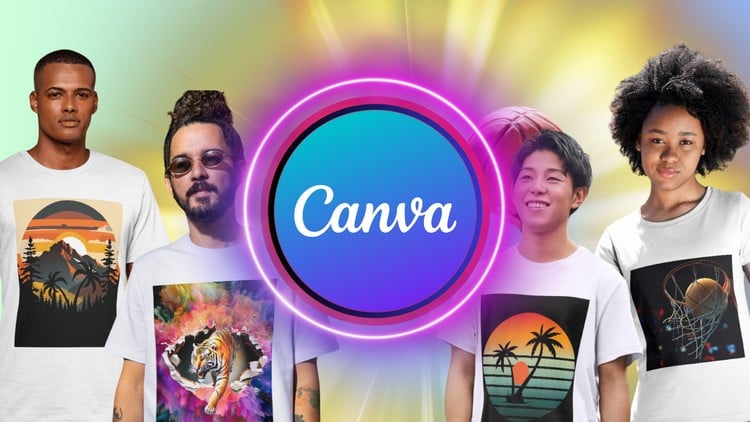
Effortless Design, Professional Results: T-Shirts Made Easy
⏱️ Length: 4.1 total hours
⭐ 4.05/5 rating
👥 20,436 students
🔄 April 2025 update
Add-On Information:
Note➛ Make sure your 𝐔𝐝𝐞𝐦𝐲 cart has only this course you're going to enroll it now, Remove all other courses from the 𝐔𝐝𝐞𝐦𝐲 cart before Enrolling!
- Course Overview
- Comprehensive Introduction to Modern Apparel Creation: This course provides an extensive deep dive into the world of digital apparel design specifically tailored for the Canva platform, allowing students to bypass the steep learning curve associated with complex software like Adobe Illustrator or Photoshop while still achieving high-end, boutique-quality results.
- Transitioning from Amateur to Professional Designer: Participants will explore the strategic evolution of a designer, moving beyond simple templates to create unique, high-conversion graphics that stand out in the crowded print-on-demand marketplaces like Amazon Merch, Redbubble, and Etsy.
- Leveraging Canva’s Evolving Ecosystem: With the latest April 2025 updates included, the course covers the most recent AI-driven features and design shortcuts that have transformed Canva into a powerhouse for rapid prototyping and final production of commercial-ready t-shirt graphics.
- Market-Centric Design Philosophy: The curriculum emphasizes a results-oriented approach, focusing not just on the aesthetics of a design but on its commercial viability, ensuring that every piece created has a specific target audience and a high potential for consumer appeal.
- Efficiency and Workflow Optimization: Learn how to set up a professional design environment within Canva that allows for the mass production of variants, enabling you to populate entire online storefronts with cohesive collections in a fraction of the time it takes traditional designers.
- Requirements / Prerequisites
- Foundational Technical Access: Students must have access to a stable internet connection and a computer or tablet capable of running the Canva web interface or mobile application smoothly to follow along with real-time demonstrations.
- Subscription Versatility: While a free Canva account is sufficient to start, the course explains the significant advantages of Canva Pro for t-shirt designers, particularly regarding background removal tools and high-resolution transparent exports.
- Openness to Creative Exploration: No prior graphic design experience or artistic background is necessary; however, a willingness to experiment with layouts, bold font pairings, and abstract concepts is essential for success in this creative journey.
- Basic Digital Literacy: A fundamental understanding of how to save, organize, and upload digital files is required, as the course involves moving assets between Canva and various third-party mockup or printing platforms.
- Skills Covered / Tools Used
- Advanced Typography and Font Manipulation: Master the art of text-based design by learning how to manipulate letter spacing, line height, and curve effects to create iconic slogans that capture the viewer’s attention instantly on a piece of clothing.
- Precision Layout and Composition Techniques: Discover the “rule of thirds” and “visual hierarchy” as applied specifically to the chest and back area of a t-shirt, ensuring that your designs are perfectly centered and scaled for maximum visual impact.
- The Science of Color Palettes for Printing: Gain expertise in selecting colors that not only look good on screen but translate perfectly to various fabric textures, including understanding the differences between HEX codes and how they relate to final print output.
- Niche Research and Trend Identification: Utilize built-in tools and external strategies to identify trending topics and underserved niches, allowing you to design garments that solve specific consumer “wants” or “needs” in the current cultural zeitgeist.
- Asset Integration and Custom Illustration: Learn how to combine Canva’s vast library of elements with custom-uploaded assets to create “Frankenstein” designs that are completely original and legally safe for commercial use and trademarking.
- High-Resolution Exporting and File Formats: Detailed instruction on preparing files for Direct-to-Garment (DTG) and Screen Printing, focusing on PNG transparency settings, DPI (Dots Per Inch) requirements, and maintaining crisp edges.
- Benefits / Outcomes
- Construction of a Professional Design Portfolio: By the end of the 4.1 hours, students will have a curated collection of diverse t-shirt designs that can be used to attract freelance clients or launch an independent clothing brand immediately.
- Passive Income Generation Readiness: Graduates will possess the technical knowledge to seamlessly integrate their designs with Print-on-Demand (POD) services, creating a “set it and forget it” revenue stream that works 24/7.
- Reduced Design Overhead Costs: By mastering a low-cost tool like Canva, designers can save thousands of dollars annually on expensive software subscriptions and third-party graphic design fees.
- Rapid Prototyping Capabilities: Gain the ability to turn a conceptual idea into a finished product mockup in under ten minutes, allowing for quick testing of design concepts before committing to a full marketing campaign.
- Confidence in Intellectual Property: Develop a clear understanding of the licensing agreements within Canva, ensuring that your designs are compliant with copyright laws and ready for global commercial distribution.
- PROS
- Streamlined Learning Path: The course is structured logically, moving from basic interface navigation to complex design theory without overwhelming the learner.
- Massive Peer Community: With over 20,000 students enrolled, learners join a large ecosystem of creators, offering significant social proof and a wealth of shared experiences.
- Up-to-Date Content: The April 2025 update ensures that all tutorials reflect the current Canva UI, meaning students won’t get lost looking for buttons that have moved or features that have been renamed.
- CONS
- Platform Specificity: While the design principles are universal, the technical tutorials are strictly limited to the Canva environment, which may feel restrictive for those seeking to learn professional vector-node editing found in high-end industry software.
Learning Tracks: English,Design,Graphic Design & Illustration
Found It Free? Share It Fast!