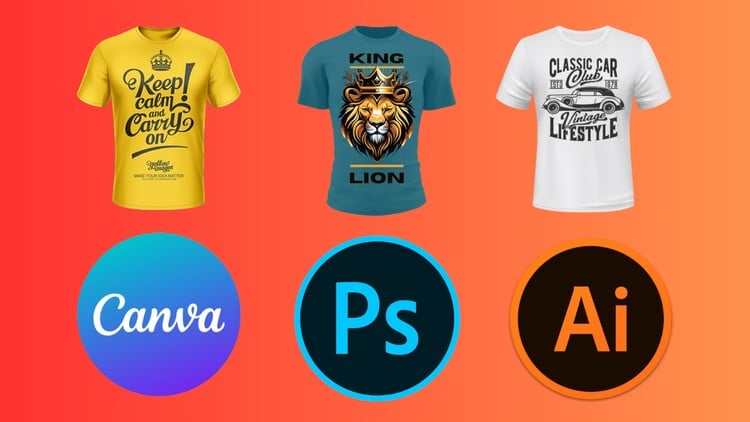
Design Unique and Eye-Catching T-Shirts using Illustrator, Photoshop and Canva
⏱️ Length: 5.6 total hours
⭐ 3.30/5 rating
👥 7,197 students
🔄 February 2025 update
Add-On Information:
Note➛ Make sure your 𝐔𝐝𝐞𝐦𝐲 cart has only this course you're going to enroll it now, Remove all other courses from the 𝐔𝐝𝐞𝐦𝐲 cart before Enrolling!
- Course Overview
- Integrated Design Philosophy: This comprehensive program bridges the gap between high-end professional software and accessible web-based tools, offering a holistic approach to the modern apparel industry. You will explore how to synchronize Adobe Illustrator, Adobe Photoshop, and Canva to create a versatile design workflow that adapts to different project complexities and client budgets.
- Foundational to Advanced Progression: The curriculum is structured to take you from a basic conceptual sketch to a sophisticated, market-ready digital file. It emphasizes the structural differences between vector and raster graphics, ensuring you select the right tool for specific stylistic needs, whether it is a clean geometric logo or a gritty, textured vintage illustration.
- Market-Driven Creative Strategy: Beyond technical button-pushing, the course dives into the psychology of wearable art. You will learn how to analyze current fashion trends as of the February 2025 update, ensuring your designs resonate with contemporary audiences and stand out in saturated marketplaces like Redbubble, Amazon Merch on Demand, and Etsy.
- Streamlined Production Workflows: Time is money in the freelance world. This course teaches you how to leverage Canva for rapid prototyping and social media marketing materials, while utilizing Adobe Creative Cloud for the heavy lifting of intricate graphic creation and color separation required by professional printers.
- Requirements / Prerequisites
- Software Access: Students should have access to a computer capable of running Adobe Illustrator and Adobe Photoshop (Creative Cloud versions are recommended for the latest features). A free or pro Canva account is also necessary to follow the web-based design modules.
- Hardware Basics: A stable internet connection is required for streaming the 5.6 hours of high-definition video content and for utilizing Canva’s cloud-based features. While not mandatory, a drawing tablet (like a Wacom or Huion) can significantly enhance your experience during the Illustrator drawing segments.
- Fundamental Computer Literacy: No prior graphic design experience is expected; however, students should be comfortable with basic file management, downloading resources, and navigating multi-window software environments on Windows or macOS.
- Creative Curiosity: A passion for fashion and a desire to see your personal art on wearable media are the primary drivers for success in this course. No elite drawing skills are needed, as we focus on digital construction techniques.
- Skills Covered / Tools Used
- Vector Precision in Adobe Illustrator: Master the Pen Tool, Pathfinder, and Shape Builder to create crisp, infinitely scalable logos and typography that never lose quality, regardless of how large they are printed on a garment.
- Raster Mastery in Adobe Photoshop: Learn to apply realistic textures, distress effects, and complex color blends. You will spend significant time mastering Layer Masks and Blending Modes to create that “weathered” look popular in streetwear today.
- Rapid Prototyping in Canva: Discover how to use Canva’s extensive element library and user-friendly interface to quickly iterate through design ideas and create professional-grade mockups for your online storefront without needing a high-performance PC.
- Typography and Layout: Understand the nuances of font pairing, kerning, and leading specifically for apparel. You will learn how to wrap text around shapes and create balanced compositions that complement the human silhouette.
- Color Theory and Print Specs: Navigate the complexities of CMYK vs. RGB color spaces. You will learn how to prepare files with transparent backgrounds (PNGs) and how to manage “spot colors” which are essential for traditional screen-printing processes.
- Benefits / Outcomes
- Professional Design Portfolio: By the end of the course, you will have a diverse collection of T-shirt designs ranging from minimalist typography to complex illustrative graphics, perfect for showcasing your skills to potential employers or freelance clients.
- Passive Income Generation: Gain the technical independence to launch your own Print-on-Demand (POD) business. You will understand the exact file specifications required by major platforms, reducing the risk of rejected uploads or poor-quality physical prints.
- Versatility in Tool Selection: You will no longer be limited by a single piece of software. If you are on the go, you can start a design in Canva on a tablet and finish the professional detailing in Photoshop or Illustrator on your desktop.
- Enhanced Creative Problem Solving: You will learn how to translate a vague idea into a tangible visual asset. This skill extends beyond T-shirts and can be applied to posters, stickers, branding, and social media content creation.
- Technical Confidence: Transition from an amateur enthusiast to a confident digital artist who understands the “why” behind every design choice, from resolution settings (DPI) to the choice of vector over raster.
- PROS
- Multi-Software Synergy: Unlike courses that focus on just one tool, this training provides a comprehensive toolkit by combining Adobe’s power with Canva’s speed.
- Up-to-Date Content: The February 2025 update ensures that the tutorials reflect the most recent UI changes and feature additions in all three platforms.
- Practical Mockup Training: Includes dedicated lessons on how to place your designs on realistic 3D shirt models, which is crucial for high-converting sales listings.
- Large Student Community: Joining a cohort of over 7,100 students provides a sense of community and a proven track record of the course’s effectiveness in the design space.
- CONS
- Broad Scope Pace: Covering three major software platforms in under six hours means the instruction moves quickly, which might require some students to pause and re-watch technical segments frequently to keep up with the workflow.
Learning Tracks: English,Design,Graphic Design & Illustration
Found It Free? Share It Fast!