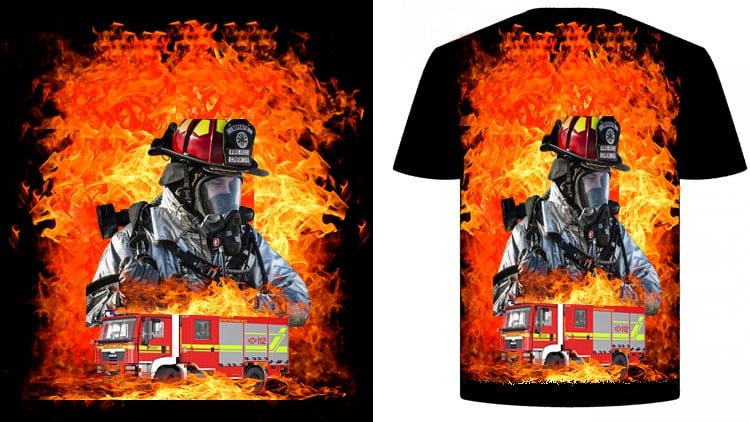
Design Stylish TShirt Photoshop With Adobe Photoshop CC and Learn How To Earn Money By T-Shirt Design
⏱️ Length: 4.3 total hours
⭐ 4.48/5 rating
👥 66,773 students
🔄 February 2025 update
Add-On Information:
Note➛ Make sure your 𝐔𝐝𝐞𝐦𝐲 cart has only this course you're going to enroll it now, Remove all other courses from the 𝐔𝐝𝐞𝐦𝐲 cart before Enrolling!
- Course Overview
- Unlock your creative potential and transform your design ideas into marketable t-shirt graphics using the industry-standard software, Adobe Photoshop CC.
- This comprehensive masterclass is meticulously crafted for aspiring designers, entrepreneurs, and anyone looking to tap into the lucrative world of t-shirt e-commerce.
- With a practical, hands-on approach, you’ll gain the confidence and skills to conceptualize, design, and prepare your artwork for production and sale.
- Beyond the technical aspects of design, the course delves into the strategic elements of turning your t-shirt designs into a profitable venture.
- Discover how to leverage popular design trends and understand what makes a t-shirt design visually appealing and commercially viable.
- The curriculum is designed to be accessible, guiding you through each step with clear explanations and actionable demonstrations.
- Whether you’re a complete beginner to Photoshop or have some foundational knowledge, this course will elevate your t-shirt design capabilities.
- You will learn to navigate Photoshop’s powerful tools to create unique and eye-catching t-shirt graphics that stand out in a crowded market.
- The course focuses on building a strong foundation in design principles specifically tailored for apparel, ensuring your creations are not just aesthetically pleasing but also print-ready.
- Gain insights into the entire t-shirt design workflow, from initial concept development to final file preparation for print-on-demand services or local printers.
- Embrace a learning journey that spans over 4.3 hours of engaging content, packed with valuable techniques and industry secrets.
- This course is regularly updated (February 2025) to reflect the latest features in Photoshop and current design market trends.
- Requirements / Prerequisites
- Access to a computer capable of running Adobe Photoshop CC (latest version recommended for full feature access).
- A working license or subscription to Adobe Photoshop CC.
- A strong desire to learn and a passion for design and entrepreneurship.
- Basic computer literacy and familiarity with navigating files and folders.
- An internet connection to access course materials and potentially download resources.
- No prior t-shirt design experience is necessary, making it ideal for beginners.
- An understanding of basic graphic design principles can be helpful but is not mandatory as the course will cover relevant concepts.
- Skills Covered / Tools Used
- Proficient Photoshop Layer Management: Master the use of layers, layer masks, and adjustment layers for non-destructive editing and complex compositions.
- Vector vs. Raster Graphics for Apparel: Understand when and how to use Photoshop’s vector tools (shapes, pen tool) and raster effects for t-shirt designs.
- Color Theory and Application in Design: Learn to select and apply color palettes that are impactful, harmonize well, and translate effectively to fabric.
- Typography for T-Shirts: Develop skills in selecting, manipulating, and integrating fonts to create legible and stylish text-based t-shirt designs.
- Image Manipulation and Retouching: Acquire techniques for editing and enhancing images to be used as part of t-shirt graphics.
- Element Integration and Composition: Learn to combine various graphical elements, shapes, and text to create cohesive and visually appealing designs.
- Creating Mockups and Presentations: Design professional t-shirt mockups to visualize your designs on actual apparel for marketing purposes.
- File Preparation for Printing: Understand the crucial steps for exporting your artwork in the correct format, resolution, and color mode for various printing methods.
- Utilizing Photoshop Brushes and Textures: Explore and apply custom brushes and textures to add unique styles and depth to your designs.
- Designing for Different T-Shirt Styles and Colors: Adapt your design approach to suit various t-shirt base colors and fabric types.
- Adobe Photoshop CC Interface and Tools: Gain a thorough understanding of the Photoshop workspace, essential tools, and their practical applications in t-shirt design.
- Benefits / Outcomes
- Develop a Professional T-Shirt Design Portfolio: Create a collection of diverse and high-quality t-shirt designs that showcase your newly acquired skills.
- Launch Your T-Shirt Business: Gain the knowledge and confidence to start selling your designs on platforms like Etsy, Redbubble, Merch by Amazon, or your own website.
- Enhance Your Graphic Design Career: Add a specialized and in-demand skill set to your repertoire, making you more competitive in the graphic design industry.
- Generate Passive Income Streams: Learn strategies to create designs that can earn you money consistently over time through online marketplaces.
- Master Design Trends and Aesthetics: Become adept at identifying and implementing current t-shirt design trends to appeal to a broad audience.
- Create Unique and Memorable Artwork: Produce original designs that reflect your personal style and resonate with target demographics.
- Achieve Print-Ready Artwork Standards: Ensure your designs meet the technical specifications required by printers for flawless reproduction.
- Understand the Business Side of T-Shirt Design: Gain insights into market research, niche identification, and marketing your t-shirt creations effectively.
- Become an Independent Designer or Entrepreneur: Empower yourself with the skills to be your own boss and control your creative and financial future.
- PROS
- Comprehensive and practical curriculum covering both design and business aspects.
- Focus on real-world application and marketable skills.
- Regular updates ensure content remains current with Photoshop features and market trends.
- High student enrollment and rating indicate proven value and student satisfaction.
- Suitable for beginners with no prior experience.
- CONS
- Requires access to and proficiency with Adobe Photoshop CC, which is a paid software.
Learning Tracks: English,Design,Graphic Design & Illustration
Found It Free? Share It Fast!