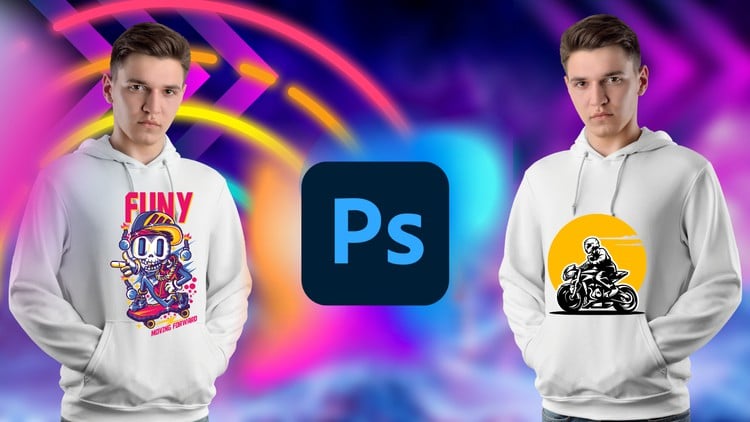
Unleash Your Creativity: Master T-Shirt Design from Beginner to Advanced with Adobe Photoshop
⏱️ Length: 4.1 total hours
⭐ 4.25/5 rating
👥 44,221 students
🔄 June 2023 update
Add-On Information:
Note➛ Make sure your 𝐔𝐝𝐞𝐦𝐲 cart has only this course you're going to enroll it now, Remove all other courses from the 𝐔𝐝𝐞𝐦𝐲 cart before Enrolling!
- Course Overview
- Embark on an immersive and dynamic creative journey with our comprehensive course, “T-Shirt Design For Beginner To Advanced With Adobe Photoshop.” This meticulously crafted program is your definitive guide to transforming raw ideas into stunning, print-ready apparel designs using the industry-standard power of Adobe Photoshop. From your very first brushstroke to perfecting advanced graphical compositions, this course is engineered to progressively build your skills, confidence, and design acumen, catering to absolute novices and aspiring professionals alike.
- Spanning a focused 4.1 total hours, this course is designed for maximum impact and efficiency, ensuring you acquire a wealth of practical knowledge without unnecessary fluff. You’ll not only learn the technical intricacies of Photoshop but also cultivate a deep understanding of design principles specifically tailored for the vibrant world of T-shirts and apparel. Discover how to unleash your unique artistic vision, creating designs that resonate and stand out in a crowded market.
- Rated an impressive 4.25/5 by over 44,000 students, this course has proven its efficacy and value within the creative community. Its June 2023 update guarantees that you’re learning the most current techniques and best practices, leveraging the latest features of Adobe Photoshop. Prepare to master the art of T-shirt design, equipped with both the creative inspiration and the technical expertise required to turn your passion into tangible, wearable art.
- This learning experience emphasizes hands-on projects and real-world scenarios, enabling you to build a robust portfolio as you progress. Move beyond generic templates and learn to conceptualize, design, and finalize professional-grade T-shirt graphics that command attention, whether for personal projects, an e-commerce store, or freelance clients.
- Requirements / Prerequisites
- A working installation of Adobe Photoshop (CS6 or Creative Cloud recommended for optimal experience), as this is the primary tool utilized throughout the course.
- Basic computer literacy and familiarity with navigating software interfaces. No prior experience with Adobe Photoshop or graphic design is necessary; the course is structured to guide you from foundational concepts upwards.
- A genuine enthusiasm for creative expression and a desire to learn the art of T-shirt design. Your willingness to experiment and apply learned techniques will be your greatest asset.
- A stable internet connection to access course materials and any supplementary resources provided.
- While not strictly mandatory, a graphics tablet can enhance the design process for certain artistic styles, though all techniques can be successfully executed with a mouse.
- Skills Covered / Tools Used
- Mastering Photoshop Fundamentals for Apparel: Navigate the Photoshop interface with confidence, understanding workspaces, panels, and essential tools like the Move, Selection, Pen, and Type tools as they apply to T-shirt design.
- Advanced Image Manipulation and Compositing: Learn sophisticated techniques for isolating subjects, creating seamless compositions, employing layer masks, and utilizing smart objects to maintain design flexibility and non-destructive editing workflows.
- Typography for Impact: Discover the power of effective typography in T-shirt design, exploring font selection, pairing, kerning, leading, and creating custom text effects that enhance your message and visual appeal.
- Strategic Color Theory and Application: Understand how to select compelling color palettes that complement your designs and translate effectively across different apparel types and printing methods, including considerations for screen printing, DTG (Direct-to-Garment), and sublimation.
- Vector Graphics Integration: Learn to incorporate and manipulate vector elements within Photoshop, understanding the distinction between vector and raster and when to leverage each for crisp, scalable designs.
- Creating Diverse Design Styles: Develop the ability to craft a wide range of T-shirt aesthetics, from minimalist and typographic to intricate illustrative and photo-realistic designs, adapting your approach to various target audiences and trends.
- Developing Custom Brushes and Patterns: Design and implement your own unique brushes and seamless patterns within Photoshop to add distinctive textures, effects, and branding elements to your apparel graphics.
- Mockup Creation and Presentation: Master the art of generating professional-grade T-shirt mockups to showcase your designs realistically on various garment styles and colors, critical for client presentations or online store listings.
- Print-Ready File Preparation: Gain crucial knowledge on preparing your final Photoshop files for commercial printing, including setting up correct resolutions, color modes (CMYK vs. RGB), understanding spot colors, and exporting in appropriate formats with printer specifications in mind.
- Advanced Layer Management and Organization: Implement best practices for structuring complex multi-layered Photoshop documents, ensuring efficiency, easy collaboration, and effortless revisions.
- Creative Blending Modes and Layer Styles: Explore the artistic potential of Photoshop’s blending modes and layer styles to add depth, dimension, and unique visual effects to your T-shirt graphics.
- Building a Concept-to-Completion Workflow: Develop a streamlined design process from initial ideation and sketching (digital or traditional) through to the final polished, print-ready artwork.
- Leveraging Smart Filters and Adjustment Layers: Utilize non-destructive editing techniques to apply effects, color corrections, and artistic filters, ensuring maximum flexibility and control over your design outcomes.
- Benefits / Outcomes
- Professional Design Competency: You will gain a profound ability to conceptualize, design, and finalize professional, high-quality T-shirt graphics using Adobe Photoshop, confidently addressing various design challenges.
- Marketable Skill Set: Acquire highly sought-after skills that open doors to freelancing opportunities, starting your own apparel brand, or enhancing your creative portfolio for employment in graphic design or fashion industries.
- Robust Portfolio Development: Conclude the course with a collection of diverse, polished T-shirt designs, ready to showcase your capabilities to potential clients or employers.
- Creative Empowerment: Unleash and refine your artistic potential, learning to translate abstract ideas into concrete, visually compelling designs that effectively communicate your message.
- Understanding of Print Production: Develop critical knowledge of how T-shirt designs translate from digital artwork to physical products, including requirements for different printing methods, reducing costly errors.
- Photoshop Mastery for Graphic Design: Deepen your overall proficiency in Adobe Photoshop, applying learned techniques beyond T-shirt design to a broader spectrum of graphic design projects.
- Efficient Workflow Adoption: Learn and implement industry best practices for file organization, non-destructive editing, and efficient design processes, saving you time and effort on future projects.
- PROS
- Comprehensive Coverage: Takes students from beginner concepts to advanced techniques, ensuring a thorough understanding of T-shirt design within Photoshop.
- High Student Satisfaction: Boasts a strong 4.25/5 rating from over 44,000 students, indicating a proven track record of quality and effectiveness.
- Up-to-Date Content: Recently updated in June 2023, guaranteeing relevance with current Adobe Photoshop features and industry standards.
- Efficient Learning Curve: Delivers a wealth of information in a concise 4.1-hour format, ideal for busy individuals seeking practical skills quickly.
- Practical & Project-Oriented: Focuses on hands-on application, enabling students to build a portfolio of designs as they learn.
- CONS
- Requires a separate active subscription to Adobe Photoshop, which is an additional cost beyond the course fee.
Learning Tracks: English,Design,Graphic Design & Illustration
Found It Free? Share It Fast!