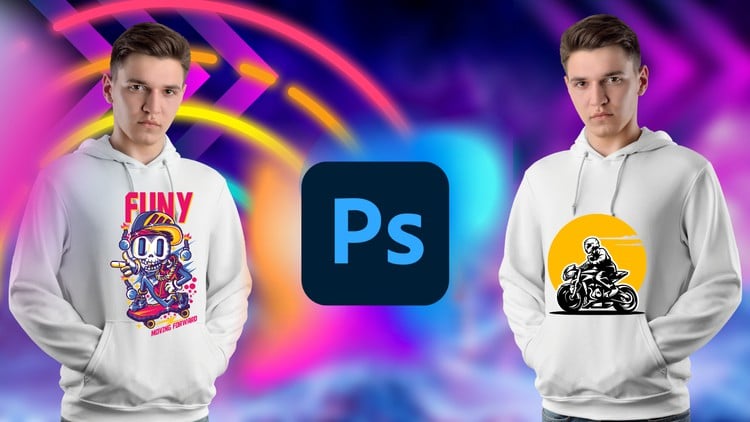
Unleash Your Creativity: Master T-Shirt Design from Beginner to Advanced with Adobe Photoshop
⏱️ Length: 4.1 total hours
⭐ 4.25/5 rating
👥 43,920 students
🔄 June 2023 update
Add-On Information:
Note➛ Make sure your 𝐔𝐝𝐞𝐦𝐲 cart has only this course you're going to enroll it now, Remove all other courses from the 𝐔𝐝𝐞𝐦𝐲 cart before Enrolling!
-
Course Overview
- Embark on an exciting creative journey to transform your artistic vision into captivating apparel designs. This highly-rated and immensely popular course, refreshed in June 2023, is your comprehensive guide to mastering the art of T-shirt design from the ground up, culminating in advanced techniques that set professional standards. Whether you’re a complete novice with a burning desire to create custom tees or an experienced designer looking to specialize in print-on-demand graphics, this program offers a structured pathway. It transcends mere software instruction, delving deep into the conceptualization, execution, and preparation of market-ready T-shirt artwork. You’ll move from initial idea generation to producing polished, print-ready files, all while harnessing the immense power of Adobe Photoshop. With over 43,920 students already benefiting from its practical approach and a stellar 4.25/5 rating, this course promises not just knowledge, but actionable skills to unleash your unique style onto the world of fashion and merchandise.
-
Requirements / Prerequisites
- Adobe Photoshop Software: An active subscription or access to Adobe Photoshop is essential, as all lessons and projects are conducted within this environment.
- Basic Computer Literacy: Familiarity with navigating a computer operating system (Windows or macOS) and general file management.
- No Prior Design Experience Needed: This course is designed to accommodate absolute beginners, guiding them through foundational concepts before advancing to complex techniques.
- A Creative Mindset: An eagerness to learn, experiment, and express ideas visually is highly encouraged.
- Reliable Internet Connection: Required for streaming course content and downloading any provided resources.
- Optional Graphic Tablet: While a mouse is sufficient, a graphic tablet can enhance precision and speed for certain design tasks.
-
Skills Covered / Techniques Mastered
- Conceptualizing Apparel Graphics: Develop methodologies for brainstorming and sketching unique T-shirt design concepts tailored for various themes and audiences.
- Advanced Layer Management: Master non-destructive editing workflows through intelligent use of layers, groups, smart objects, and adjustment layers for maximum flexibility and revisions.
- Precision Selection & Masking: Learn intricate techniques for isolating elements, creating complex cutouts, and applying detailed masks to integrate diverse imagery seamlessly into your designs.
- Dynamic Typography for Apparel: Explore principles of font pairing, text warping, creating distressed text effects, and integrating type effectively into graphic compositions for maximum visual impact on garments.
- Vector Shape Creation & Manipulation: Understand how to create scalable vector graphics directly within Photoshop, ensuring crispness and quality for all print sizes without pixelation.
- Color Theory for Print: Grasp the nuances of color palettes, CMYK vs. RGB workflows, spot colors, and color separation considerations crucial for various printing methods like screen printing and DTG (Direct-to-Garment).
- High-Resolution Print Preparation: Accurately set up document dimensions, resolution (DPI), and color profiles to meet industry standards for producing professional, print-ready T-shirt files.
- Creating Mockups & Presentations: Learn to apply your finished designs onto realistic T-shirt mockups for professional client presentations or portfolio showcasing.
- Texturing & Special Effects: Implement popular design trends such as vintage effects, grunge textures, halftone patterns, and distressed overlays to give your T-shirt graphics unique character.
- Integrating Photography & Illustrations: Techniques for blending photographic elements, hand-drawn art, and digital illustrations into cohesive T-shirt designs.
- Designing for Different Garments: Adapt designs for various T-shirt cuts, colors, and fabric types, understanding how design elements interact with the garment itself.
- Blending Modes for Creative Fusion: Utilize Photoshop’s powerful blending modes to achieve sophisticated visual effects and merge disparate elements harmoniously.
- Exporting for Various Platforms: Prepare and export your designs in appropriate file formats for different print vendors, online stores, and portfolio displays.
-
Benefits / Outcomes
- Unleash Your Creative Potential: Gain the confidence and technical skills to bring any T-shirt design idea to life, limited only by your imagination.
- Develop a Marketable Skill: Acquire a highly sought-after expertise in graphic design, opening doors to freelance opportunities, e-commerce ventures, or personal branding.
- Build a Professional Portfolio: Create a collection of diverse, high-quality T-shirt designs suitable for showcasing to potential clients or employers.
- Understand Print Industry Standards: Learn the critical requirements for preparing designs for commercial printing, ensuring your creations translate perfectly from screen to fabric.
- Cost Savings & Personalization: Design your own custom apparel for personal use, gifts, or events, eliminating the need for expensive external designers.
- Become Proficient in Photoshop for Specific Niche: Deepen your overall Adobe Photoshop proficiency through practical, project-based applications focused on a specific, dynamic niche.
- Launch Your Own T-Shirt Brand: Acquire the foundational design skills necessary to kickstart your own custom apparel business.
- Transform Ideas into Tangible Products: Experience the satisfaction of seeing your digital artwork come to life on physical merchandise.
-
PROS
- Comprehensive Learning Path: Expertly guides learners from basic concepts to advanced design strategies, ensuring a thorough understanding.
- Highly Practical & Project-Oriented: Focuses on real-world application, enabling students to create tangible design projects throughout the course.
- Exceptional Student Validation: Boasts a high rating from a vast number of students (4.25/5 from 43,920 learners), indicating effective and valuable content.
- Up-to-Date Content: Recently updated in June 2023, ensuring relevance with current software versions and design trends.
- Efficient Learning Curve: At just 4.1 total hours, it delivers a dense, high-impact learning experience without excessive time commitment.
- Focus on a Niche Skill: Specializes in a popular and potentially lucrative area of graphic design.
- Flexible & Self-Paced: Allows learners to progress at their own speed and schedule.
- Accessibility: Provides professional skills training at an accessible price point, democratizing design education.
-
CONS
- Requires an active Adobe Photoshop subscription, which is an additional ongoing cost not included in the course fee.
Learning Tracks: English,Design,Graphic Design & Illustration
Found It Free? Share It Fast!