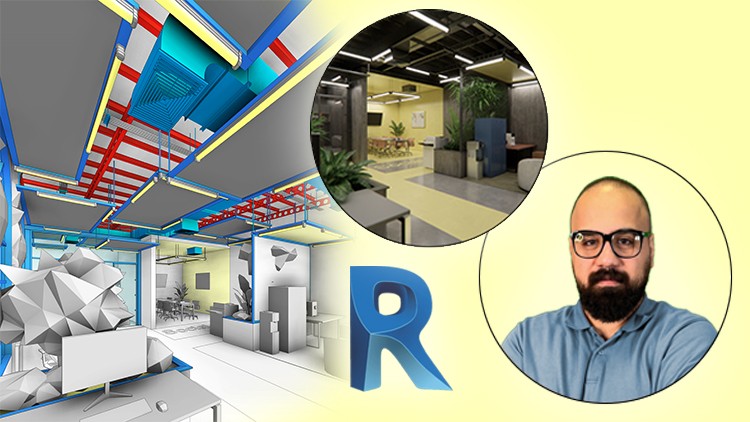
Create Flexible Parametric Families, Advanced HVAC System, Lighting Fixture, MEP Integration, Rendering with Enscape
⏱️ Length: 4.7 total hours
⭐ 4.87/5 rating
👥 5,362 students
🔄 September 2025 update
Add-On Information:
Note➛ Make sure your 𝐔𝐝𝐞𝐦𝐲 cart has only this course you're going to enroll it now, Remove all other courses from the 𝐔𝐝𝐞𝐦𝐲 cart before Enrolling!
- Course Overview
- Explore comprehensive integration of architectural, structural, and MEP systems within one dynamic BIM model.
- Delve into specialized design considerations for modern industrial-style offices, balancing aesthetics and functionality.
- Understand synergistic workflows across design disciplines, optimizing project efficiency and coordination.
- Navigate advanced Revit functionalities to manage complex project data with accuracy and consistency.
- Gain practical BIM application insights for real-world industrial sector project delivery scenarios.
- Learn to interpret and implement robust design specifications for highly adaptable industrial environments.
- Master creating intelligent Revit models containing critical data for comprehensive analysis and management.
- Discover leveraging Revit’s collaborative features for seamless team communication and project coordination.
- Unpack parametric design principles to build highly flexible, reusable components tailored for industrial applications.
- Experience project-based learning, simulating a real-world design scenario from concept to advanced visualization.
- Requirements / Prerequisites
- Fundamental Revit knowledge: Basic navigation, object creation, and editing within the Revit environment are crucial.
- Architectural or Engineering design basics: A foundational understanding of building construction and design principles is beneficial.
- Software access: Students must have Autodesk Revit (preferably 2023 or newer) and the Enscape plugin installed on their system.
- Suitable hardware: A computer meeting the minimum system requirements for running Revit and Enscape smoothly is necessary for optimal performance.
- Eagerness to learn: A strong desire to explore advanced BIM techniques and complex model creation is highly beneficial.
- No prior Enscape experience required: Enscape usage is comprehensively covered from the ground up, making it accessible to newcomers.
- Skills Covered / Tools Used
- Advanced Revit Project Setup: Configuring multi-disciplinary project templates and parameters effectively.
- Intelligent Family Creation: Developing adaptable, data-rich Revit families for unique industrial components and systems.
- Structural Model Detailing: Accurately modeling intricate structural elements, including connections and specialized support systems.
- Integrated MEP System Design: Comprehensive design and coordination of advanced HVAC, electrical, and plumbing networks.
- BIM Coordination & Clash Detection: Techniques for identifying and resolving inter-disciplinary clashes within the Revit model.
- Professional Documentation Generation: Creating precise construction documents, schedules, and quantity take-offs directly from the BIM.
- Real-time Visualization with Enscape: Utilizing Enscape for interactive walkthroughs, material studies, and immediate design feedback.
- Photorealistic Rendering Techniques: Mastering advanced rendering settings, lighting effects, and material assignments for stunning visuals.
- Parametric Design Methodologies: Applying advanced parametric logic to create highly customizable and efficient model elements.
- Data-Driven Design Decisions: Employing Revit’s analytical capabilities to inform design choices for performance and efficiency.
- Collaborative Workflow Management: Understanding best practices for team collaboration on shared Revit models in a BIM environment.
- Benefits / Outcomes
- Elevated Portfolio: Showcase a sophisticated, fully integrated industrial office project, demonstrating advanced Revit and Enscape proficiencies.
- Enhanced Employability: Position yourself as a highly capable BIM professional with expertise in complex project modeling and visualization.
- Streamlined Project Execution: Develop the ability to manage complex projects from design to documentation with increased efficiency and accuracy.
- Improved Design Communication: Master the creation of compelling visual presentations that effectively convey design intent to clients and stakeholders.
- Reduced Design Errors: Gain skills in proactive clash detection and coordination, minimizing costly rework during construction phases.
- Deepened BIM Understanding: Acquire a comprehensive appreciation for BIM’s potential in fostering interdisciplinary collaboration and data management.
- Versatile Skillset: Apply learned parametric family creation and advanced modeling techniques to a wide range of future projects.
- Confidence in Complex Revit Projects: Tackle intricate design challenges with a robust toolkit of advanced Revit and Enscape functionalities.
- Future-Proofed Skills: Stay ahead in the AEC industry by mastering cutting-edge software and methodologies for design and visualization.
- Creative Freedom: Unleash your design potential by effortlessly creating custom components and visualizing them in real-time.
- PROS
- Highly Specialized Content: Directly addresses the unique demands of industrial office design, a niche with growing professional opportunities.
- Integrated Disciplinary Approach: Uniquely combines architectural, structural, and MEP modeling for a truly holistic learning experience.
- Practical, Project-Based Learning: Emphasizes hands-on application, ensuring skills are immediately transferable to real-world projects.
- Comprehensive Visualization: Goes beyond modeling to include advanced rendering with Enscape, crucial for professional presentations.
- Efficient Learning Curve: At 4.7 hours, it’s designed to deliver maximum impact in a concise, manageable timeframe for busy professionals.
- High Student Satisfaction: A 4.87/5 rating from over 5,000 students speaks volumes about the course’s quality and effectiveness.
- Up-to-Date Curriculum: The September 2025 update ensures the content is current with the latest software features and industry practices.
- Focus on Parametric Flexibility: Equips learners with the power to create adaptable and reusable design elements, saving significant time.
- Directly Enhances Portfolio: The nature of the course allows for the creation of impressive project examples for professional portfolios.
- CONS
- Prerequisite Knowledge Required: Not suitable for absolute beginners to Revit, potentially limiting accessibility for new users to the software.
Learning Tracks: English,Design,Architectural Design
Found It Free? Share It Fast!