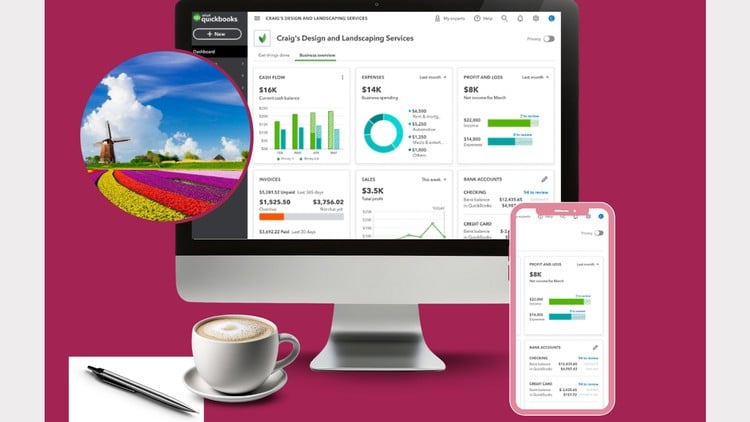
QuickBooks Online Beginner’s Guide of the 10 Essential Steps for New Business Owners
⏱️ Length: 31 total minutes
⭐ 4.38/5 rating
👥 1,379 students
🔄 September 2025 update
Add-On Information:
Note➛ Make sure your 𝐔𝐝𝐞𝐦𝐲 cart has only this course you're going to enroll it now, Remove all other courses from the 𝐔𝐝𝐞𝐦𝐲 cart before Enrolling!
- Course Overview
- This comprehensive 31-minute training module, updated in September 2025, is meticulously designed to demystify QuickBooks Online for novice users, particularly new business owners.
- Leveraging a proven 10-step methodology, the course navigates participants through the foundational aspects of the platform, transforming initial setup from a daunting task into an manageable process.
- It focuses on building confidence and competence in managing core financial operations within QuickBooks Online, ensuring a solid understanding of its capabilities for effective business management.
- The training emphasizes a practical, action-oriented approach, enabling users to immediately apply learned concepts to their own business finances.
- By the end of this course, participants will have a clear roadmap to harness the power of QuickBooks Online’s state-of-the-art features without feeling overwhelmed.
- Course Structure & Content Focus
- Explores the strategic placement of the Chart of Accounts, emphasizing its role as the backbone of financial reporting and operational efficiency, rather than just a list of accounts.
- Delves into the nuanced art of categorizing diverse business expenditures, highlighting best practices for accurate expense tracking to inform cost-saving strategies.
- Explains the vital link between client invoicing and timely payment collection, focusing on efficient workflow management to improve cash flow.
- Unpacks the process of reconciling bank statements within QuickBooks Online, ensuring the integrity and accuracy of your financial records against external data.
- Introduces strategies for leveraging QuickBooks Online to proactively manage vendor payments and maintain healthy supplier relationships.
- Covers the fundamental principles of sales tax management and how to accurately record and remit it within the QuickBooks Online environment.
- Provides an introduction to managing inventory levels and tracking the cost of goods sold for businesses dealing with physical products.
- Explains how to record and track employee payroll and related tax liabilities within the platform.
- Guides users through the process of setting up and tracking customer and vendor contact information for streamlined communication.
- Offers a glimpse into the advanced features available in QuickBooks Online, encouraging further exploration beyond the beginner stages.
- Target Audience & Learning Philosophy
- Ideal for entrepreneurs, solopreneurs, and small business owners launching or transitioning to QuickBooks Online for the first time.
- Catters to individuals with little to no prior accounting or bookkeeping experience, providing a gentle learning curve.
- Embraces a hands-on learning philosophy, encouraging active participation and application of knowledge.
- Fosters a growth mindset, empowering users to take control of their business finances with confidence.
- Assumes no prior familiarity with accounting software, starting from the absolute basics.
- Requirements / Prerequisites
- Access to a computer or tablet with a stable internet connection.
- A registered QuickBooks Online account (trial or paid subscription).
- Basic computer literacy, including navigating websites and using a mouse and keyboard.
- A desire to understand and manage your business finances effectively.
- No prior accounting degree or formal financial training is necessary.
- Skills Covered / Tools Used
- Proficiency in navigating the QuickBooks Online interface.
- Skills in setting up and customizing company profiles.
- Competence in entering and managing financial transactions.
- Ability to understand and interpret basic financial reports.
- Familiarity with QuickBooks Online’s automated features.
- The core software used is QuickBooks Online.
- The training methodology relies on practical examples and guided walkthroughs.
- Benefits / Outcomes
- Gain the confidence to manage your business finances independently.
- Save time and reduce errors by understanding efficient bookkeeping practices.
- Make more informed business decisions based on accurate financial data.
- Streamline your financial workflows and reduce administrative burden.
- Lay a strong foundation for future financial growth and scalability.
- Reduce reliance on external bookkeepers for day-to-day tasks.
- Achieve greater clarity and control over your business’s financial health.
- Empower yourself with the knowledge to understand your business’s financial narrative.
- PROS
- Concise and Efficient: At 31 minutes, it’s highly time-efficient for busy entrepreneurs.
- Beginner-Focused: Specifically tailored for those new to QuickBooks Online and accounting.
- Practical 10-Step Approach: Offers a clear, actionable framework.
- High Rating: 4.38/5 suggests student satisfaction and effectiveness.
- Updated Content: September 2025 update ensures relevance.
- Removes Overwhelm: Addresses a common pain point for new users.
- CONS
- Due to its brevity, may not cover every nuanced scenario or advanced feature beyond the absolute fundamentals.
Learning Tracks: English,Finance & Accounting,Accounting & Bookkeeping
Found It Free? Share It Fast!