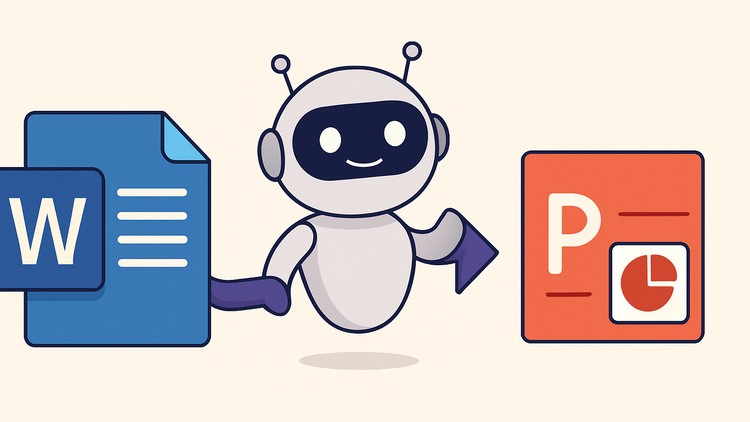
Turn structured Word documents into ready-to-present PowerPoint slides using a simple Python automation workflow.
⏱️ Length: 32 total minutes
⭐ 4.32/5 rating
👥 5,120 students
🔄 June 2025 update
Add-On Information:
Note➛ Make sure your 𝐔𝐝𝐞𝐦𝐲 cart has only this course you're going to enroll it now, Remove all other courses from the 𝐔𝐝𝐞𝐦𝐲 cart before Enrolling!
-
Course Overview: Python PowerPoint Automation: Convert Word to Slides Fast
- Eliminate the common, time-consuming frustration of manually converting structured Word documents into engaging PowerPoint slides with this highly focused and efficient automation course. Discover a smarter way to prepare presentations.
- Harness the often-underestimated power of a straightforward Python workflow, specifically designed to bridge the gap between textual content and visual presentation, transforming your raw information into polished, ready-to-present materials.
- This course is meticulously crafted for busy professionals, educators, and anyone seeking to dramatically reduce the hours typically spent on repetitive formatting and content transfer during presentation creation.
- Learn a repeatable, robust methodology that ensures not only lightning-fast conversion but also unwavering consistency in formatting and layout across all your document-to-slide projects, elevating the professional appearance of your work.
- Beyond just automation, this course provides a strategic approach to preparing your source Word content, guaranteeing intelligent mapping of headings, paragraphs, and lists directly into PowerPoint slide titles and content blocks.
- Embrace a system that turns existing Word content into dynamic, visually coherent presentations effortlessly, allowing you to focus on the narrative and impact rather than the mechanics of slide building.
- Invest a minimal amount of time to gain a maximum return in productivity, equipping yourself with a powerful tool that perpetually saves administrative effort in all your future presentation endeavors.
-
Requirements / Prerequisites:
- Basic Computer Operation: A fundamental comfort level with operating your personal computer, including tasks like managing files and folders, launching applications, and basic navigation within an operating system.
- Familiarity with Microsoft Word: You should be conversant with creating, editing, and saving documents in Word, understanding concepts such as headings, paragraphs, and various list styles, as these are crucial for structuring input.
- Familiarity with Microsoft PowerPoint: A general understanding of how to use PowerPoint, including opening presentations, viewing slides, and a basic grasp of slide layouts, will help contextualize the automation’s output.
- Access to a Personal Computer: A desktop or laptop running Windows, macOS, or Linux is required, as you will be installing Python and executing the automation script directly on your local machine.
- Administrative Privileges: The ability to install new software on your computer, specifically Python and its necessary libraries, is essential for successfully setting up the automation environment.
- No Prior Programming Knowledge Needed: This is a crucial prerequisite; the course is explicitly designed for non-programmers, providing a simple ‘copy-paste and run’ Python script that abstracts away coding complexities.
- Motivation for Automation: The most important prerequisite is an eagerness to learn how to streamline repetitive tasks and adopt more efficient workflows, transforming how you approach presentation creation.
-
Skills Covered / Tools Used:
- Efficient Document Structuring: Develop an intuitive understanding and practical skill in formatting your Word documents (e.g., strategic use of heading styles, clearly defined content blocks) to optimize them for intelligent and accurate automated slide generation.
- Automated Presentation Workflow Management: Acquire the hands-on capability to initiate, execute, and troubleshoot the automated conversion process, turning text-heavy Word files into polished PowerPoint presentations with minimal manual intervention.
- Basic Script Execution from Command Line: Gain confidence in running pre-written Python scripts from your computer’s terminal or command prompt, a foundational skill for leveraging many powerful automation tools without deep programming knowledge.
- Intelligent Content Mapping: Understand the principles behind how text elements in Word (like different heading levels or bullet points) are intelligently translated and formatted into corresponding PowerPoint slide components, ensuring logical flow.
- Productivity Enhancement Techniques: Cultivate a mindset geared towards identifying and solving time-consuming, repetitive tasks through simple automation, a transferable skill valuable across many digital workflows.
- Python (Runtime Environment): While you won’t be writing complex code, you’ll learn to effectively utilize Python as the robust underlying engine for your automation scripts, becoming comfortable with its role in streamlining tasks.
- `pip` (Python Package Installer): Learn the basic, guided commands for using `pip` to effortlessly install the specific Python libraries that enable the script to interact with both Word and PowerPoint files.
- Microsoft Word & PowerPoint: These are the primary input and output platforms; the course deepens your appreciation for their structural capabilities and how they can be leveraged for automated content generation.
- Command Line Interface (CLI): Become comfortable navigating and executing commands within your operating system’s terminal or command prompt, a powerful interface for running automated processes.
- Basic Text Editor: Any standard text editor (such as Notepad, TextEdit, Sublime Text, or VS Code) will be used for simple tasks like saving and potentially making minor, guided adjustments to the provided Python script.
-
Benefits / Outcomes:
- Massive Time Savings: Drastically reduce the hours, or even days, traditionally dedicated to manually compiling presentations, freeing up valuable time for more strategic, creative, or high-impact activities.
- Unwavering Presentation Consistency: Consistently generate perfectly formatted and structurally uniform slides every single time, ensuring a highly professional and polished look across all your presentations, eliminating manual inconsistencies.
- Minimized Errors & Rework: Eliminate the common human errors inherent in repetitive tasks such as mistyping, incorrect formatting, or missing content, leading to more accurate and reliable final presentations.
- Significantly Boosted Personal Productivity: Empower yourself to achieve more in less time by offloading tedious administrative presentation tasks, allowing you to focus mental energy on content quality and strategic messaging.
- Empowering New Automation Skill: Gain a highly practical, in-demand automation skill that not only enhances your personal efficiency but also makes your digital toolkit more robust, even without becoming a dedicated programmer.
- Scalable Content Creation: Effortlessly handle projects ranging from single document conversions to batch processing of multiple Word files, making it ideal for large reports, recurring updates, or extensive educational materials.
- Professional Quality Output: Consistently produce visually appealing, logically structured, and error-free presentations that reflect a high level of professionalism, significantly enhancing your audience’s perception and engagement.
- Agile Content Updates & Iteration: Quickly generate new versions or make rapid updates to presentations by simply modifying the source Word document and re-running the script, enabling agile content development and responsiveness.
- Cost-Efficiency: Reduce reliance on external graphic designers or manual labor for basic presentation conversions, leading to potential cost savings for individuals and organizations.
- Long-term Reusable Workflow: The learned methodology and provided script become a permanent asset you can leverage repeatedly for any future project requiring Word-to-PowerPoint conversion, offering enduring value.
- Confidence in Automation: Build significant confidence in your ability to harness technology for practical problem-solving, fostering an innovative mindset for tackling everyday digital challenges.
-
PROS:
- Highly Practical & Immediate Value: Directly solves a widespread, time-consuming professional and academic challenge with an instantly applicable and impactful solution.
- Accessible for Non-Programmers: Designed with a user-friendly ‘copy-paste and run’ philosophy, making powerful automation readily available to a broad audience regardless of coding expertise.
- Exceptional Efficiency Gains: Drastically cuts down presentation creation time, converting hours of laborious manual work into mere seconds or minutes, significantly boosting productivity.
- Guaranteed Consistency & Professionalism: Ensures uniform formatting and structure across all generated slides, leading to consistently high-quality, professional-looking presentations every time.
- Concise Learning Curve: With a total duration of just 32 minutes, users can quickly grasp and effectively implement the entire automation workflow, achieving fast results.
- Empowers Digital Literacy: Provides a gentle yet effective introduction to the practical power of scripting and command-line tools for real-world problem-solving.
-
CONS:
- Limited Advanced Customization: While incredibly efficient for structured conversions, the automation is primarily optimized for a standard, content-driven template and may offer less flexibility for highly intricate, bespoke slide designs requiring extensive custom graphic elements or unique, non-text-derived layouts.
Learning Tracks: English,Office Productivity,Microsoft
Found It Free? Share It Fast!