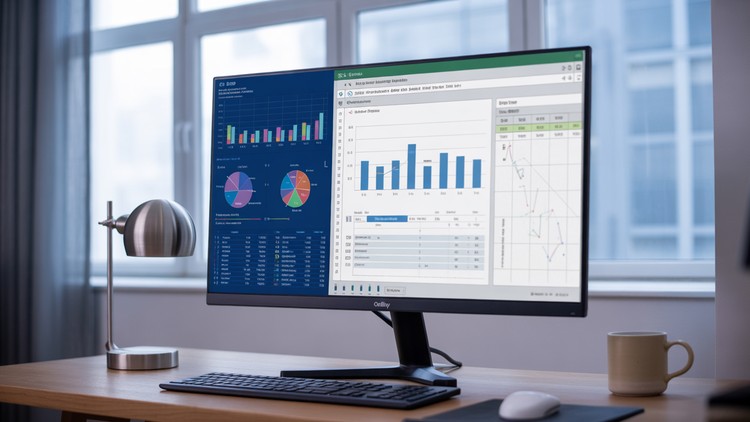
Master Excel and Power BI to create stunning project management dashboards, reports
⏱️ Length: 2.8 total hours
⭐ 4.33/5 rating
👥 8,835 students
🔄 June 2025 update
Add-On Information:
Note➛ Make sure your 𝐔𝐝𝐞𝐦𝐲 cart has only this course you're going to enroll it now, Remove all other courses from the 𝐔𝐝𝐞𝐦𝐲 cart before Enrolling!
-
Course Overview
- Embark on a transformative learning journey designed for project professionals aiming to elevate their reporting capabilities beyond conventional methods.
- This course demystifies the art of ‘Project Management Graphical Reporting,’ focusing on empowering you to translate complex project data into clear, compelling, and actionable visual narratives.
- Move beyond static spreadsheets to dynamic, interactive dashboards that provide real-time insights into project health, progress, risks, and resource allocation.
- Discover how robust graphical reports can streamline communication with stakeholders, foster data-driven decision-making, and significantly enhance overall project transparency and control.
- It’s a strategic investment in mastering the visual language of project success, enabling you to present information with impact and precision.
- The curriculum is meticulously crafted to bridge the gap between raw project data and insightful executive summaries, ensuring your reports not only inform but also influence.
- Learn to identify critical performance indicators and represent them in a way that immediately highlights areas of success and potential concern.
- This program is your gateway to becoming an indispensable asset in any project-driven environment, equipped with the skills to turn data into a powerful storytelling tool.
-
Requirements / Prerequisites
- Basic Computer Proficiency: Familiarity with navigating computer interfaces and using standard office applications is assumed.
- Microsoft Excel & Power BI Desktop: Access to installed versions of these applications is essential for hands-on practice, though the course will guide you through their features.
- Eagerness to Learn: A genuine desire to enhance project reporting skills and embrace data visualization techniques.
- Conceptual Understanding of Project Management: While not mandatory, a foundational grasp of project phases, tasks, and metrics will provide richer context for the examples and exercises.
- Attention to Detail: An appreciation for accuracy in data handling and presentation will contribute to a more rewarding learning experience.
- Internet Connection: Reliable access to the internet for course materials and software updates.
-
Skills Covered / Tools Used
- Strategic Data Storytelling: Techniques to construct narratives around project data, ensuring reports not only display numbers but also convey meaningful insights and recommendations.
- Dynamic Reporting Architectures: Principles for designing flexible and updateable reporting systems that can adapt to changing project scopes and data inputs with minimal manual effort.
- Performance Metric Visualization: Expertise in selecting appropriate chart types and visual elements to accurately represent key performance indicators (KPIs) like schedule variance, cost performance, and resource utilization.
- Interactive Dashboard Development: Methodologies for building engaging dashboards that allow users to explore data, filter information, and drill down into specifics independently.
- Effective Stakeholder Communication: Crafting reports tailored for diverse audiences, from project teams to executive leadership, ensuring clarity and relevance for each recipient.
- Data Integrity & Validation: Best practices for ensuring the accuracy and reliability of the data powering your reports, building trust in your presented insights.
- Visual Best Practices: Understanding design principles for clarity, conciseness, and aesthetic appeal in all graphical representations.
- Project Portfolio Overview Creation: Skills to aggregate and visualize data across multiple projects, providing a holistic view of an organization’s project landscape.
- Tools Utilized: Deep practical application of Microsoft Excel for data manipulation and foundational reporting, alongside Power BI Desktop for advanced interactive dashboard creation and business intelligence capabilities.
-
Benefits / Outcomes
- Elevated Professional Credibility: Position yourself as a technically proficient project professional capable of delivering superior data-driven insights.
- Accelerated Decision-Making: Empower project stakeholders with clear, concise, and immediate visual information, fostering quicker and more informed choices.
- Enhanced Stakeholder Engagement: Transform mundane reports into captivating visual stories that capture attention and facilitate productive discussions.
- Time Efficiency & Automation: Drastically reduce the manual effort involved in report generation, freeing up valuable time for strategic project management tasks.
- Proactive Risk & Issue Identification: Utilize visual trends and outliers to identify potential project challenges much earlier, allowing for timely interventions.
- Career Advancement Opportunities: Acquire highly sought-after skills that are crucial in today’s data-centric project management landscape, opening doors to new roles and responsibilities.
- Become a Data Champion: Emerge as the go-to expert for project data visualization within your team or organization, driving a culture of data literacy.
- Optimized Resource Utilization: Gain clearer insights into resource allocation and performance, leading to more efficient management and deployment of project personnel.
- Improved Project Predictability: Leverage historical data visualization to better forecast future project outcomes and manage expectations effectively.
- Master of Visual Communication: Develop a refined ability to communicate complex project information with unparalleled clarity and impact, making data speak for itself.
-
PROS
- Highly Practical & Job-Oriented: Focuses on immediately applicable skills vital for modern project management roles.
- Concise Learning Path: Delivers significant value and expertise within a short, manageable duration.
- Dual-Tool Mastery: Provides proficiency in two industry-standard tools, significantly boosting versatility.
- Actionable Insights: Teaches how to transform raw data into decision-supporting visual intelligence.
- Strong Community Validation: High rating and large student count indicate proven effectiveness and satisfaction.
- Timely Content Update: Incorporates the latest features and best practices with its June 2025 update.
- Hands-on Experience: Includes practical projects for real-world application of learned concepts.
- Fundamental to Advanced Concepts: Progresses logically from basic data handling to sophisticated dashboard design.
-
CONS
- Limited Scope for Niche Enterprise Systems: While comprehensive for Excel and Power BI, the course may not delve into highly specific functionalities or integrations with very specialized, proprietary enterprise project management software beyond typical data export capabilities.
Learning Tracks: English,Business,Project Management
Found It Free? Share It Fast!