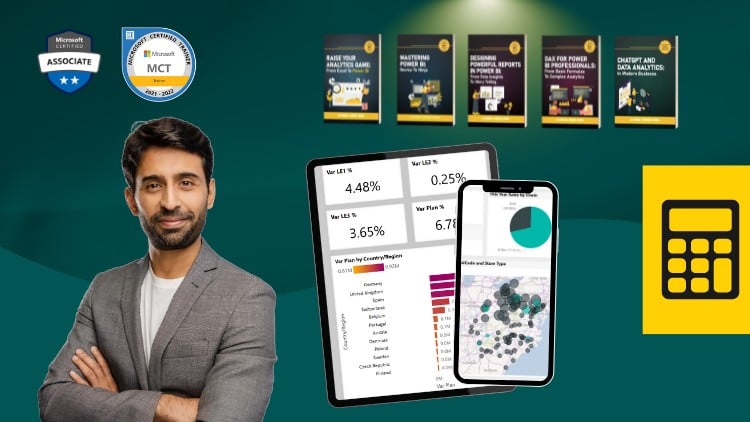
Mastering Complex Calculations and Dynamic Reporting in Power BI
⏱️ Length: 6.7 total hours
⭐ 4.65/5 rating
👥 23,800 students
🔄 November 2025 update
Add-On Information:
Note➛ Make sure your 𝐔𝐝𝐞𝐦𝐲 cart has only this course you're going to enroll it now, Remove all other courses from the 𝐔𝐝𝐞𝐦𝐲 cart before Enrolling!
- Course Overview
- The Evolution of the Modern Analyst: This course facilitates a total mindset shift for the data professional, moving you away from standard report building toward becoming a sophisticated data engineer who understands the deep mechanics of the Power BI engine.
- Strategic Data Modeling Philosophy: You will explore the architectural foundations required to build lean, efficient models that serve as the bedrock for complex DAX logic, with a specific focus on understanding and controlling “measure-total” behavior in visualizations.
- The VertiPaq Advantage: Gain an insider’s perspective on how the columnar storage engine processes your formulas at the hardware level, allowing you to write code that leverages internal acceleration for instantaneous results on massive datasets.
- Real-World Business Case Integration: Every example in the curriculum is rooted in actual corporate scenarios, such as calculating lifetime customer value (CLV), inventory turnover ratios, multi-currency conversions, and year-over-year growth across non-standard fiscal calendars.
- Up-to-the-Minute Industry Relevance: Refined with the November 2025 update, the curriculum incorporates the latest Power BI features, including enhanced “Visual Calculations” and the most recent updates to window functions, keeping you at the absolute cutting edge of the business intelligence field.
- Requirements / Prerequisites
- Functional Power BI Proficiency: Prospective learners should possess a strong working knowledge of the Power BI Desktop interface and have successfully built several basic reports using standard aggregations like SUM, MIN, and MAX.
- Conceptual Data Relationship Awareness: A firm grasp of relational database concepts, specifically the Star Schema and the distinction between one-to-many and many-to-many relationships, is vital for success in these advanced modules.
- Technical Environment Readiness: You must have the latest version of Power BI Desktop installed on a Windows-compatible machine to participate in the comprehensive, hands-on laboratory exercises and follow the live-coding demonstrations.
- Analytical Mindset and Curiosity: A desire to look “under the hood” of data and a willingness to engage with abstract logic are necessary, as the course moves quickly into high-level conceptual territory that requires critical thinking.
- Skills Covered / Tools Used
- Performance Tuning with DAX Studio: Master the art of query profiling by using the DAX Studio external tool to capture server timings and query plans, ensuring your complex measures do not cause latency during peak user demand.
- Advanced Security Protocol Implementation: Learn to implement dynamic Row Level Security (RLS) using the USERPRINCIPALNAME function to create personalized, secure data experiences for global organizations with thousands of distinct users.
- Model Optimization via Tabular Editor: Discover how to use Tabular Editor 2 or 3 to streamline your development workflow, including the creation of calculation groups and the bulk editing of metadata to maintain model consistency.
- Advanced Statistical and Financial Libraries: Deep dive into specialized function libraries within DAX to perform complex variance analysis, standard deviations, and geometric means to provide deeper mathematical rigor to your reporting.
- Virtual Table Logic and Manipulation: Master the use of functions like SUMMARIZE, SELECTCOLUMNS, and GENERATE to create in-memory tables that enable advanced multi-grain analysis without cluttering the physical data model.
- Benefits / Outcomes
- Authority in Data Leadership: Graduate with the technical authority to lead data initiatives within your organization, providing the necessary bridge between raw IT data sources and executive-level strategic decision-making.
- Automated Scalability: Develop the ability to create “write once, use anywhere” measures that automatically adapt to different filter contexts, drastically reducing the time spent on manual report maintenance and updates.
- Sophisticated Data Storytelling: Move beyond static charts by providing interactive elements like “what-if” parameters and dynamic axis switching that allow stakeholders to explore data on their own terms without needing a developer.
- Elimination of Calculation Silos: Learn to centralize business logic within the Power BI semantic model, ensuring that every department across the enterprise is looking at the exact same KPIs, fostering a “single source of truth.”
- Maximized ROI on Data Assets: By unlocking deep, hidden insights from existing datasets, you help your organization identify untapped revenue opportunities and operational inefficiencies that basic visualization tools often overlook.
- PROS
- Proven Global Track Record: With a community of over 23,800 students, the course materials have been vetted and refined through extensive peer feedback, ensuring a high-quality and reliable educational experience.
- High Impact-to-Time Ratio: At under seven hours, the course is highly optimized for busy professionals, delivering expert-level content without unnecessary filler, repetitive introductions, or fluff.
- Exceptional Satisfaction Rating: A 4.65/5 rating indicates that the curriculum successfully translates complex, technical concepts into practical skills that students can apply immediately to their daily work.
- CONS
- Significant Cognitive Demand: The advanced nature of these formulas requires intense focus and may present a steep learning curve for those who are not yet fully comfortable with intermediate data modeling and logical nesting.
Learning Tracks: English,Office Productivity,Microsoft
Found It Free? Share It Fast!