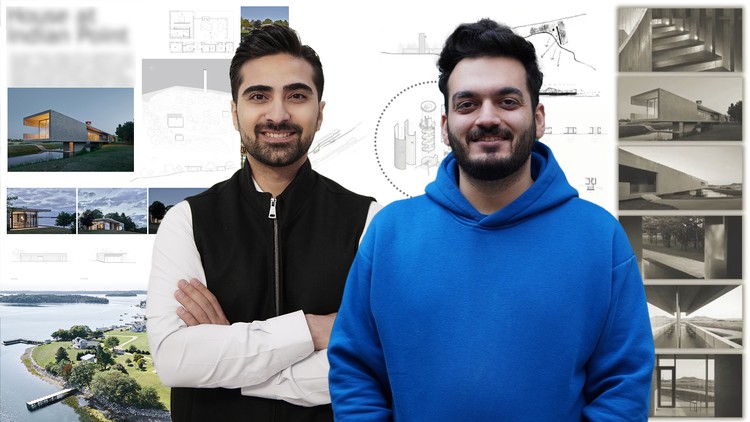
Architectural Sheet Presentation with Photoshop – Horizontal & Vertical Layouts + Graphic Skills + Fast Workflow
What you will learn
Create professional architectural sheets using Photoshop
Design one horizontal and one vertical sheet step by step
Apply color, typography, and composition principles in sheet design
Learn time-saving workflows to design sheets quickly
Organize architectuEnhance sheets with graphic elements, textures, and backgroundsral drawings, renderings, and diagrams into effective layouts
Export sheets for printing and digital presentation
Gain confidence to prepare sheets for competitions, portfolios, and client presentations
Add-On Information:
Note➛ Make sure your 𝐔𝐝𝐞𝐦𝐲 cart has only this course you're going to enroll it now, Remove all other courses from the 𝐔𝐝𝐞𝐦𝐲 cart before Enrolling!
- Master the art of visual storytelling, transforming raw architectural data into a compelling narrative that captivates your audience and clearly communicates your design vision.
- Elevate your design proposals from mere technical drawings to persuasive visual arguments, crucial for securing client approvals and winning competitions.
- Develop a sophisticated understanding of visual hierarchy, guiding the viewer’s eye through complex information with clarity and intention across various sheet sizes and orientations.
- Transform disparate project elements – from conceptual sketches and detailed plans to photorealistic renderings and technical diagrams – into a cohesive, branded presentation that reflects your unique design identity.
- Unlock Photoshop’s advanced capabilities specifically tailored for architectural contexts, moving beyond basic image editing to strategic layout, precise graphic integration, and aesthetic refinement.
- Craft a distinctive professional aesthetic for all your project outputs, ensuring consistency and a high-end finish that sets your work apart in a crowded market.
- Overcome common presentation pitfalls by learning strategic design choices that avoid clutter, enhance readability, and project an unparalleled level of professionalism.
- Streamline your entire presentation workflow, significantly reducing the time spent on design post-production and allowing more focus on the architectural creative process itself.
- Gain profound insights into psychological principles of design, understanding how color palettes, font choices, and spatial arrangements influence perception and evoke desired emotional responses.
- Equip yourself with the agility to adapt designs for diverse output needs, whether it’s a high-resolution print for an exhibition or an optimized digital file for web and interactive presentations.
- Learn to create dynamic backgrounds and contextual graphics that enrich your architectural narratives without distracting from the core design, adding depth and relevance to your visuals.
- Build a versatile toolkit of graphic styles and templates that can be reused and customized across multiple projects, fostering efficiency and maintaining a consistent quality benchmark.
- Cultivate a critical eye for detail and visual balance, ensuring every element on your sheet contributes effectively to the overall impact and message of your architectural project.
- Position yourself as a leading professional capable of not just designing buildings, but also presenting them with unmatched clarity, impact, and aesthetic appeal.
- Foster an innovative approach to architectural communication, moving beyond conventional presentation methods to explore creative graphic solutions that truly resonate with contemporary audiences.
- Pros:
- Immediate and tangible skill upgrade directly applicable to professional architectural practice and academic submissions.
- Significant competitive advantage in a field where presentation quality often dictates project success and career opportunities.
- Boosts confidence in client interactions and public presentations by ensuring your visual materials are polished, persuasive, and truly represent your design excellence.
- Expands your creative toolkit beyond traditional CAD software, integrating powerful graphic design capabilities essential for modern architectural communication.
- Cons:
- The course primarily focuses on presentation techniques within Photoshop and may not delve into fundamental architectural design principles or software beyond its scope.
English
language