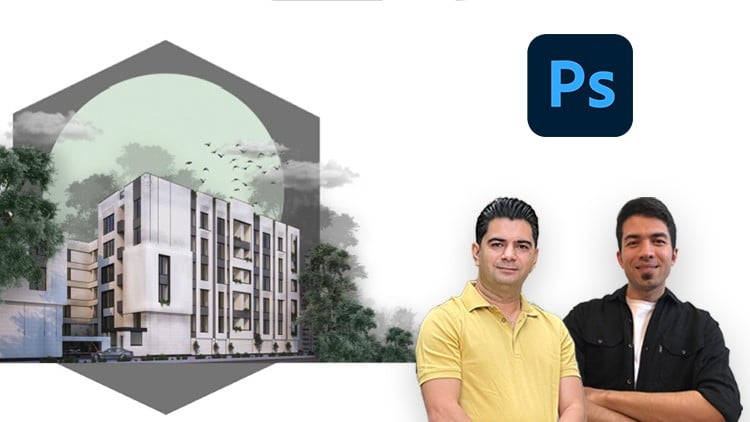
Enhance your architectural renders with Photoshop – fast post-production skills for stunning visualizations
Why take this course?
🚀 Photoshop Architectural Visualization in 1 Hour – Mini Course 🚀
Practical Presentation & Sheet Creation, Photo Editing, Architecture Portfolio Graphic Design
📘 Course Description:
Note: This is a project-based course where all the topics covered are explored through real-world architectural projects.
Have you ever wanted to transform your architectural presentations into visually stunning masterpieces using Photoshop? 👀 Are you looking to design eye-catching architectural sheets, create realistic renderings, and develop captivating visuals that bring your architecture ideas to life? ✨
If you’re nodding ‘yes’ because you wish to:
- Elevate your architectural presentations with professional Photoshop skills;
- Streamline your design process with advanced image editing;
- Create dynamic visual content perfect for portfolio showcases or client presentations, then this course is the game-changer you’ve been waiting for! 🏗️✨
In this comprehensive Photoshop for Architects course, you’ll dive into hands-on experience with Photoshop tailored specifically for architectural design and presentation. We’ll guide you through:
- Creating professional architectural sheets with layout strategies, text placements, and composition drawings that showcase your designs effectively.
- Mastering essential Photoshop tools to refine and present your architectural designs flawlessly.
- Learning advanced image editing techniques, including layers, masks, and blending modes, to manipulate images for striking visual effects.
- Enhancing your productivity with workflows optimized for architects.
- Utilizing Photoshop for powerful visualization of architecture, interior design concepts, and more! 🖼️
Here’s what you can expect to achieve:
👉 Mastering Essential Tools: You’ll become proficient in the tools you need to present architectural designs with precision and flair.
🖼️ Editing Architectural Images: Turn raw architectural photos into compelling visual narratives.
📈 Creating Sheets and Layouts: Design impactful sheets that articulate your architectural vision clearly and professionally.
🎨 Layers, Masks & Blending Modes: Learn to manipulate images with confidence using Photoshop’s powerful features.
⏱️ Optimized Workflow: Discover how to streamline your design process for efficiency and effectiveness.
📚 Visualizing Architecture & Interior Design: Learn to visualize architectural projects with clarity and creativity, making your presentations pop!
By the end of this course, you’ll be armed with the knowledge and skills required to create professional, stunning visuals for your architectural ventures. Whether it’s crafting a portfolio to attract potential clients or preparing presentations that captivate your audience, this course will elevate your work to new heights!
And remember, you won’t be navigating this journey alone—I’m here to offer you support and guidance every step of the way. Get ready to transform your architectural visualizations into a gallery of your design prowess! 🌟
Enroll now and let’s embark on this exciting journey together! 🚀
-
Course Overview
- Discover the transformative power of Photoshop to elevate raw architectural renders into captivating, professional-grade visualizations in just one hour.
- Uncover an accelerated, streamlined workflow specifically designed for architects and designers to achieve stunning post-production results quickly.
- Learn how to infuse atmosphere, realism, and aesthetic appeal into your visualizations, making them stand out from the competition.
- Master the art of visual storytelling by enhancing key elements within your renders, guiding the viewer’s eye and conveying design intent more effectively.
- Demystify complex post-production techniques, breaking them down into actionable steps for immediate application and impact.
- Optimize your architectural presentation output, ensuring every visualization communicates clarity, precision, and a polished aesthetic.
-
Requirements / Prerequisites
- Software Access: A working installation of Adobe Photoshop (any recent Creative Cloud version is recommended).
- Basic Computer Proficiency: Familiarity with navigating a computer operating system and basic file management.
- Foundational Design Understanding: A general comprehension of architectural design principles and the components of a typical architectural render.
- Rendered Images (Optional but Recommended): Access to a basic 3D render of an architectural scene to practice the taught techniques directly.
- No Prior Photoshop Experience Required: This course is designed to get you up and running quickly, even as a beginner.
-
Skills Covered / Tools Used
- Strategic Layer Management: Organizing and manipulating multiple image layers for non-destructive, flexible editing.
- Seamless Entourage Integration: Techniques for blending people, trees, skies, and other background elements into your scenes realistically.
- Atmospheric Color Grading: Applying professional color adjustments to establish mood, time of day, and environmental conditions within your visualization.
- Precise Selection Methods: Utilizing various selection tools (e.g., Pen Tool, Quick Selection, Color Range) to isolate and modify specific architectural components or areas.
- Non-Destructive Editing with Adjustment Layers: Employing Layers like Levels, Curves, Hue/Saturation, and Photo Filter for global and localized enhancements without altering original pixels.
- Enhancing Depth and Realism: Applying Blending Modes and Layer Masks to create shadows, reflections, light flares, and other atmospheric effects.
- Refining Materiality and Textures: Subtle manipulation of textures and surfaces to add detail and convey material properties more convincingly.
- Utilizing Smart Objects: Understanding the benefits of Smart Objects for scaling, transforming, and applying filters non-destructively to external assets.
- Output and Export Optimization: Preparing your enhanced visualizations for various presentation formats and client deliverables.
-
Benefits / Outcomes
- Instant Render Transformation: Confidently convert your raw 3D renders into visually compelling images within a condensed timeframe.
- Professional Post-Production Workflow: Develop a fast, efficient, and replicable workflow for all your future architectural visualizations.
- Elevated Visual Communication: Present your design concepts with significantly improved aesthetic quality and clarity, impressing clients and stakeholders.
- Reduced Rendering Times: Learn how to rely less on extensive rendering and more on intelligent post-production for final polish and artistic flair.
- Creative Control Mastery: Gain the ability to precisely control the mood, lighting, and overall impact of your architectural presentations.
- Competitive Edge: Differentiate your portfolio and project submissions with visualizations that demonstrate advanced aesthetic and technical skill.
- Empowered Design Presentation: Translate your architectural vision into stunning, lifelike imagery that truly captures attention.
-
PROS
- Ultra-Fast Learning Curve: Delivers high-impact skills in an incredibly short, focused session.
- Immediate Practical Application: Techniques are directly applicable to ongoing or future architectural projects right after completion.
- Highly Targeted Content: Every lesson is specifically tailored to the unique needs of architectural visualization.
- Boosts Efficiency: Teaches a workflow designed to save valuable time in the post-production phase.
- Significant Visual Impact: Quickly learn how to make a dramatic difference in the quality of your renders.
-
CONS
- Limited In-Depth Mastery: The quickstart format means less time for comprehensive exploration of every Photoshop feature beyond immediate architectural visualization needs.