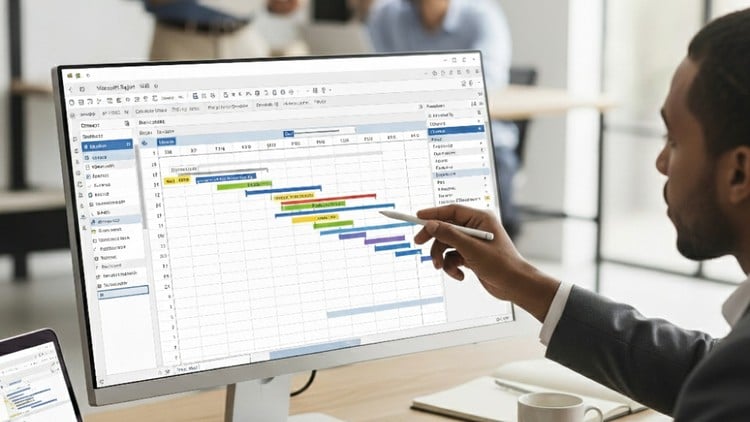
Master Project Planning & Control with Microsoft Project – With Earned value management – S curve
⏱️ Length: 56 total minutes
⭐ 4.50/5 rating
👥 2,162 students
🔄 September 2025 update
Add-On Information:
Note➛ Make sure your 𝐔𝐝𝐞𝐦𝐲 cart has only this course you're going to enroll it now, Remove all other courses from the 𝐔𝐝𝐞𝐦𝐲 cart before Enrolling!
-
Course Overview
- This “Mastering Microsoft Project” course offers a streamlined curriculum, empowering professionals to elevate project planning and control. It enables efficient transformation of project visions into meticulously managed, executable plans.
- The program focuses on leveraging Microsoft Project for dynamic planning, real-time monitoring, and proactive control, specifically tailored for civil engineering and construction.
- Despite its concise format, the course builds a robust foundation, making advanced project features accessible and immediately applicable. Participants will establish transparent project structures and implement effective control mechanisms.
- Adopting a practical, hands-on methodology, this course ensures theoretical knowledge translates into tangible, software-driven skills. Gain confidence to manage project lifecycles from initiation to successful closure.
- Learn to interpret vital project metrics for informed strategic decisions, ensuring projects remain on schedule, within budget, and aligned with scope, fostering a proactive management mindset.
-
Requirements / Prerequisites
- A foundational grasp of general project management concepts is beneficial for understanding Microsoft Project’s integration with broader PM methodologies.
- Access to a working installation of Microsoft Project software (e.g., 2016, 2019, or Microsoft 365 Project) is crucial for hands-on engagement and skill retention.
- Basic computer literacy, including Windows navigation and familiarity with standard office applications, is recommended for seamless participation.
- A strong motivation to enhance project planning and control capabilities is the primary prerequisite for applying software-driven expertise.
-
Skills Covered / Tools Used
- Master task dependencies and critical path analysis to identify schedule-determining activities, enabling strategic management and accelerated project completion.
- Gain proficiency in establishing and maintaining robust project baselines within Microsoft Project, fundamental for accurate performance measurement and guiding necessary adjustments.
- Develop expertise in customizing various views and tables (e.g., Gantt Chart, Network Diagram, Resource Usage) to extract specific project insights for informed decision-making.
- Learn to efficiently filter, sort, and group project data to quickly analyze aspects, identify bottlenecks, monitor resource distribution, and generate targeted reports.
- Explore advanced scheduling techniques including recurring tasks, setting task types (fixed units, fixed work, fixed duration), and managing project, task, and resource calendars.
- Effectively utilize the Timeline View to create high-level, visual project summaries for executive communication, clearly presenting key milestones and phases.
- Unravel the creation and interpretation of comprehensive S-curves for project progress visualization, graphically representing planned versus actual cumulative costs or work over time.
- Integrate custom fields and formulas into your Microsoft Project files to track unique, industry-specific parameters, extending the software’s standard capabilities.
-
Benefits / Outcomes
- Achieve the ability to produce highly accurate and dynamic project schedules, significantly reducing delays and budget overruns for more predictable outcomes.
- Gain heightened confidence in managing complex projects by systematically applying robust planning and control methodologies, preparing you for intricate challenges.
- Significantly enhance your marketability and career prospects in project management roles across construction, civil engineering, and related sectors.
- Develop capacity for proactive identification of potential risks and scheduling conflicts, enabling timely intervention and strategic mitigation.
- Improve cross-functional team communication and collaboration through clear, standardized project reports and visual aids generated from MS Project.
- Acquire a deeper strategic understanding of project planning and control, moving beyond basic task management to comprehensive project lifecycle optimization.
- Confidently present project status, forecasts, and performance metrics to senior management and clients, building transparency and trust.
-
PROS
- Highly Concentrated Learning: The efficient 56-minute duration offers swift acquisition of critical Microsoft Project skills, ideal for busy professionals.
- Strong Peer Validation: An impressive 4.50/5 rating from over 2,100 students signals high-quality content and an effective learning experience.
- Up-to-Date Content: The September 2025 update guarantees learning the most current features and best practices for Microsoft Project.
- Immediate Practical Application: Skills are directly transferable, allowing quick implementation of improvements in current or future projects.
- Boosts Employability: Microsoft Project proficiency is a key skill highly sought by employers for project-related roles across diverse industries.
- Specialized Focus: Integration of Earned Value Management and S-curve analysis provides specific, advanced tools for critical tracking and reporting in engineering and construction.
-
CONS
- Limited Depth for “Mastery”: Given its concise 56-minute format, while excellent for foundational and targeted skills, comprehensive “mastery” for all intricate aspects of large-scale enterprise project management might necessitate supplementary advanced learning.
Learning Tracks: Hindi,Business,Project Management
Found It Free? Share It Fast!