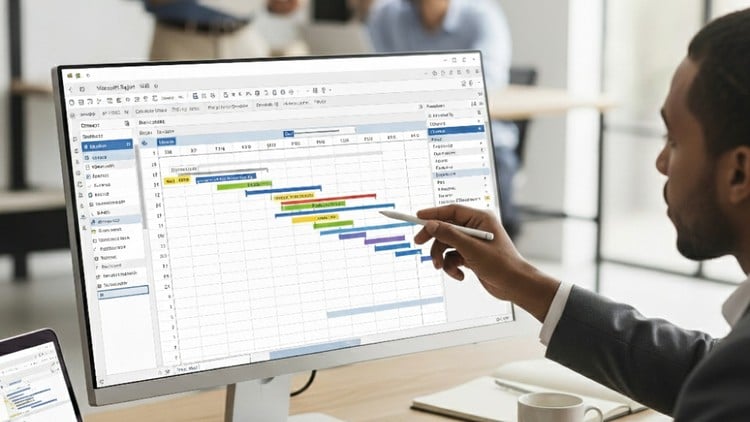
Master Project Planning & Control with Microsoft Project – With Earned value management – S curve
⏱️ Length: 56 total minutes
⭐ 4.50/5 rating
👥 1,553 students
🔄 September 2025 update
Add-On Information:
Note➛ Make sure your 𝐔𝐝𝐞𝐦𝐲 cart has only this course you're going to enroll it now, Remove all other courses from the 𝐔𝐝𝐞𝐦𝐲 cart before Enrolling!
- Course Overview
- This highly-rated, concise 56-minute course provides a rapid introduction to Microsoft Project’s core capabilities. It’s designed for immediate application in real-world project scenarios.
- Explore essential functionalities for initiating, planning, and tracking projects, focusing on practical skills. This program jumpstarts your project management proficiency using industry-standard software.
- Requirements / Prerequisites
- A basic understanding of project management concepts like tasks and dependencies is recommended for enhanced learning.
- Familiarity with the Windows operating system and general computer navigation skills is essential for effective MS Project interaction.
- Active access to an installed version of Microsoft Project software (any recent version) is required for hands-on practice.
- No prior advanced MS Project experience is necessary, making it ideal for beginners or a focused refresher.
- This course benefits aspiring project managers, civil engineers, construction supervisors, and anyone needing quick MS Project skills for complex initiatives.
- Skills Covered / Tools Used
- Core Project Setup: Learn to navigate the MS Project interface, establish project calendars, and define working times for your operational environment.
- Task Definition & Sequencing: Gain proficiency in inputting tasks, organizing them, and establishing precise dependencies to model realistic workflows.
- Critical Path Analysis: Discover how to identify the critical path, understanding which tasks impact overall project completion for efficient delivery.
- Baseline Management: Master creating and managing project baselines, comparing actual progress against the approved initial plan.
- Progress Tracking: Implement effective methods for updating task progress, recording actual start/finish dates, and tracking work completed for an up-to-date schedule.
- Reporting & Visualization: Utilize MS Project’s reporting capabilities to generate insightful visual reports like Gantt charts and custom dashboards for clear communication.
- Custom Views & Filters: Develop skills in applying custom views, tables, and filters within MS Project to analyze specific data aspects for targeted insights.
- Exporting Project Data: Learn to export project schedules and data to various formats for further analysis, integration, or presentation.
- Gantt Chart & Network Diagram Usage: Deepen your understanding of using Gantt charts for visual schedules and network diagrams for illustrating task dependencies.
- Benefits / Outcomes
- Accelerated Project Starts: Quickly initiate new projects with structured plans, ensuring a strong foundation for timely execution.
- Enhanced Decision-Making: Leverage project data from MS Project to make informed, proactive decisions, mitigating risks.
- Improved Stakeholder Communication: Present clear, professional schedules and progress reports, fostering better understanding.
- Greater Control Over Timelines: Gain robust practical control over project timelines, identifying and addressing potential delays.
- Optimized Resource Utilization: Develop a clearer picture of how resources are utilized for efficient project workforce management.
- Reduced Project Stress: Approach project planning with increased confidence, equipped with a powerful tool to manage complexities.
- Career Advancement: Equip yourself with a highly sought-after project management skill, enhancing professional value.
- Foundation for Advanced Skills: Establish a solid understanding of MS Project’s core, providing a springboard for advanced topics.
- Consistent Project Delivery: Apply standardized methodologies for planning and tracking, leading to predictable project outcomes.
- PROS
- Exceptional Time Efficiency: At just 56 minutes, ideal for busy professionals needing core MS Project skills quickly.
- High User Satisfaction: Strong 4.50/5 rating from over 1,500 students indicates effective content and delivery.
- Practical, Job-Oriented Content: Focuses on immediately applicable skills for real-world project scenarios.
- Up-to-Date Material: September 2025 update ensures relevant and current instruction.
- Accessible Introduction: Excellent entry point for beginners or a quick refresher.
- Affordable Skill Development: Concise nature often means an affordable investment for high-value skill acquisition.
- CONS
- Limited Depth for Advanced Topics: Its brief 56-minute duration means the course primarily provides an overview of fundamentals, not delving into exhaustive details for complex enterprise-level project management.
Learning Tracks: Hindi,Business,Project Management
Found It Free? Share It Fast!