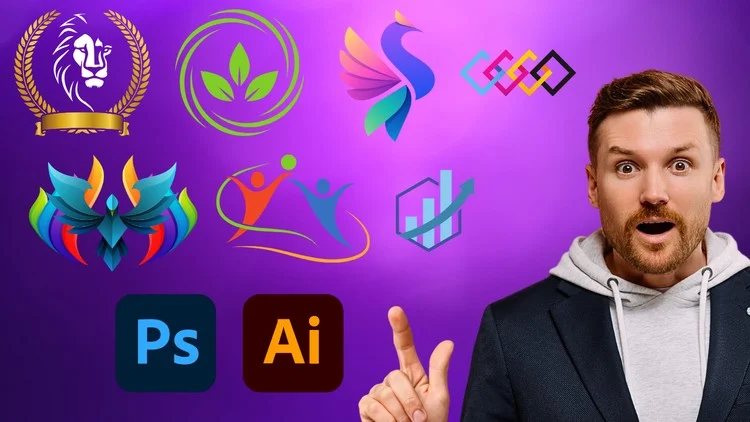
Essential Skills for Logo Designers
⏱️ Length: 4.3 total hours
⭐ 4.15/5 rating
👥 22,388 students
🔄 September 2024 update
Add-On Information:
Note➛ Make sure your 𝐔𝐝𝐞𝐦𝐲 cart has only this course you're going to enroll it now, Remove all other courses from the 𝐔𝐝𝐞𝐦𝐲 cart before Enrolling!
- Course Overview
- Discover the synergistic relationship between Adobe Photoshop and Illustrator, learning how to leverage the unique strengths of each program to create professional-grade visual identities.
- The curriculum focuses on the transitional workflow from initial brainstorming and conceptual sketching to high-fidelity digital rendering and final file preparation.
- Students will explore the psychology of shapes and how specific geometric arrangements can influence consumer perception and brand trust across different industries.
- This course provides a deep dive into the logic of logo construction, emphasizing why certain designs work for global brands while others fail in the modern marketplace.
- Participants will learn the importance of visual metaphors, discovering how to embed hidden meanings and secondary messages within a simple icon or wordmark.
- The training covers the industry standards for scalability, ensuring that every design created is functional on everything from a tiny favicon to a massive physical billboard.
- Modules are designed to build creative confidence, moving beyond tool mastery to help students develop their own unique artistic voice and design style.
- The course outlines a professional client-delivery process, teaching students how to present their work in a way that minimizes revisions and maximizes client satisfaction.
- Requirements / Prerequisites
- A working installation of Adobe Photoshop and Adobe Illustrator (Creative Cloud versions are recommended to follow along with the latest tool updates).
- A basic understanding of operating system navigation, including file management, folder organization, and saving different document formats.
- No prior graphic design experience is required, as the course is structured to guide absolute beginners through the foundational principles of the craft.
- Access to a reliable internet connection for streaming high-definition video lessons and downloading supplementary project resources or templates.
- A digital drawing tablet or a standard mouse with high precision is necessary for executing detailed path work and intricate anchor point adjustments.
- A curious and analytical mindset, with a willingness to experiment, make mistakes, and iterate through multiple versions of a single design concept.
- The ability to allocate dedicated time for hands-on practice, as the skill of logo design is best refined through consistent application and repetition.
- Skills Covered / Tools Used
- Vector Mastery with the Pen Tool: Developing the steady hand required to draw clean, mathematical paths that define professional logo structures in Illustrator.
- The Shape Builder Utility: Using Boolean operations to merge, subtract, and intersect basic shapes into complex, custom icons with pixel-perfect precision.
- Advanced Typography Manipulation: Learning how to kern, track, and modify existing typefaces to create unique letterforms that cannot be replicated with a standard font.
- Non-Destructive Editing in Photoshop: Mastering the use of Smart Objects and Layer Masks to apply textures and effects without permanently altering the original pixels.
- The Pathfinder Panel: Utilizing sophisticated alignment and distribution tools to ensure symmetrical balance and mathematical harmony in every logo component.
- Dynamic Color Application: Exploring the Global Swatches and Color Guide panels to build versatile palettes that work across CMYK and RGB color spaces.
- Gradient and Mesh Techniques: Adding depth and dimension to flat designs using subtle linear and radial gradients to create a modern, high-end aesthetic.
- Artboard Management: Organizing multiple design variations within a single document to streamline the comparative review process for clients.
- Real-World Mockup Creation: Utilizing Photoshop’s Perspective Warp and Displacement Maps to place logos realistically on products, stationery, and apparel.
- Exporting and File Optimization: Understanding the technical nuances of EPS, SVG, PDF, and PNG formats to provide clients with a complete, usable brand package.
- Benefits / Outcomes
- Gain the technical proficiency needed to transition from a hobbyist to a professional designer capable of charging industry-standard rates for your work.
- Build a diverse and polished portfolio that showcases your ability to design across different sectors, from corporate tech firms to boutique lifestyle brands.
- Develop a refined aesthetic eye, allowing you to quickly identify design flaws such as poor spacing, inconsistent line weights, or clashing color schemes.
- Unlock increased career opportunities in the freelance market or within creative agencies that require designers proficient in the full Adobe suite.
- Achieve workflow efficiency by learning keyboard shortcuts and automation techniques that drastically reduce the time spent on repetitive design tasks.
- Understand the legalities of design, including font licensing and copyright basics, to protect both yourself and your clients from potential legal issues.
- Acquire the critical thinking skills necessary to interpret complex client briefs and translate vague ideas into clear, impactful visual solutions.
- Receive a structured learning path that eliminates the guesswork associated with self-teaching, providing a clear roadmap to design mastery.
- PROS
- Comprehensive Dual-Software Training: Unlike courses that focus only on one tool, this provides a holistic education in both raster and vector environments.
- Practical Project-Based Learning: Every lesson is tied to a tangible outcome, ensuring that theory is always backed by immediate practical application.
- Updated for 2024: The content reflects the latest software updates and contemporary design trends, keeping your skills relevant in a fast-paced industry.
- High Engagement and Community: With over 22,000 students, the course offers a proven track record of success and a wealth of shared knowledge.
- CONS
- Technical Focus Over Strategy: This course prioritizes the execution and software mechanics of logo design over the high-level business strategy and brand positioning found in advanced marketing courses.
Learning Tracks: English,Design,Graphic Design & Illustration
Found It Free? Share It Fast!