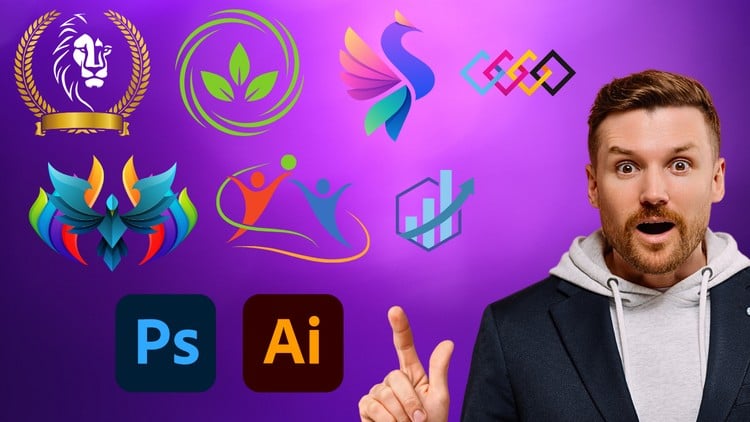
Essential Skills for Logo Designers
⏱️ Length: 4.3 total hours
⭐ 4.18/5 rating
👥 21,788 students
🔄 September 2024 update
Add-On Information:
Note➛ Make sure your 𝐔𝐝𝐞𝐦𝐲 cart has only this course you're going to enroll it now, Remove all other courses from the 𝐔𝐝𝐞𝐦𝐲 cart before Enrolling!
- Course Overview
- Explore the comprehensive dual-software workflow that integrates the vector precision of Adobe Illustrator with the advanced raster manipulation and presentation capabilities of Adobe Photoshop.
- Understand the fundamental psychology of branding, learning how to translate abstract client concepts into tangible visual identities that resonate with specific target demographics.
- Dive into the evolution of a logo, starting from the initial brainstorming and manual sketching phase all the way through to digital refinement and final asset delivery.
- Analyze the technical differences between raster and vector graphics, ensuring you understand exactly when and why to use each software to maintain high-quality visual standards.
- Develop a professional design eye by studying successful contemporary logos and deconstructing the geometric shapes and color palettes that make them memorable and effective.
- Learn the industry-standard methods for organizing design projects, including naming conventions and layer management that facilitate collaborative work in agency environments.
- Master the art of negative space and minimalism, discovering how to strip away unnecessary details to create clean, scalable, and timeless logo designs.
- Requirements / Prerequisites
- A functioning installation of Adobe Creative Cloud, specifically the latest versions of Photoshop and Illustrator, to follow along with the real-time project demonstrations.
- Basic computer literacy skills, including the ability to manage file directories, download resource packs, and navigate standard software interfaces on Windows or macOS.
- A creative mindset and a willingness to experiment with various aesthetic styles, ranging from modern corporate identities to vintage-inspired illustrative marks.
- Access to sketching materials, such as a simple notebook and pencil, to participate in the conceptualization and thumbnailing exercises before moving to digital tools.
- No prior graphic design experience is strictly required, as the course is structured to guide learners from basic tool selection to advanced composition techniques.
- Skills Covered / Tools Used
- Harness the power of the Pen Tool and Curvature Tool in Illustrator to create flawless, infinitely scalable paths and custom lettering for unique wordmarks.
- Utilize the Shape Builder Tool and Pathfinder Panel to merge, subtract, and intersect geometric primitives into complex and sophisticated visual symbols.
- Apply Advanced Typography principles, learning how to manipulate kerning, tracking, and leading to ensure brand names are legible and aesthetically balanced.
- Implement Color Theory and the Adobe Color ecosystem to build harmonious palettes that evoke specific emotional responses from the intended audience.
- Master Layer Masks and Smart Objects in Photoshop to create high-end mockups that showcase how a logo will look on physical products like stationery and apparel.
- Explore Grid Systems and the Golden Ratio to bring mathematical balance and structural integrity to every icon you produce within the digital canvas.
- Learn Gradient Mapping and Mesh Tools to add depth, lighting, and 3D effects to flat designs, making them pop in digital environments.
- Execute Image Tracing techniques to convert hand-drawn illustrations into clean, workable vector files that can be edited and resized without loss of quality.
- Benefits / Outcomes
- Build a diverse design portfolio featuring several high-quality logo projects that demonstrate your technical proficiency to potential employers or freelance clients.
- Gain the confidence to freelance by understanding how to package and deliver final files in various formats, including SVG, EPS, PDF, and transparent PNG.
- Improve your workflow efficiency by learning keyboard shortcuts and automation tricks that significantly reduce the time spent on repetitive design tasks.
- Acquire the conceptual vocabulary needed to explain your design choices to clients, helping you justify your creative decisions and handle professional critiques.
- Develop a holistic branding perspective, seeing the logo not just as an image, but as the cornerstone of a larger, cohesive visual brand identity system.
- Enhance your marketability in the competitive graphic design field by mastering the two most essential pieces of software used by professional studios worldwide.
- PROS
- Balanced focus on both creative theory and practical application, ensuring you know why a design works, not just how to click the buttons.
- Comprehensive coverage of the interoperability between Photoshop and Illustrator, a skill often overlooked in single-software courses.
- Access to transferable design principles that can be applied to other areas of graphic design beyond just logo creation.
- CONS
- Requires a monthly subscription to Adobe Creative Cloud software, which may be a significant financial consideration for some independent learners.
Learning Tracks: English,Design,Graphic Design & Illustration
Found It Free? Share It Fast!