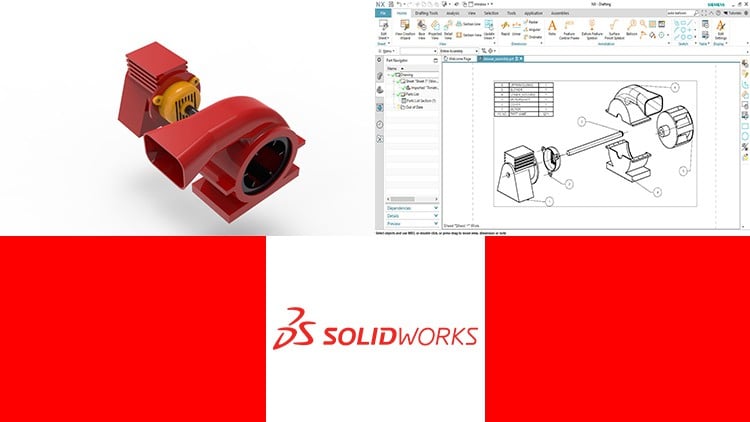
For Basic and Intermediate Users
⏱️ Length: 9.3 total hours
⭐ 4.38/5 rating
👥 114,501 students
🔄 July 2020 update
Add-On Information:
Note➛ Make sure your 𝐔𝐝𝐞𝐦𝐲 cart has only this course you're going to enroll it now, Remove all other courses from the 𝐔𝐝𝐞𝐦𝐲 cart before Enrolling!
- Course Overview
- Embark on a comprehensive journey to master SOLIDWORKS, the industry-standard software for 3D mechanical design, simulation, and documentation. This course is meticulously designed to equip individuals with the foundational and intermediate skills necessary to transform concepts into tangible, manufacturable designs.
- With over 9.3 hours of high-quality video content, this program offers an in-depth exploration of SOLIDWORKS’ core functionalities, providing a robust understanding of its application across various design disciplines.
- Tailored for a broad audience, including students seeking to enhance their academic projects, engineers aiming to streamline their design workflows, and designers looking to push the boundaries of product innovation.
- The curriculum has been continuously refined, with a July 2020 update, ensuring you learn using current best practices and interface elements of the software.
- Join a thriving community of over 114,501 students who have benefited from this extensively reviewed and highly-rated course (4.38/5), indicating its effectiveness and value.
- Course Structure & Content Highlights
- Beyond the fundamental tools, the course delves into the intricate world of parametric modeling, emphasizing how design intent is captured and modified through intelligent feature creation.
- Develop a deep appreciation for the iterative nature of design, learning how to efficiently revise and optimize models based on feedback and performance requirements.
- Explore the principles of robust sketching, understanding how to create fully defined, dimension-driven geometries that form the basis of reliable 3D parts.
- Master the creation of complex assemblies, learning techniques for managing relationships between components, simulating motion, and identifying potential interferences.
- Gain proficiency in advanced surfacing techniques, enabling the design of aesthetically pleasing and ergonomically sound products with freeform shapes.
- Understand the workflow of transforming 3D designs into professional technical drawings, essential for manufacturing and communication.
- Learn strategies for managing design variations and configurations, allowing for the creation of product families from a single master model.
- Discover methods for incorporating design validation early in the process, reducing the need for costly physical prototypes.
- Requirements / Prerequisites
- A computer capable of running SOLIDWORKS software. While the course focuses on software usage, having access to a licensed or educational version of SOLIDWORKS is recommended for hands-on practice.
- Basic computer literacy, including familiarity with file management and software installation.
- A willingness to learn and an interest in product design and engineering principles.
- No prior experience with 3D modeling software is strictly necessary, making this an ideal starting point.
- Skills Covered / Tools Used
- Parametric Modeling: Creating intelligent models that respond to changes in dimensions and relationships.
- Feature-Based Design: Utilizing extrudes, revolves, lofts, sweeps, and more to build complex geometries.
- Sketching Techniques: Employing constraints, dimensions, and relations to create precise 2D profiles.
- Assembly Management: Understanding mates, sub-assemblies, and motion studies for complex product structures.
- Surface Modeling: Crafting intricate curves and surfaces for aesthetic and functional purposes.
- Drawing Creation: Generating standard engineering drawings with views, dimensions, and annotations.
- Design Intent Capture: Learning to build models that are easily modifiable and maintain their integrity.
- Interference Detection: Identifying clashes and conflicts within assemblies.
- Basic Simulation Concepts: Introduction to understanding how designs perform under load.
- Benefits / Outcomes
- Develop a marketable skill set highly sought after in the mechanical design, product development, and engineering industries.
- Significantly enhance your ability to conceptualize, design, and document products more efficiently and effectively.
- Gain the confidence to tackle more complex design challenges and contribute meaningfully to engineering projects.
- Improve your problem-solving skills by learning to think in three dimensions and understand spatial relationships.
- Become a more valuable asset in academic settings, personal projects, and professional environments.
- Potentially accelerate your career path in fields like mechanical engineering, industrial design, product design, and manufacturing.
- Be empowered to bring your innovative ideas from a concept sketch to a fully rendered, manufacturable design.
- PROS
- Extremely Practical: Focuses on directly applicable tools and workflows used in industry.
- Extensive Student Base: High enrollment and rating suggest proven effectiveness and broad appeal.
- Regularly Updated: Ensures learning content remains relevant to current software versions.
- Beginner-Friendly: Carefully structured to guide novices through complex functionalities.
- Comprehensive Coverage: Addresses all core environments of SOLIDWORKS essential for most design tasks.
- CONS
- Limited Advanced Topics: As a basic and intermediate course, it may not cover highly specialized areas like advanced simulation, mold design, or sheet metal fabrication in exhaustive detail.
Learning Tracks: English,Design,Design Tools
Found It Free? Share It Fast!