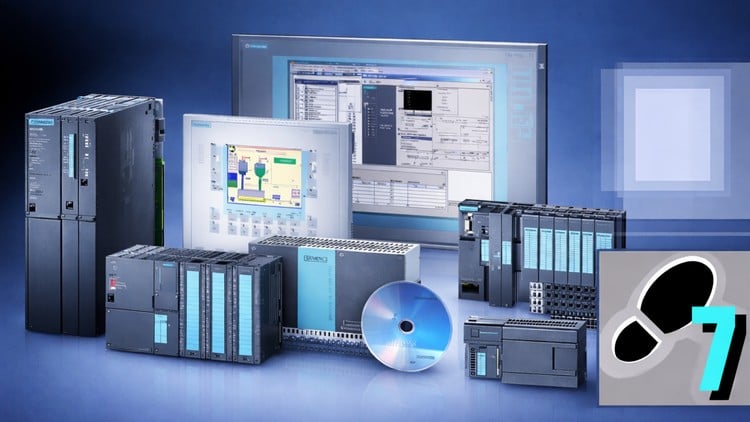
Improve your Experience in Siemens PLC for the Hardware and Software Programming Using S7 SIMATIC Manager
⏱️ Length: 4.9 total hours
⭐ 5.00/5 rating
👥 42 students
🔄 January 2026 update
Add-On Information:
Note➛ Make sure your 𝐔𝐝𝐞𝐦𝐲 cart has only this course you're going to enroll it now, Remove all other courses from the 𝐔𝐝𝐞𝐦𝐲 cart before Enrolling!
- Course Overview
- Explore the comprehensive architectural framework of the Siemens S7-300 and S7-400 series, which remain the backbone of countless industrial automation systems worldwide.
- Analyze the fundamental relationship between industrial input/output devices and the central processing unit to understand how digital signals are translated into mechanical actions.
- Delve into the classic Step 7 ecosystem, emphasizing why SIMATIC Manager remains a critical tool for maintaining legacy systems and specialized high-end industrial applications.
- Gain insights into the modular nature of Siemens automation, focusing on how different signal modules and communication processors integrate into a unified backplane.
- Investigate the historical context and the evolution of Siemens automation logic to better appreciate the design choices found in modern programmable logic controllers.
- Develop a structured mindset for automation by learning how to break down complex industrial processes into manageable logic blocks and executable sequences.
- Navigate the nuances of the SIMATIC Manager interface, focusing on project tree organization, library management, and multi-user environment setups.
- Understand the critical role of the memory concept in Siemens PLCs, including load memory, work memory, and the importance of system data blocks (SDBs).
- Study the cyclic execution of the user program, focusing on the scan cycle time and how it impacts the responsiveness of high-speed industrial machinery.
- Requirements / Prerequisites
- Possess a fundamental understanding of basic electrical engineering concepts, such as voltage, current, and the operation of relays and contactors.
- A functional laptop or desktop computer running a 64-bit version of Windows (preferably Windows 10 or 11) to host the necessary engineering software environments.
- Familiarity with standard computer file management systems, including folder structures, compressed files, and administrative installation privileges.
- An introductory grasp of Boolean algebra and binary logic (AND, OR, NOT operations) will significantly accelerate the learning curve for programming modules.
- Prior exposure to industrial sensors like limit switches and proximity sensors is helpful, though not strictly mandatory for the software-focused sections.
- A proactive mindset toward problem-solving and the patience required to debug logical errors within a virtual simulation environment.
- Access to the STEP 7 V5.x software trial or professional license is recommended to follow along with the practical screen-capture demonstrations.
- Skills Covered / Tools Used
- Mastery of the LAD (Ladder Logic) editor, the primary visual programming language used for creating intuitive and readable electrical-style control logic.
- Deep dive into FBD (Function Block Diagram), learning how to use graphical boxes to represent complex logical functions and arithmetic operations.
- Introduction to STL (Statement List), providing a low-level, assembler-like view of the code for high-performance optimization and advanced troubleshooting.
- Effective use of the Symbol Table to assign meaningful alphanumeric aliases to absolute memory addresses, enhancing code readability and maintenance.
- Utilization of S7-PLCSIM to create a virtual testing environment, allowing for the execution and verification of code without the need for physical hardware.
- Implementation of Organization Blocks (OBs), particularly OB1 for main loops and OB100 for initialization, to control the execution behavior of the PLC.
- Creation and management of Data Blocks (DBs) to store global variables, recipe data, and machine parameters in a non-volatile manner.
- Proficiency in using Variable Tables (VAT) for real-time monitoring and forcing of I/O values during the commissioning and debugging phases.
- Setting up the PG/PC Interface to establish communication links between the engineering workstation and the PLC via MPI or PROFIBUS protocols.
- Learning to interpret Diagnostic Buffers to quickly identify hardware faults, module failures, or programming errors that lead to “Stop” mode.
- Benefits / Outcomes
- Bridge the gap between theoretical engineering knowledge and the practical demands of the modern industrial manufacturing floor.
- Develop the technical proficiency required to perform maintenance and modification tasks on existing Siemens S7-300/400 installations.
- Enhance your professional portfolio with a highly sought-after skill set in the global automation market, particularly in Europe and the Middle East.
- Gain the confidence to approach large-scale automation projects, knowing how to structure code for maximum efficiency and long-term scalability.
- Acquire a solid foundation that makes transitioning to newer platforms like TIA Portal significantly easier due to a deep understanding of core Siemens logic.
- Improve your ability to read and interpret complex industrial control schematics by understanding their digital implementation in the PLC.
- Reduce machine downtime in real-world scenarios by applying advanced software diagnostic techniques learned throughout the course.
- Prepare for roles such as Automation Engineer, Maintenance Technician, or Control Systems Integrator within diverse industries like automotive and pharmaceuticals.
- Foster a disciplined approach to documentation and version control within the SIMATIC environment, ensuring project longevity.
- PROS
- High student satisfaction is evidenced by a perfect 5.00/5 rating, indicating clear instruction and high-quality educational delivery.
- The course content is exceptionally current, featuring a January 2026 update to ensure compatibility with modern operating systems and workflows.
- Concise and efficient delivery with a 4.9-hour duration, making it ideal for busy professionals looking to upskill quickly without filler content.
- Focused specifically on the Classic SIMATIC Manager, which is often neglected in newer courses despite its massive installed base in the industry.
- Practical focus on simulation tools means students can gain hands-on experience without investing thousands of dollars in physical PLC hardware.
- CONS
- The curriculum focuses exclusively on the legacy Step 7 V5.x environment, which may not cover the specific UI features of the newer TIA Portal platform.
Learning Tracks: English,Development,Software Engineering
Found It Free? Share It Fast!