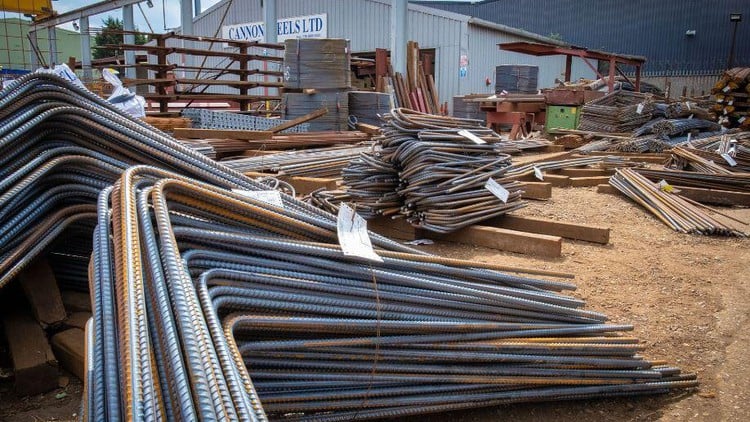
Quantity Surveying/Bar bending Learn To Create Bar-Bending Schedule For Different Structures In Excel
⏱️ Length: 5.3 total hours
⭐ 4.45/5 rating
👥 13,467 students
🔄 July 2023 update
Add-On Information:
Note➛ Make sure your 𝐔𝐝𝐞𝐦𝐲 cart has only this course you're going to enroll it now, Remove all other courses from the 𝐔𝐝𝐞𝐦𝐲 cart before Enrolling!
-
Course Overview
- Unlock a vital and highly sought-after skill in construction: the precise creation of Bar Bending Schedules (BBS) for various structural elements.
- This course empowers you to master the powerful synergy of AutoCAD for accurate drawing interpretation and Microsoft Excel for robust data management, calculation, and professional report generation.
- Designed for quantity surveyors, civil engineers, site supervisors, and aspiring construction professionals, it provides essential tools for ensuring project efficiency and cost-effectiveness.
- You will learn to meticulously transform complex structural designs into actionable, highly detailed material lists, directly contributing to minimized material waste and optimized project timelines.
- Gain expertise in a domain critical for accurate steel reinforcement take-offs, a cornerstone of successful project budgeting and material procurement.
- Reflecting its proven value and relevance, this course boasts a strong 4.45/5 rating from 13,467 students and was most recently updated in July 2023, ensuring up-to-date industry practices.
- Develop a systematic and practical approach to reinforcement scheduling, a skill indispensable for upholding structural integrity and achieving project profitability.
-
Requirements / Prerequisites
- Basic understanding of construction drawings: Familiarity with interpreting structural and architectural blueprints is beneficial to contextualize rebar detailing.
- Access to AutoCAD software: Learners must have an installed version of AutoCAD on their computer for hands-on drawing analysis and measurement exercises.
- Basic AutoCAD operational knowledge: Prior experience with fundamental AutoCAD commands, such as navigation, basic drawing, and measurement tools, will enhance the learning experience.
- Access to Microsoft Excel: An installed version of Microsoft Excel is essential for the data organization, calculation, and report generation components of the BBS.
- Basic Excel proficiency: Comfort with data entry, creating simple formulas (e.g., summation), and organizing information within spreadsheets is advantageous.
- Analytical mindset: A willingness to engage with detailed measurements, logical calculations, and methodical data organization is key to mastering the BBS process.
- No prior BBS experience: While foundational construction knowledge is helpful, this course is designed to introduce Bar Bending Schedule creation from scratch, making it accessible to beginners in this specific skill.
-
Skills Covered / Tools Used
- Structural Drawing Interpretation: Accurately extracting all necessary rebar details, including diameters, spacing, hooks, and cover requirements, from complex structural blueprints and elevation plans.
- Geometric Rebar Calculation: Applying fundamental principles of geometry and mensuration to precisely determine the cut lengths and bending dimensions for various rebar configurations and shapes.
- Excel for Advanced Data Management: Developing proficiency in creating structured, intelligent Excel templates for efficient organization, comprehensive calculation, and summary of rebar quantities.
- AutoCAD for Precise Material Take-off: Utilizing AutoCAD’s advanced measurement and detailing tools for accurate length determination, section verification, and visual identification of rebar elements directly from digital plans.
- Application of Industry Standards: Understanding and implementing relevant national and international construction codes, specifications, and best practices for reinforcement bar detailing and bending.
- Material Optimization Strategies: Learning methods to minimize steel waste during the BBS creation process, identifying opportunities for cost savings and sustainable material utilization.
- Error Detection & Prevention Techniques: Implementing systematic quality checks, cross-referencing, and verification methods throughout the BBS process to ensure accuracy and prevent costly on-site errors.
- Professional Documentation: Mastering the generation of clear, standardized, auditable, and professionally formatted BBS reports in Excel, critical for effective project communication and compliance.
- Digital Measurement & Scaling: Proficiency in using AutoCAD’s diverse measurement tools (linear, angular, area, perimeter) and scaling techniques for varied structural components.
- Dynamic Excel Formulas & Functions: Developing and applying custom formulas, lookup functions (e.g., VLOOKUP), conditional formatting, and data validation to create automated and intelligent BBS templates.
- Visualizing Rebar Layouts: Interpreting 2D and sectional drawings in AutoCAD to effectively quantify reinforcement, including understanding bar overlaps and anchorage.
- Integration with Quantity Surveying: Understanding how precise BBS generation seamlessly integrates into the broader scope of material quantity estimation and overall project budgeting.
-
Benefits / Outcomes
- Enhanced Career Prospects: Become a highly valued professional with a specialized, in-demand skill set for roles such as quantity surveyor, estimator, civil engineer, and site manager.
- Significant Project Cost Savings: Directly contribute to project profitability by minimizing steel waste and over-ordering through exceptionally accurate quantity take-offs.
- Improved Construction Efficiency: Streamline material procurement, reduce on-site delays, and prevent costly rework by providing precise and timely rebar schedules to fabricators and site teams.
- Assured Structural Integrity: Play a critical role in guaranteeing that structures are built according to exact design specifications with correct reinforcement, thereby enhancing safety, durability, and longevity.
- Effective Communication & Collaboration: Produce clear, standardized, and professional BBS documents that facilitate seamless, error-free communication and coordination across all project stakeholders.
- Strong Foundational Knowledge: Build a robust and practical understanding of structural detailing and quantity surveying, providing an excellent base for further specialization in construction management or structural design.
- Confidence in Quantity Surveying: Gain substantial professional confidence in handling one of the most critical aspects of construction quantity estimation, enabling you to tackle complex projects with assurance.
- Advanced Problem-Solving Acumen: Develop a systematic and analytical approach to resolve complex engineering problems related to material quantity take-off, optimization, and scheduling in diverse structural scenarios.
-
PROS
- High Industry Relevance: Provides skills directly applicable to real-world construction projects, ensuring immediate professional utility and demand.
- Integrated Software Learning: Master the combined, powerful use of two essential industry tools, AutoCAD and Excel, offering a versatile and comprehensive skill set.
- Significant Cost-Saving Potential: Equips learners with the ability to directly impact project budgets positively through highly precise material quantity estimations and waste reduction.
- Proven Quality & Effectiveness: A high rating of 4.45/5 from over 13,000 students signifies a strong track record of successful and impactful learning outcomes.
- Up-to-Date Content: Recently refreshed in July 2023, guaranteeing that the curriculum reflects current industry best practices and software functionalities.
- Comprehensive Scope: Teaches how to create Bar Bending Schedules for a wide variety of structural elements, preparing learners for diverse project types.
-
CONS
- Requires Software Access & Basic Familiarity: Students must provide their own licenses for AutoCAD and Microsoft Excel and possess some prior exposure to both software applications.
Learning Tracks: Hindi,Design,Architectural Design
Found It Free? Share It Fast!