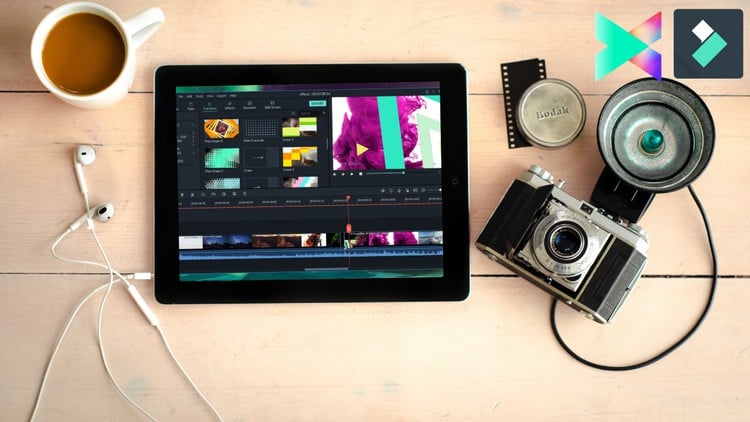
Learn Video Editing Like A Pro Using Wondershare Filmora X and Filmora 9 Zero To Hero With These Step By Step Tutorial.
⏱️ Length: 3.4 total hours
⭐ 4.21/5 rating
👥 95,836 students
🔄 November 2024 update
Add-On Information:
Note➛ Make sure your 𝐔𝐝𝐞𝐦𝐲 cart has only this course you're going to enroll it now, Remove all other courses from the 𝐔𝐝𝐞𝐦𝐲 cart before Enrolling!
- Comprehensive Course Overview: This program serves as a definitive roadmap for aspiring creators, taking you from the initial installation of Wondershare Filmora to exporting high-definition masterpieces. It focuses on bridging the gap between basic hobbyist editing and professional-level content production using versions 9, X, and the latest Filmora 11 features. By emphasizing a streamlined workflow, the course ensures that users can produce high-quality videos in a fraction of the time required by more complex software suites.
- Evolution of Versions: You will explore the functional evolution of the software, learning how the interface has transitioned from Filmora 9 to the advanced AI-integrated environment of Filmora 11. This historical and practical context allows users to feel comfortable regardless of which specific version they have access to on their local machines.
- Optimized Learning Path: The curriculum is structured into logical modules that mirror a real-world editing project, ensuring that every minute of the 3.4-hour runtime is packed with actionable information. This design is perfect for busy entrepreneurs, students, or social media influencers who need to master the craft without spending months in a classroom.
- Requirements / Prerequisites: To begin this journey, students should have a functioning computer with at least 8GB of RAM to ensure smooth video playback and rendering during the learning process. No prior knowledge of video editing is required, making it accessible to everyone from teenagers to professionals looking to pivot into digital media.
- Software Accessibility: Learners will need to have a version of Wondershare Filmora (9, X, or 11) installed on their Mac or Windows device. While the course provides the knowledge, having the software ready allows for the “learn-by-doing” approach that this tutorial emphasizes.
- Skills Covered – Timeline Orchestration: Master the art of managing a multi-track timeline, where you will learn to stack video clips, overlay images, and synchronize audio tracks with frame-perfect precision to create a cohesive narrative flow.
- Skills Covered – Advanced Keyframing: Unlock the power of custom animations by defining specific points for scale, rotation, and opacity, giving you the ability to create unique motion graphics that set your content apart from generic templates.
- Skills Covered – Motion Tracking: Learn to identify and track objects within your footage, allowing you to attach text, icons, or blur effects that move seamlessly with the action on screen, a feature essential for modern vlogging and tutorials.
- Skills Covered – Color Correction and Matching: Dive into the “Color Match” tool to ensure that footage taken from different cameras or in different lighting conditions maintains a consistent visual style across your entire project.
- Skills Covered – Audio Engineering: Utilize the “Audio Ducking” feature to automatically lower the volume of background music when someone is speaking, ensuring your dialogue is always crisp, clear, and professional.
- Skills Covered – Chroma Key Integration: Explore the creative possibilities of the Green Screen tool, which allows you to replace backgrounds and place your subjects in any digital environment imaginable with just a few clicks.
- Skills Covered – Speed Ramping: Gain control over the passage of time within your videos by mastering variable speed controls, allowing for dramatic slow-motion highlights or energetic fast-motion transitions.
- Skills Covered – Text and Title Effects: Build engaging openers and lower thirds using Filmora’s expansive library of customizable text effects, ensuring your branding is prominent and aesthetically pleasing throughout the video.
- Skills Covered – Split Screen and Masking: Learn to display multiple perspectives simultaneously using split-screen layouts and use masking tools to hide or reveal specific parts of your video for creative transitions.
- Skills Covered – Exporting and Optimization: Understand the technical side of video production by learning how to choose the right bitrates, resolutions, and file formats for specific platforms like YouTube, Instagram, or local television.
- Benefits / Outcomes – Professional Confidence: Upon completion, you will possess the technical skill set required to produce professional-grade videos, eliminating the “amateur look” often associated with beginner content.
- Benefits / Outcomes – Enhanced Productivity: By learning the specific keyboard shortcuts and workflow hacks taught in this course, you will be able to cut your editing time in half, allowing you to produce more content with less effort.
- Benefits / Outcomes – Marketable Career Skills: Video editing is one of the most in-demand skills in the digital economy. Completing this course provides you with a portfolio-ready foundation to start freelancing or managing corporate social media accounts.
- Benefits / Outcomes – Creative Freedom: You will no longer be limited by what the software “can do,” but rather by your own imagination, as you will have mastered the tools necessary to bring any visual concept to life.
- Benefits / Outcomes – Financial Savings: By becoming your own video editor, you save thousands of dollars that would otherwise be spent on hiring professional editors or expensive agencies for your personal or business projects.
- PROS: The course features an exceptionally high student-to-instructor engagement ratio and is frequently updated to reflect the newest UI changes in the November 2024 update.
- PROS: It focuses on “Zero to Hero” principles, ensuring that even those who are terrified of technology can find success within the first hour of instruction.
- PROS: The 3.4-hour length is perfectly calibrated to provide deep value without the “filler” content often found in longer, more expensive masterclasses.
- CONS: While Filmora is highly capable, the course focuses on an intermediate-friendly tool, meaning users seeking high-end Hollywood-grade compositing might eventually need to supplement this with more complex industry software.
Learning Tracks: English,Photography & Video,Video Design
Found It Free? Share It Fast!