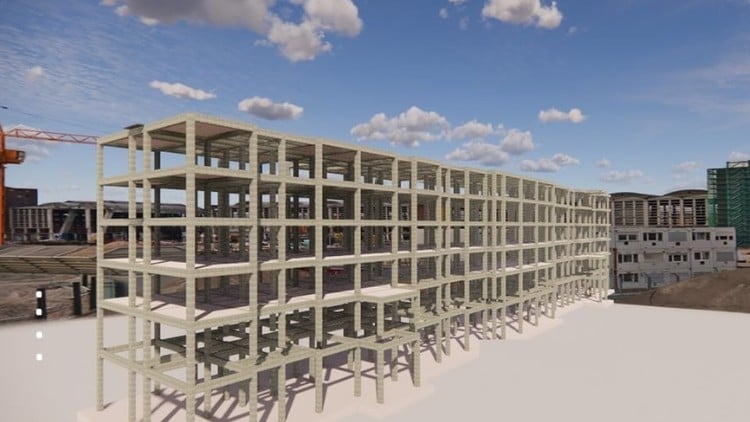
Tutorials on Revit for Structure: Concrete and Steel Structure, Structural Analysis, Family Creation, and Documentation
⏱️ Length: 3.3 total hours
⭐ 4.29/5 rating
👥 7,185 students
🔄 August 2024 update
Add-On Information:
Note➛ Make sure your 𝐔𝐝𝐞𝐦𝐲 cart has only this course you're going to enroll it now, Remove all other courses from the 𝐔𝐝𝐞𝐦𝐲 cart before Enrolling!
-
Course Overview
- This tutorial-driven course, “Exploring Autodesk Revit For Structure: BIM Tutorials,” is meticulously crafted for structural engineers, BIM modelers, and drafters aiming to master Autodesk Revit for structural design, analysis, and documentation workflows.
- Gain practical, hands-on experience in leveraging BIM principles specifically for structural engineering, from initial modeling to advanced analysis preparation and professional documentation.
- Covering essential aspects of concrete and steel structures, structural analysis integration, custom family creation, and comprehensive project documentation, this course provides a robust foundation for modern structural BIM practices.
-
Requirements / Prerequisites
- Basic Computer Literacy: Familiarity with general computer operation and file management is expected.
- Access to Autodesk Revit Software: A compatible, installed version of Autodesk Revit (licensed or educational) is mandatory for hands-on exercises.
- Fundamental Structural Engineering Knowledge (Recommended): A basic understanding of structural elements and engineering drawing principles will aid comprehension.
- No Prior Revit Experience Required: The course is designed to introduce Revit from fundamental concepts, making it accessible for beginners in the software.
- Keen Interest in Structural BIM: Enthusiasm for applying Building Information Modeling to structural design and analysis is crucial for optimal learning.
-
Skills Covered / Tools Used
- Mastering the Revit Structural Interface: Navigate and utilize Revit’s specialized tools and workflows tailored for structural engineers, including project browser and property palette.
- Comprehensive Concrete Structure Modeling:
- Model various foundation types: isolated, wall, and mat footings with accurate detailing.
- Design and detail concrete columns, beams, floor slabs, and shear walls.
- Implement advanced reinforcement detailing, including rebar placement, bar shapes, and automated schedules.
- Create and integrate complex concrete components and connections for constructible designs.
- Efficient Steel Structure Modeling:
- Place standard and custom steel profiles like beams, columns, and bracing effectively.
- Assemble complex steel trusses and framing systems, ensuring structural integrity.
- Utilize specialized tools for applying and customizing structural steel connections.
- Generate detailed connection drawings, shop drawings, and steel member schedules.
- Fundamentals of Structural Analysis Integration:
- Prepare Revit models for seamless export to external structural analysis software.
- Understand and manipulate the analytical model within Revit for accurate calculations.
- Review and interpret analytical results, facilitating iterative design optimization within the Revit environment.
- Advanced Structural Family Creation:
- Develop custom parametric families for unique structural elements, such as bespoke beams, columns, and connection types.
- Master family categories, parameters, and type catalogs to build intelligent, flexible components.
- Efficiently manage and incorporate external structural families to expand project capabilities.
- Professional Structural Documentation and Detailing:
- Produce accurate, industry-standard structural plans, sections, elevations, and detailed 3D views.
- Generate comprehensive material schedules, quantity take-offs, and rebar schedules directly from the model.
- Apply effective annotation techniques: dimensions, tags, text notes, and symbols for clear communication.
- Set up drawing sheets, title blocks, and manage revisions for professional project deliverables.
-
Benefits / Outcomes
- Achieve Revit Proficiency for Structural Design: Confidently model and document structural projects from start to finish using Autodesk Revit.
- Enhance BIM Workflow Efficiency: Integrate structural models into collaborative BIM environments, minimizing errors and improving inter-disciplinary coordination.
- Acquire Industry-Relevant Skills: Gain highly sought-after expertise in structural BIM, boosting career prospects in engineering and construction.
- Improve Design Accuracy and Collaboration: Create precise, constructible models that facilitate clear communication and better decision-making among project stakeholders.
- Accelerate Career Advancement: Position yourself as a valuable BIM-savvy professional in the rapidly evolving Architecture, Engineering, and Construction (AEC) sector.
- Build a Foundation for Advanced Studies: Establish a solid understanding of Revit for structure, preparing for more complex analysis, design automation, and specialized BIM coordination.
-
Pros and Cons
- Pros:
- Practical, Hands-On Approach: Emphasizes tutorials for direct application and reinforcement of structural BIM concepts.
- Comprehensive Thematic Coverage: Broadly covers concrete, steel, analysis, family creation, and documentation within a single course.
- High Student Satisfaction: A strong 4.29/5 rating from 7,185 students attests to its quality and effectiveness.
- Up-to-Date Content: Updated in August 2024, ensuring relevance with current software versions and industry practices.
- Efficient Learning Curve: Its 3.3-hour length provides essential skills quickly, ideal for busy professionals.
- Cons:
- Limited In-Depth Exploration for Complex Scenarios: Due to its concise nature and broad scope, the course might offer an introduction to some advanced structural challenges and analysis intricacies rather than an exhaustive, deep dive required by seasoned professionals for highly specialized problem-solving.
- Pros:
Learning Tracks: English,Design,Design Tools
Found It Free? Share It Fast!