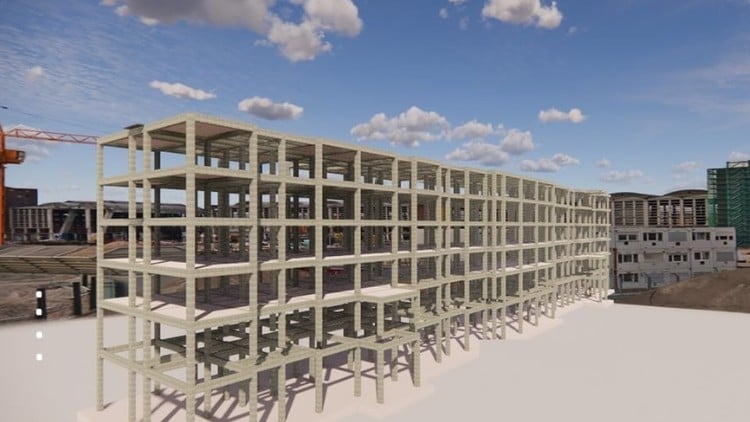
Tutorials on Revit for Structure: Concrete and Steel Structure, Structural Analysis, Family Creation, and Documentation
⏱️ Length: 3.3 total hours
⭐ 4.34/5 rating
👥 6,615 students
🔄 August 2024 update
Add-On Information:
Note➛ Make sure your 𝐔𝐝𝐞𝐦𝐲 cart has only this course you're going to enroll it now, Remove all other courses from the 𝐔𝐝𝐞𝐦𝐲 cart before Enrolling!
- Course Overview
- Embark on a comprehensive journey into the world of Building Information Modeling (BIM) specifically tailored for structural engineering professionals and students. This course offers a pragmatic and hands-on approach to mastering Autodesk Revit’s powerful structural capabilities, guiding you from fundamental concepts to advanced workflows.
- Through a series of focused tutorials, you will gain practical experience in constructing detailed structural models using concrete and steel elements. The curriculum is designed to demystify complex structural design and analysis processes within the BIM environment, empowering you to produce accurate and coordinated project data.
- Beyond modeling, this program delves into the critical aspects of structural analysis integration within Revit, enabling you to leverage the software for evaluating structural performance and making informed design decisions. This analytical component is crucial for ensuring the integrity and safety of your designs.
- A significant portion of the course is dedicated to the art and science of creating and managing structural families. You will learn to build custom components, enhancing the efficiency and specificity of your project models, and contributing to a richer, more detailed BIM environment.
- Finally, the course emphasizes the importance of robust documentation. You will be equipped with the skills to generate professional construction documents, including plans, sections, elevations, and schedules, directly from your Revit model, ensuring seamless information transfer to the construction phase.
- With a total duration of 3.3 hours, this course is strategically structured for efficient learning. The high student enrollment (6,615) and excellent average rating (4.34/5) underscore its value and effectiveness, while the August 2024 update ensures you are learning with the latest industry practices and software features.
- Target Audience
- Structural engineers seeking to transition to or enhance their BIM proficiency.
- Draftspersons and technicians working on structural projects.
- Architecture, Engineering, and Construction (AEC) professionals interested in BIM for structural applications.
- Students pursuing degrees in civil engineering, structural engineering, or related fields.
- Project managers who need to understand BIM workflows for structural components.
- Skills Acquired
- Proficiency in creating and manipulating structural elements such as beams, columns, foundations, and bracing systems.
- Ability to model complex concrete structures, including rebar detailing and formwork.
- Expertise in modeling steel structures, encompassing various connection types and fabrication details.
- Understanding of how to initiate and interpret basic structural analysis results within Revit.
- Capability to develop and customize intelligent parametric families for structural components.
- Skills in generating high-quality, coordinated construction drawings and documentation sets.
- Enhanced collaboration and coordination skills through a centralized BIM model.
- Improved efficiency in design, documentation, and detailing processes.
- Tools & Technologies Covered
- Autodesk Revit (Structural Module): The primary software for all modeling, documentation, and analysis tasks.
- Revit Families: Creation, editing, and management of parametric components.
- Structural Analytical Model: Generation and manipulation for analysis purposes.
- View Templates & Visibility Graphics: Controlling the display of model elements for documentation.
- Detailing Tools: Creating detailed 2D representations from 3D models.
- Annotation Tools: Adding dimensions, tags, text, and other annotations.
- Scheduling: Generating material take-offs and other essential project schedules.
- Learning Outcomes / Benefits
- Develop a robust understanding of how to leverage BIM for efficient structural design and analysis.
- Significantly reduce coordination errors and clashes between structural elements and other disciplines by working within a single, integrated model.
- Increase personal and team productivity through streamlined modeling and documentation workflows.
- Enhance the quality and accuracy of construction documentation, leading to fewer RFIs and construction modifications.
- Gain a competitive edge in the job market by mastering industry-leading BIM software for structural engineering.
- Contribute more effectively to BIM-based project delivery, a growing standard in the AEC industry.
- Empower yourself to create more intelligent, data-rich structural models that can be utilized throughout the project lifecycle.
- PROS
- Focused Curriculum: Concentrates specifically on structural applications within Revit, ensuring relevance.
- Practical, Tutorial-Based: Emphasizes hands-on learning through guided exercises.
- Up-to-Date Content: Regularly updated to reflect current software versions and best practices.
- High Student Engagement: Proven success with a large and satisfied student base.
- Comprehensive Scope: Covers modeling, analysis integration, family creation, and documentation.
- CONS
- Basic Analysis Integration: While covering analysis tools, the depth may be introductory for highly complex structural simulations.
Learning Tracks: English,Design,Design Tools
Found It Free? Share It Fast!