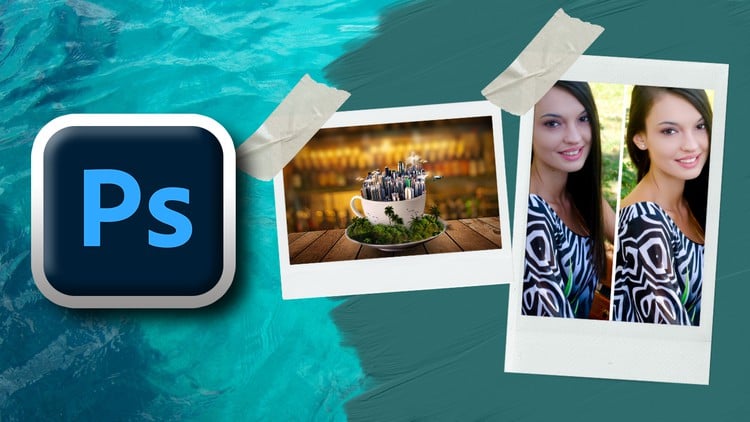
Unlock Your Imagination, Master Advanced Techniques, and Create Stunning Visuals with Professional Photoshop Skills
⏱️ Length: 4.2 total hours
⭐ 3.42/5 rating
👥 30,421 students
🔄 June 2024 update
Add-On Information:
Note➛ Make sure your 𝐔𝐝𝐞𝐦𝐲 cart has only this course you're going to enroll it now, Remove all other courses from the 𝐔𝐝𝐞𝐦𝐲 cart before Enrolling!
- Course Overview
- This comprehensive, project-based course is meticulously crafted for aspiring and current visual professionals seeking to elevate their Photoshop proficiency from competent to truly brilliant. It transcends basic feature introductions, immersing you in a dynamic learning environment where practical application is paramount.
- Designed to foster not just technical skill but also creative problem-solving, the curriculum guides you through real-world scenarios, challenges, and design principles essential for producing stunning, industry-standard visuals.
- You will embark on a transformative journey, directly applying advanced Photoshop techniques to intricate projects, mirroring the demands of professional creative agencies and freelance work. The emphasis is on developing a refined workflow that maximizes efficiency, precision, and artistic expression.
- Through hands-on experience, you’ll unlock your capacity for imaginative design, mastering the advanced functionalities that differentiate amateur work from professional-grade output. The course is updated to reflect contemporary industry practices and software capabilities, ensuring relevant and cutting-edge learning.
- Despite its concise length, this course is packed with high-impact, actionable insights, focusing on the most critical tools and methodologies for creative brilliance in a professional context. It’s an investment in your artistic vision and technical mastery.
- Requirements / Prerequisites
- Software Access: You must have Adobe Photoshop CC (Creative Cloud) installed on your computer. While the course covers advanced techniques, having the latest version ensures compatibility with all demonstrated features and a consistent learning experience.
- Basic Photoshop Familiarity: This is not an introductory course. Learners are expected to possess a foundational understanding of Photoshop’s interface, common tools (e.g., selection tools, layers panel, basic adjustments), and fundamental concepts like image resolution and file formats. Prior experience with opening, saving, and performing simple edits is crucial.
- Computer Hardware: A computer (Windows or macOS) capable of running Photoshop smoothly is essential. This includes sufficient RAM (8GB minimum, 16GB recommended for advanced projects), a decent processor, and adequate storage space for project files. A graphic tablet is highly recommended for certain creative tasks but not strictly mandatory.
- Internet Connection: A stable internet connection is required for accessing course materials, downloading project files, and potentially for software updates or cloud services.
- Creative Mindset: An open mind, a willingness to experiment, and a passion for visual design are invaluable. The course encourages exploration and innovative application of techniques.
- Skills Covered / Tools Used
- Advanced Layer Management: Mastering Smart Objects for non-destructive editing, efficient grouping, blending modes for complex effects, and effective use of adjustment layers for global and local image enhancements.
- Precise Selection & Masking Techniques: Delving into sophisticated selection methods using the Pen Tool for vector paths, advanced Select and Mask workspace functionalities, channel-based selections, and refining masks for intricate details like hair and transparency.
- Professional Retouching & Compositing: Employing frequency separation for skin retouching, advanced dodging and burning, content-aware tools for seamless object removal/filling, and creating hyper-realistic image composites using perspective matching, lighting consistency, and shadow integration.
- Dynamic Color Grading & Correction: Deep dives into Curves, Levels, Color Balance, and Selective Color adjustments for achieving specific moods and cinematic looks. Understanding LUTs (Look-Up Tables) and their application in professional workflows.
- Creative Manipulation & Special Effects: Exploring warp, puppet warp, liquefy for reshaping, applying artistic filters non-destructively, creating custom brushes, and generating complex visual effects like light glows, atmospheric fog, and textural overlays.
- Text & Typography Integration: Advanced techniques for styling text, incorporating text into complex compositions, creating text effects, and understanding typography principles for visual impact.
- Non-Destructive Workflow Mastery: Emphasizing strategies to keep your original image data intact, allowing for endless revisions and flexibility, which is crucial in professional environments.
- Action & Automation: Learning to create and utilize Photoshop Actions to automate repetitive tasks, significantly boosting productivity and ensuring consistency across multiple projects.
- Smart Filters & Smart Sharpening: Applying filters in a non-destructive manner, controlling their impact, and utilizing advanced sharpening techniques for print and web output.
- Output & Export Optimization: Understanding different file formats, color profiles (sRGB, Adobe RGB, CMYK), and export settings for various platforms and print requirements, ensuring your work looks its best everywhere.
- Working with 3D Layers (Basic Introduction): A brief overview of integrating 3D elements, manipulating them within Photoshop, and rendering basic scenes for composite work.
- Benefits / Outcomes
- Elevated Portfolio Quality: You will complete the course with a collection of impressive, professionally executed projects ready to showcase your advanced skills to potential clients or employers.
- Master Advanced Techniques: Gain a profound understanding and practical mastery of Photoshop’s most powerful and intricate features, moving beyond basic functionality to true expert-level application.
- Enhanced Creative Vision: Develop a sharper eye for detail, composition, color, and light, allowing you to translate your creative ideas into stunning visual realities with confidence and precision.
- Efficient Professional Workflow: Learn industry best practices for non-destructive editing, organization, and automation, drastically improving your speed and consistency in project execution.
- Problem-Solving Prowess: Acquire the analytical and technical skills to tackle complex visual challenges, troubleshoot issues, and achieve desired outcomes, even with difficult source materials.
- Career Advancement Potential: Position yourself as a highly capable Photoshop professional, opening doors to advanced roles in graphic design, digital art, photo editing, advertising, and more.
- Confidence in Complex Projects: Feel fully prepared and confident to take on demanding client projects, knowing you have the skills to deliver exceptional results under various creative briefs.
- Artistic Expression Unleashed: Break free from technical limitations, allowing your imagination to soar and manifest unique, compelling visual narratives.
- PROS
- Project-Based Learning: Hands-on approach ensures practical skill acquisition and immediate application of complex techniques.
- Focus on Brilliance: Targets advanced users, pushing creative boundaries beyond standard Photoshop usage.
- Professional Workflow Emphasis: Instills best practices crucial for real-world creative industry demands.
- Updated Content: Ensures relevance with the latest Photoshop features and industry trends.
- Portfolio-Ready Output: Provides tangible assets to showcase learned skills effectively.
- CONS
- Requires Self-Discipline: Given its concise length and advanced nature, sustained focus and practice outside of the course material are essential for true mastery.
Learning Tracks: English,Design,Graphic Design & Illustration
Found It Free? Share It Fast!