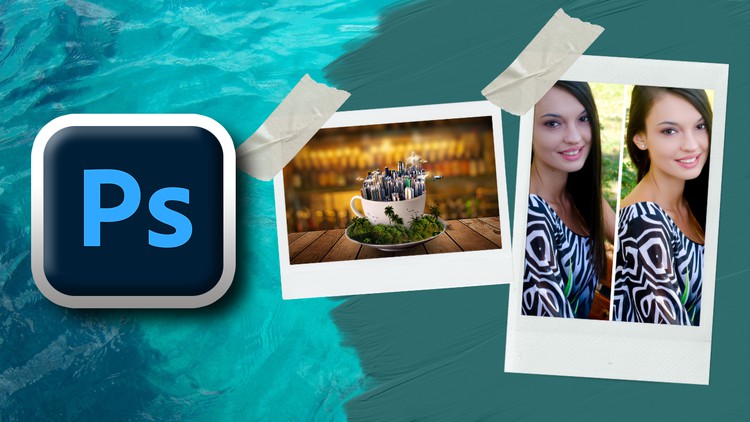
Unlock Your Imagination, Master Advanced Techniques, and Create Stunning Visuals with Professional Photoshop Skills
What you will learn
How to create a Poster design in Photoshop
Creating glowing lines in Image
Creating a flyer design
Creating Neon Light effect in your Image
Making a Logo Design
Creating T-Shirt Design
Designing a business card
Creating a brochure design
Photo Manipulation in Photoshop
Transparent text effect
Social media post design
Dispersion effect
Add-On Information:
Note➛ Make sure your 𝐔𝐝𝐞𝐦𝐲 cart has only this course you're going to enroll it now, Remove all other courses from the 𝐔𝐝𝐞𝐦𝐲 cart before Enrolling!
- Mastering Design Fundamentals through Application: Go beyond tool proficiency by understanding core design principles like hierarchy, balance, and visual flow, actively applying them in every project to create impactful and aesthetically pleasing compositions.
- Cultivating a Professional Workflow: Learn to navigate Photoshop efficiently, employing non-destructive editing techniques, smart objects, and organized layer management to ensure your projects are scalable, editable, and ready for collaborative professional environments.
- Developing a Design Thinker’s Mindset: Acquire the ability to deconstruct complex design briefs, brainstorm innovative solutions, and translate abstract concepts into tangible, visually compelling digital assets that resonate with target audiences.
- Building a Versatile Creative Portfolio: Each project serves as a cornerstone for your professional portfolio, showcasing your diverse capabilities in branding, marketing collateral, and intricate visual storytelling, making you highly marketable to potential clients or employers.
- Elevating Visual Storytelling Capabilities: Understand how to evoke emotion and convey powerful messages through strategic use of color, typography, texture, and imagery, transforming simple visuals into narratives that captivate and engage.
- Achieving Pixel-Perfect Precision: Develop an acute eye for detail and command over Photoshop’s advanced selection, masking, and retouching tools, ensuring every element in your design is flawlessly integrated and professionally polished.
- Optimizing for Diverse Output Mediums: Gain critical insights into preparing your designs for various platforms, whether it’s print-ready files with correct color profiles and resolutions, or perfectly optimized assets for web and social media, understanding the nuances of each.
- Unlocking Advanced Compositing Techniques: Seamlessly blend multiple images and elements, creating believable and imaginative scenes that defy reality, pushing the boundaries of what’s possible in visual design.
- Commanding Typography for Impact: Learn to choose, pair, and manipulate typefaces not just for legibility, but for their expressive power, using them as integral design elements to enhance mood, message, and brand identity.
- Strategic Use of Color and Light: Understand the psychological impact of color and the dramatic effects of lighting, applying these principles to create compelling moods, direct viewer attention, and achieve stunning visual coherence in your work.
- Problem-Solving for Real-World Scenarios: Tackle design challenges often encountered in professional settings, from client revisions to optimizing visuals under tight constraints, fostering adaptability and resilience in your creative process.
- Crafting Cohesive Brand Identities: Beyond individual elements, learn to integrate various design pieces – from logos to social posts – into a unified visual language that strengthens a brand’s presence and market recognition.
- Exploring Artistic Expression with Digital Tools: Leverage Photoshop’s capabilities to experiment with different styles, textures, and effects, finding your unique creative voice while adhering to professional design standards.
- Ensuring Cross-Platform Consistency: Develop an understanding of how designs translate across different devices and screen sizes, creating responsive and adaptable visuals for a truly modern digital experience.
- PROS:
- Hands-On Portfolio Development: Graduate with a strong, diverse portfolio of professional-grade projects, ready to showcase your skills to potential employers or clients.
- Industry-Relevant Skill Mastery: Acquire practical, in-demand Photoshop expertise directly applicable to real-world design challenges across various industries, from marketing to product design.
- Boosted Creative Confidence: Transform your imaginative ideas into tangible, stunning visuals with precision, fostering a newfound confidence in your design capabilities and problem-solving abilities.
- Versatile Design Application: Gain the adaptability to tackle a broad spectrum of design tasks, positioning you as a highly flexible and valuable asset in any creative team or freelance capacity.
- CONS:
- Demanding Time Commitment: Requires significant dedicated practice and independent project work outside of guided lessons to truly internalize techniques and achieve mastery, making it unsuitable for those seeking a passive learning experience.
English
language