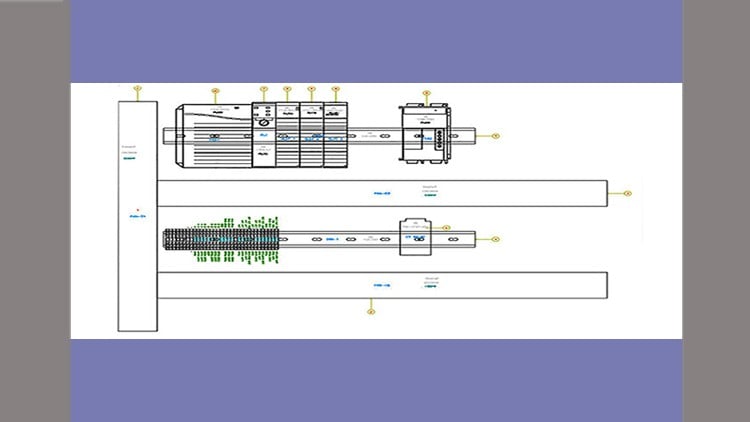
A Masterclass
⏱️ Length: 19.1 total hours
⭐ 4.10/5 rating
👥 68,797 students
🔄 May 2021 update
Add-On Information:
“`html
Note➛ Make sure your 𝐔𝐝𝐞𝐦𝐲 cart has only this course you're going to enroll it now, Remove all other courses from the 𝐔𝐝𝐞𝐦𝐲 cart before Enrolling!
- Course Overview
- Unlock the full potential of AutoCAD Electrical 2021 with this comprehensive masterclass, designed for aspiring and practicing electrical engineers, designers, and technicians.
- Dive deep into the industry-standard software for electrical design and documentation, gaining the skills to produce highly accurate and professional control system schematics.
- This extensive course, spanning 19.1 hours of engaging video content, is meticulously structured to guide you from fundamental concepts to advanced functionalities, ensuring a solid understanding of the software’s capabilities.
- With an impressive 4.10/5 rating from over 68,797 students and an update in May 2021, this course reflects current best practices and software features.
- Go beyond basic drafting by mastering the intelligent tools and features that automate repetitive tasks, reduce errors, and streamline the entire electrical design workflow.
- Develop a robust understanding of how to manage complex projects efficiently, from initial concept to final documentation, utilizing the power of AutoCAD Electrical’s integrated environment.
- This course is not just about learning software; it’s about cultivating a systematic approach to electrical design that prioritizes accuracy, consistency, and maintainability.
- Discover how to leverage the software’s extensive libraries of electrical components to accelerate your design process and ensure adherence to industry standards.
- Gain confidence in producing clear, concise, and error-free electrical drawings that communicate design intent effectively to all stakeholders.
- Explore the interconnectedness of various design elements within AutoCAD Electrical, understanding how changes in one area can be propagated across the entire project.
- This program is ideal for anyone looking to enhance their professional toolkit, improve project delivery times, and elevate the quality of their electrical engineering deliverables.
- Requirements / Prerequisites
- A working installation of AutoCAD Electrical 2021 or a compatible version is essential for hands-on practice.
- Basic computer literacy and familiarity with standard operating system functions are assumed.
- A fundamental understanding of electrical engineering principles and terminology will greatly enhance the learning experience.
- Access to a computer with sufficient processing power and RAM to run AutoCAD Electrical smoothly is recommended.
- An internet connection is required for accessing course materials and any potential updates.
- While not strictly mandatory, prior exposure to general AutoCAD concepts might be beneficial but is not a prerequisite.
- The ability to follow step-by-step instructions and engage actively with the provided examples is key.
- Skills Covered / Tools Used
- Project Management: Learn to organize and manage electrical design projects efficiently within the AutoCAD Electrical environment.
- Schematic Design: Master the creation of single-line, multi-line, and ladder logic diagrams with intelligent symbols.
- Panel Layout Design: Develop proficiency in designing physical panel layouts and wiring diagrams.
- Component Databases: Understand how to utilize and manage vast libraries of electrical components for quick insertion and intelligent referencing.
- Wire Numbering and Component Tagging: Automate the process of assigning unique identifiers to wires and components, ensuring consistency.
- Report Generation: Generate critical reports such as Bill of Materials (BOM), wire lists, terminal reports, and more directly from your designs.
- PLC I/O Design: Effectively design and document Programmable Logic Controller (PLC) input/output configurations.
- Icon Menu Customization: Learn to tailor the software’s interface and symbol libraries to your specific project needs and company standards.
- Error Checking and Design Rule Verification: Implement automated checks to identify potential design errors and ensure compliance with predefined rules.
- Title Block and Drawing Formatting: Standardize your drawings with custom title blocks and consistent formatting.
- Symbol Libraries: Explore and utilize pre-built symbol libraries for various electrical standards and component types.
- Drawing Automation: Leverage built-in tools to automate repetitive drafting tasks, significantly reducing design time.
- Cross-Referencing: Understand how to implement and manage intelligent cross-references between schematic components and their connected counterparts.
- Electrical Standards Compliance: Gain insight into how to design electrical drawings that adhere to industry-specific standards (e.g., IEC, NFPA).
- Attribute Editing and Management: Efficiently edit and manage the data associated with electrical components and symbols.
- Benefits / Outcomes
- Become a proficient user of AutoCAD Electrical 2021, capable of handling complex electrical design projects with confidence.
- Significantly enhance your productivity and reduce design errors through the use of intelligent automation features.
- Produce professional-grade electrical control drawings that meet industry standards and client expectations.
- Improve your employability and career prospects within the electrical engineering and automation sectors.
- Gain the ability to collaborate more effectively with other engineers and design teams by producing clear and standardized documentation.
- Streamline project timelines by accelerating the design and documentation phases of electrical control systems.
- Develop a deeper understanding of the principles behind efficient electrical design documentation.
- Acquire skills that are highly sought after by employers in manufacturing, industrial automation, and building services.
- Be equipped to take on a wider range of electrical design responsibilities.
- Contribute to projects with greater accuracy and a reduced likelihood of costly rework.
- The knowledge gained will empower you to optimize electrical system designs for clarity, functionality, and maintainability.
- PROS
- Comprehensive Coverage: The 19.1-hour duration ensures a thorough exploration of AutoCAD Electrical’s features.
- High Student Satisfaction: A 4.10/5 rating indicates that students find the course valuable and effective.
- Large Student Base: Over 68,000 students attest to the course’s popularity and perceived quality.
- Up-to-Date Content: The May 2021 update ensures relevance to current software versions and practices.
- Practical Focus: The “What You Will Learn” section emphasizes the creation of professional drawings, suggesting a hands-on approach.
- Industry Standard Software: Mastering this course directly translates to proficiency in a widely used industry tool.
- CONS
- Software Dependency: Requires access to and installation of AutoCAD Electrical 2021, which may involve costs or licensing limitations.
“`
Learning Tracks: English,Design,Design Tools
Found It Free? Share It Fast!