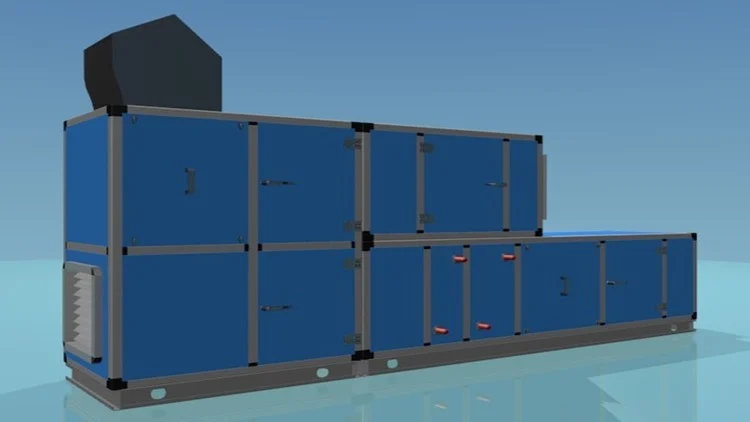
Learn how to create Mechanical & Electrical Families (Crash Course)
⏱️ Length: 3.0 total hours
⭐ 4.81/5 rating
👥 165 students
🔄 November 2025 update
Add-On Information:
Note➛ Make sure your 𝐔𝐝𝐞𝐦𝐲 cart has only this course you're going to enroll it now, Remove all other courses from the 𝐔𝐝𝐞𝐦𝐲 cart before Enrolling!
- Course Overview
- The BIM Revit MEP Families Basics (Mech & Elec) Crash Course provides an intensive, fast-tracked curriculum designed to demystify the complex process of creating custom components for HVAC and electrical systems.
- This course delves into the architectural and engineering logic behind the RFA (Revit Family) file format, teaching students how to move beyond standard out-of-the-box content provided by Autodesk.
- The syllabus is meticulously structured to cover the Family Editor interface, a specialized workspace that operates under different rules than the standard Revit project environment.
- Learners will explore the critical importance of Family Templates, understanding how choosing the correct starting point (such as wall-based, floor-based, or ceiling-based) dictates the behavior of the component in a 3D model.
- By focusing on both Mechanical and Electrical disciplines, the course offers a balanced perspective on how different engineering elements interact with the building’s physical and data-driven infrastructure.
- The instruction emphasizes the “intelligent” side of BIM (Building Information Modeling), ensuring that every 3D object created is not just a visual representation but a container for vital engineering data.
- As a crash course, the content is condensed into a high-impact three-hour session, eliminating unnecessary filler and focusing strictly on the workflows used by professional BIM coordinators and technicians.
- The recent November 2025 update ensures that all demonstrations utilize the most modern interface improvements and feature sets available in the latest Revit versions.
- Requirements / Prerequisites
- Prospective students should possess a foundational proficiency in the general Revit user interface, including basic navigation, selection methods, and an understanding of the project browser.
- A functional installation of Autodesk Revit 2022 or a more recent version is essential to follow along with the exercises and open the provided practice files.
- A basic conceptual understanding of Mechanical and Electrical systems, such as how air flows through a duct or how power is distributed through a panel, will help in configuring connector logic.
- Access to a dual-monitor setup is highly recommended so that learners can view the instructional videos on one screen while practicing family creation on the other.
- Familiarity with geometric principles, particularly regarding constraints, dimensions, and planes, will assist in mastering the parametric modeling portions of the course.
- Students should have an interest in content standardization and a desire to build high-quality, lightweight families that do not compromise the performance of large-scale BIM projects.
- Skills Covered / Tools Used
- Mastery of the Geometry Tools within the Family Editor, including the precise use of Extrusions, Blends, Revolves, Sweeps, and Swept Blends to replicate real-world equipment.
- Advanced use of Reference Planes and Reference Lines to create the “skeletal” framework that allows families to flex and change size without breaking.
- Creation and management of Family Parameters and Shared Parameters, enabling data to be tracked, scheduled, and tagged consistently across multiple project files.
- In-depth configuration of Duct Connectors, focusing on system classifications, flow directions, and the assignment of pressure drop calculations to mechanical equipment.
- Comprehensive setup of Electrical Connectors, including defining the number of poles, voltage requirements, and load classifications for power and lighting fixtures.
- Implementation of Parametric Formulas to automate dimensions and values, such as calculating the area of a diffuser or the load of a circuit based on user input.
- Utilizing Visibility Settings and Detail Levels to ensure that families look clean in 2D plan views while remaining detailed and accurate in 3D renderings.
- Exploration of Nested Families, allowing students to insert smaller components into a host family to create complex, multi-part assemblies like a pump with its associated motor.
- Application of Materials and Sub-categories to control the graphical appearance and rendering properties of MEP components for high-quality visual outputs.
- Benefits / Outcomes
- Attain the ability to build a bespoke BIM library, allowing your firm or personal practice to maintain a unique standard of quality and data accuracy.
- Significantly reduce project turnaround time by creating “smart” families that automatically adjust to engineering changes, minimizing manual coordination errors.
- Improve interdisciplinary coordination by modeling accurate clearance zones and access spaces, which are vital for successful clash detection in Navisworks or BIM 360.
- Enhance your professional marketability by mastering Revit MEP family creation, which is often considered one of the most difficult and high-value skills in the AEC industry.
- Achieve data integrity within your models, ensuring that every piece of mechanical or electrical equipment provides accurate information for energy analysis and facilities management.
- Gain the confidence to audit and repair broken families downloaded from manufacturer websites, stripping away excessive detail to optimize file size and performance.
- Develop a systematic workflow for content creation that can be scaled from simple generic models to highly complex, data-rich engineering components.
- PROS
- The 4.81/5 rating reflects a high level of student satisfaction and highlights the practical utility of the course content in real-world scenarios.
- The three-hour duration makes it an ideal choice for busy professionals looking to upskill over a weekend or during a short break without committing to a multi-week program.
- Focusing on both Mech and Elec disciplines provides a versatile perspective that is rare in specialized BIM training modules.
- The use of modern software versions in the 2025 update ensures that learners are not being taught outdated methods that no longer apply to current industry workflows.
- CONS
- The intensive nature of a crash course means that learners who are brand new to the Revit environment may find the rapid progression through parametric formulas and connector logic somewhat overwhelming without supplementary basic training.
Learning Tracks: English,Design,Design Tools
Found It Free? Share It Fast!