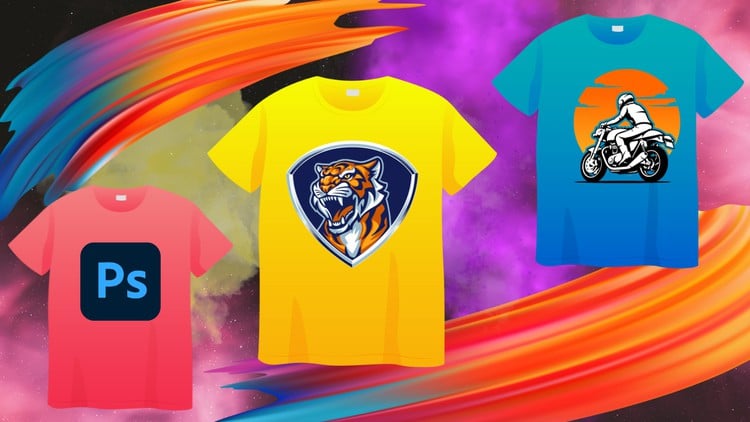
Photoshop for T-Shirt Design: A Beginner-Friendly Guide to Creating Stunning Designs
⏱️ Length: 4.7 total hours
⭐ 3.94/5 rating
👥 24,703 students
🔄 November 2023 update
Add-On Information:
Note➛ Make sure your 𝐔𝐝𝐞𝐦𝐲 cart has only this course you're going to enroll it now, Remove all other courses from the 𝐔𝐝𝐞𝐦𝐲 cart before Enrolling!
- Course Overview
- Discover the intersection of digital artistry and commercial apparel with this comprehensive guide designed for aspiring graphic designers and entrepreneurs alike.
- The Beginner Guide to Learn T-Shirt Design With Photoshop is a streamlined, 4.7-hour intensive program that demystifies the technical hurdles of creating professional-grade graphics for clothing.
- The curriculum focuses on transitioning from a blank canvas to a print-ready masterpiece, ensuring that students understand the nuance of how digital pixels translate onto fabric textures.
- Unlike generic Photoshop tutorials, this course centers specifically on the aesthetics of streetwear, minimalist typography, and illustrative compositions that resonate with modern consumers.
- Updated as of November 2023, the content addresses the latest features in Adobe Photoshop, ensuring your workflow remains efficient and compatible with industry standards.
- With a massive community of over 24,000 students, this course offers a proven path for those looking to start a side hustle on platforms like Merch by Amazon, Redbubble, or Printful.
- The instructional style emphasizes practical application over theory, encouraging students to build a portfolio of diverse designs as they progress through each module.
- Students will explore the psychology of design, learning why certain layouts work for chest prints while others are better suited for oversized back graphics.
- By the end of the journey, learners will possess the confidence to take custom orders or launch their own independent clothing brand with a solid technical foundation.
- Requirements / Prerequisites
- Access to Adobe Photoshop (Creative Cloud version is recommended, though older versions like CS6 remain functional for most core tasks).
- A basic understanding of operating a Windows or macOS environment, including file management and software installation.
- No prior experience in graphic design or drawing is necessary, as the course starts with fundamental shapes and elementary tool usage.
- A functional mouse or a digital graphics tablet (such as Wacom or Huion) to facilitate more fluid strokes and precise selection work.
- An active internet connection to download project assets, including brushes, textures, and high-resolution T-shirt mockups provided by the instructor.
- A passion for fashion and a creative mindset ready to experiment with various visual styles and cultural trends.
- Ideally, a subscription or access to a font library or royalty-free asset site to supplement the design process, though free alternatives are discussed.
- Skills Covered / Tools Used
- Mastery of the Pen Tool for creating clean, scalable vector-style silhouettes that remain crisp regardless of the print size.
- In-depth exploration of Layer Masks and Clipping Masks to non-destructively edit designs and apply textures to specific graphic elements.
- Advanced Typography Techniques, including kerning, leading, and warping text to create dynamic, eye-catching slogans that stand out on apparel.
- Understanding the Color Separation Process, which is critical for traditional screen printing to ensure each ink layer is handled correctly by the print shop.
- Utilization of the Brush Engine to add “distressed” or “vintage” effects, giving new designs a retro, worn-in aesthetic that is highly popular in current markets.
- Expertise in setting up Canvas Dimensions and DPI (Dots Per Inch) settings to ensure designs never appear blurry or pixelated when printed on physical garments.
- Creation of realistic 3D Mockups using Smart Objects, allowing you to showcase your designs on virtual models for marketing and social media promotion.
- Effective use of Blending Modes to simulate how ink interacts with different fabric colors, such as discharge printing or plastisol effects.
- Workflow optimization through Keyboard Shortcuts, significantly reducing the time spent on repetitive tasks and allowing for faster design iteration.
- Benefits / Outcomes
- Gain the ability to turn a simple conceptual sketch into a high-end, commercially viable product that meets professional manufacturing standards.
- Develop a diverse Design Portfolio that can be used to attract freelance clients or secure a position in a professional merchandising firm.
- Establish a clear understanding of the Print-on-Demand (POD) ecosystem, enabling you to generate passive income with minimal upfront investment.
- Achieve total creative independence, allowing you to produce custom apparel for events, local businesses, or personal wardrobe projects without hiring expensive designers.
- Learn to troubleshoot common printing errors, such as “halos” around graphics or incorrect transparency settings, saving time and money on wasted samples.
- Acquire a transferable skill set in Photoshop that extends beyond apparel, applicable to logo design, social media branding, and digital illustration.
- Build the technical proficiency required to communicate effectively with professional printers, using the correct industry terminology for colors and file formats.
- Confidence to participate in the global “Creator Economy,” leveraging your unique artistic voice to build a brand that resonates with specific niche audiences.
- PROS
- Direct Industry Focus: Every lesson is laser-focused on the garment industry, avoiding unnecessary Photoshop tools that don’t apply to textile design.
- High Student Engagement: With over 24,000 peers, the course provides a sense of community and a wealth of shared knowledge in the Q&A sections.
- Up-to-Date Curriculum: Regular updates ensure that the techniques taught are compatible with the latest AI-enhanced tools in Photoshop.
- Resource-Rich: Includes downloadable templates and assets that allow beginners to start producing professional results from day one.
- Time-Efficient: At under 5 hours, the course is structured for busy individuals who want to learn a new skill over a weekend.
- CONS
- Basic Scope: While excellent for beginners, seasoned Photoshop users might find the initial modules covering interface basics a bit slow for their pace.
Learning Tracks: English,Design,Graphic Design & Illustration
Found It Free? Share It Fast!